
Real product, real research. Some metrics, quotes and data have been modified for privacy and confidentiality. An independent portfolio piece not affiliated with or endorsed by Maruti Suzuki. All trademarks belong to their respective owners.
Maruti Suzuki Arena Full App Redesign
UX Research Case Study
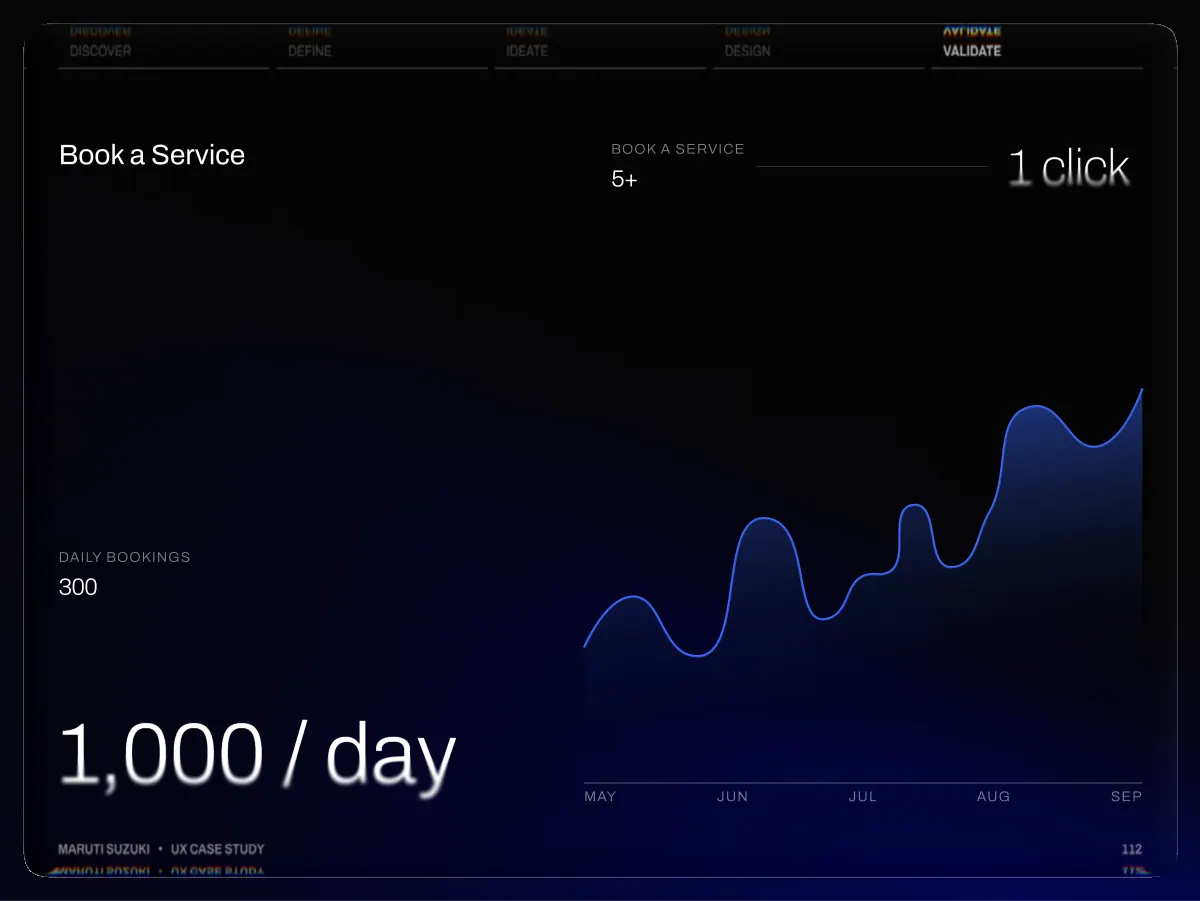
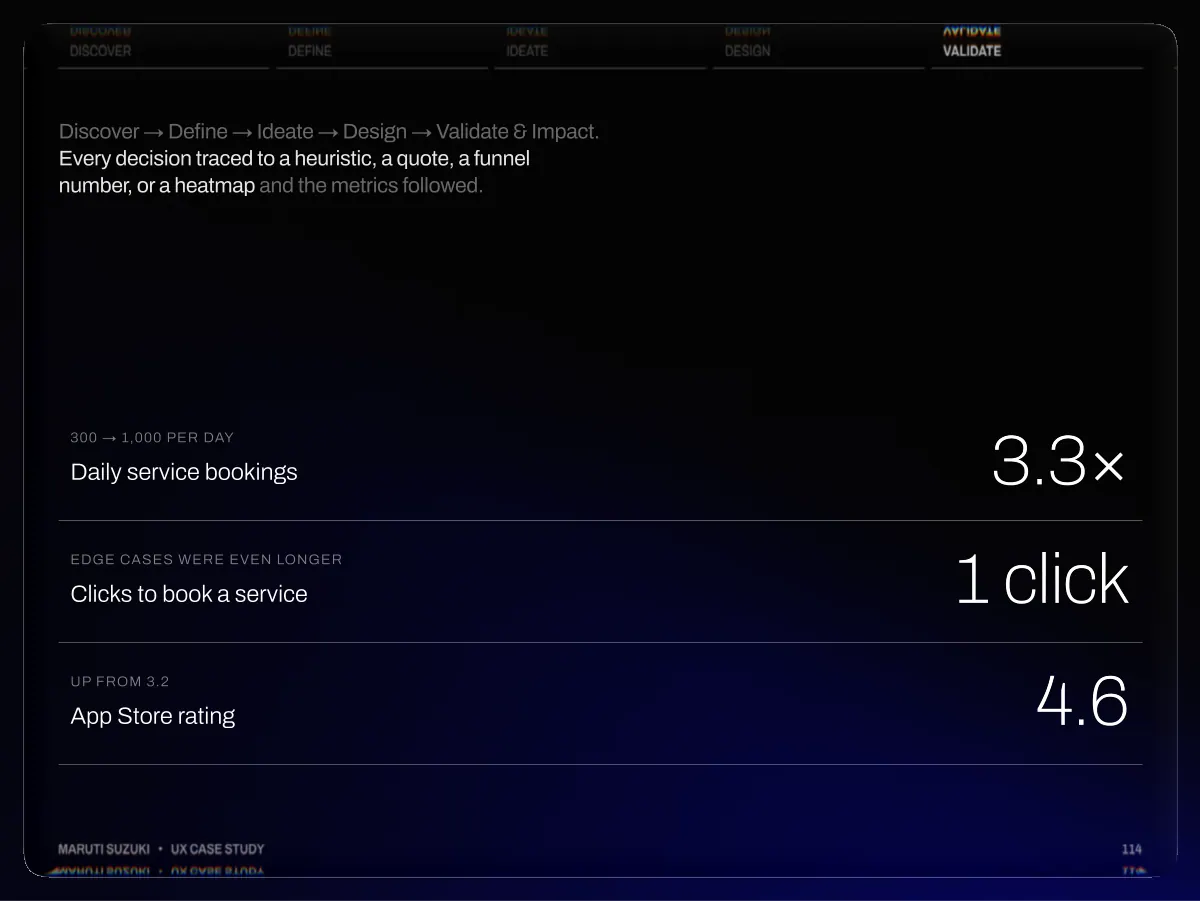
From a feature-complete app users couldn't actually use to a research-led, status-first redesign — collapsing service booking from a 6-step form to a one-tap confirm, lifting daily bookings 3.3× (300 → 1,000/day) and the App Store rating from 3.2★ to 4.6★. Every decision traced to a heuristic, a quote, a funnel number, or a heatmap.
- Daily service bookings (300 → 1,000/day)
- 3.3×
- Clicks to book a service
- 5+ → 1
- App Store rating (up from 3.2)
- 4.6
- Monthly loyalty visits
- 2.4×
/ 116 pages
Flip through the full case study
Drag a page corner, swipe, or use the arrow keys.
- Author
- Dhiraj Chouhan
- Framework
- 5D Process
- HEART Framework
- Jobs-To-Be-Done
- Study type
- Mixed Methods: Generative + Evaluative Research
- Timeline
- 2025 – 2026
- Tools used



- Team
- 14 PM · 8 UX/UI Designers · 28 Engineers · 7 QA
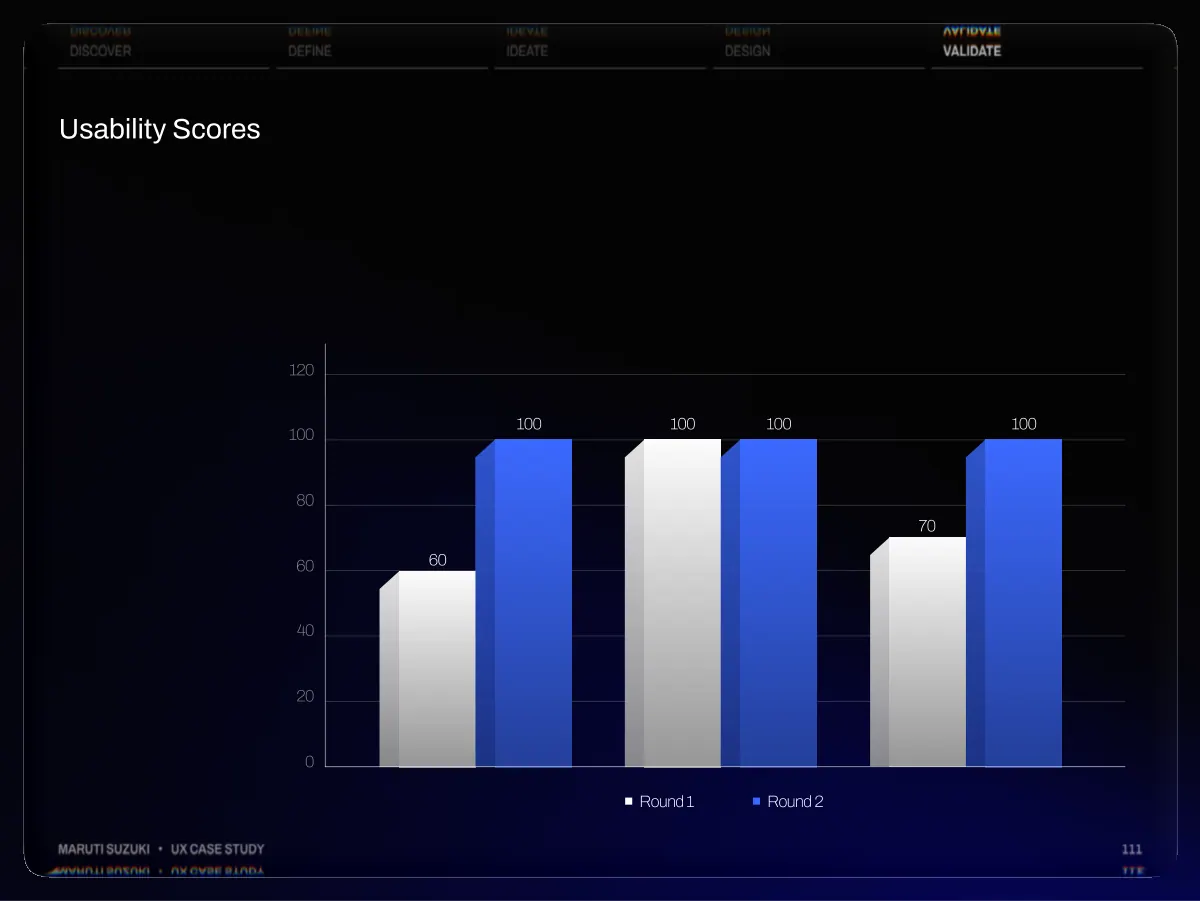
Read the case study as text
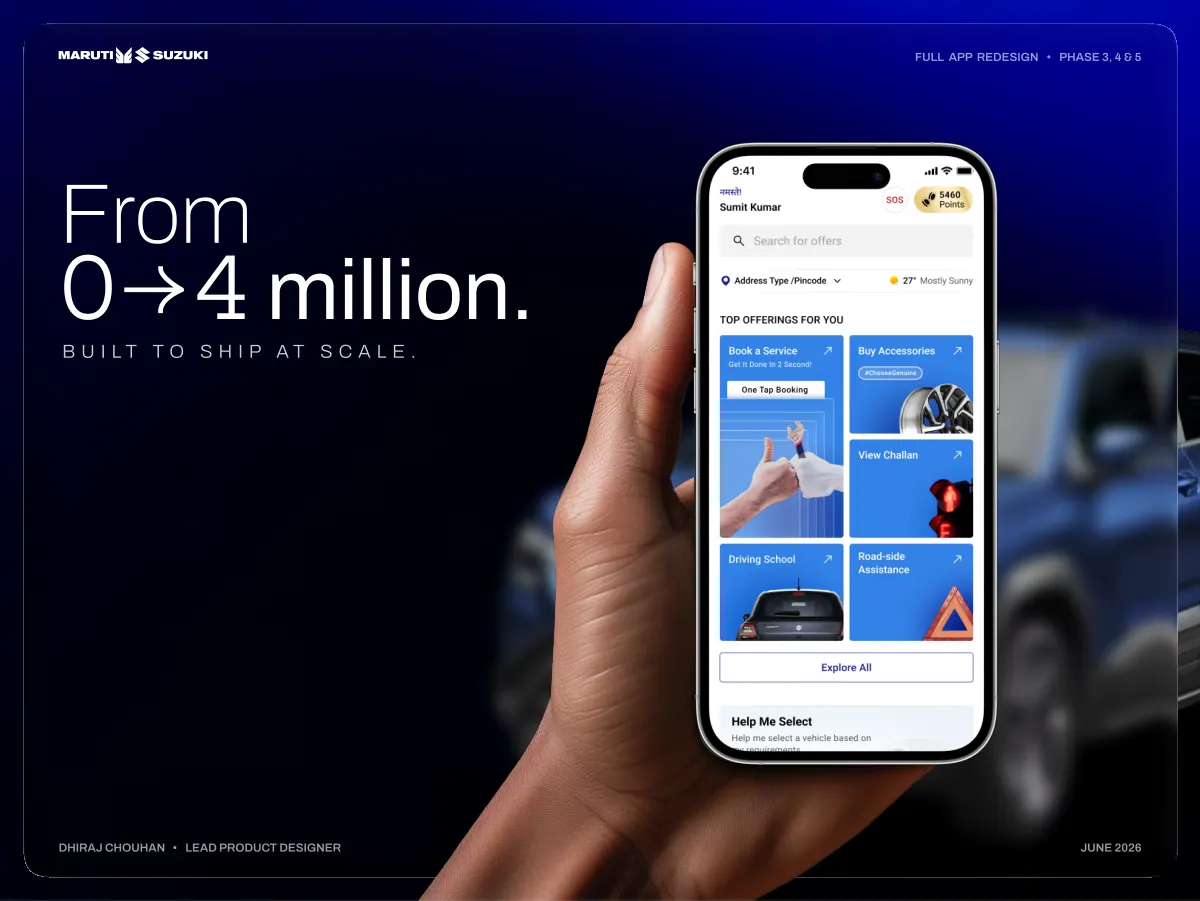
- Full App Redesign • Phase 3, 4 & 5 From 0 4 million. B u i l t t o s h i p a t s c a l e . Dhiraj Chouhan • Lead Product Designer June 2026
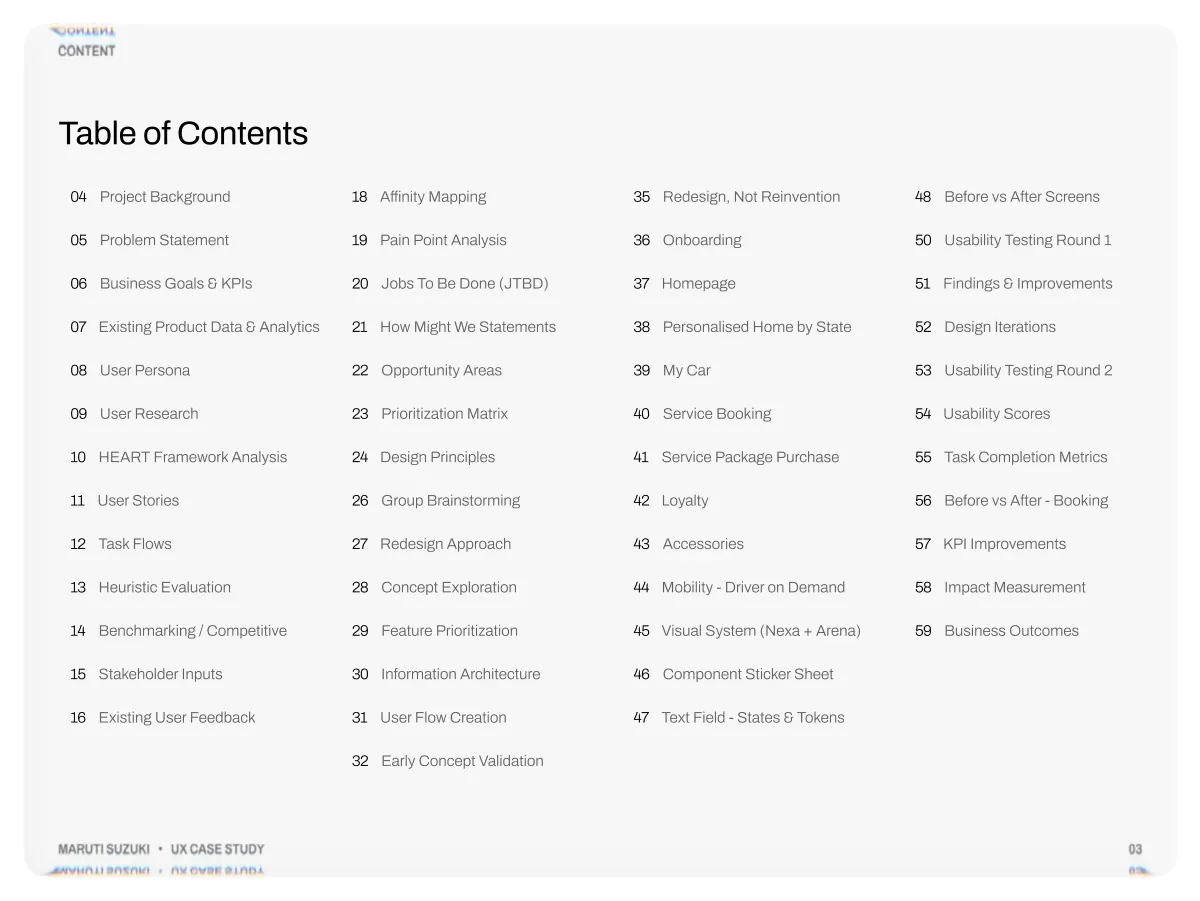
- Content Table of Contents 04 Project Background 18 Affinity Mapping 05 Problem Statement 19 Pain Point Analysis 06 Business Goals & KPIs 20 Jobs To Be Done (JTBD) 07 Existing Product Data & Analytics 21 How Might We Statements 08 User Persona 22 Opportunity Areas 09 User Research 23 Prioritization Matrix 10 HEART Framework Analysis 24 Design Principles 11 User Stories 26 Group Brainstorming 12 Task Flows 27 Redesign Approach 13 Heuristic Evaluation 28 Concept Exploration 14 Benchmarking / Competitive 29 Feature Prioritization 15 Stakeholder Inputs 30 Information Architecture 16 Existing User Feedback 31 User Flow Creation 32 Early Concept Validation 35 Redesign, Not Reinvention 48 Before vs After Screens 36 Onboarding 50 Usability Testing Round 1 37 Homepage 51 Findings & Improvements 38 Personalised Home by State 52 Design Iterations 39 My Car 53 Usability Testing Round 2 40 Service Booking 54 Usability Scores 41 Service Package Purchase 55 Task Completion Metrics 42 Loyalty 56 Before vs After - Booking 43 Accessories 57 KPI Improvements 44 Mobility - Driver on Demand 58 Impact Measurement 45 Visual System (Nexa + Arena) 59 Business Outcomes 46 Component Sticker Sheet 47 Text Field - States & Tokens Maruti Suzuki • UX Case Study 03
- Lead Product Designer with 5+ years building consumer products at scale. I lead UX for the Maruti Suzuki Super App (4M+ installs), manage an 8- person design team, and drive growth through AI-powered personalisation, accessories commerce (+5.8% conversion), service-booking optimisation (~3.7× daily bookings), scalable design systems, accessibility, and research-driven product decisions. Maruti Suzuki • UX Case Study 02
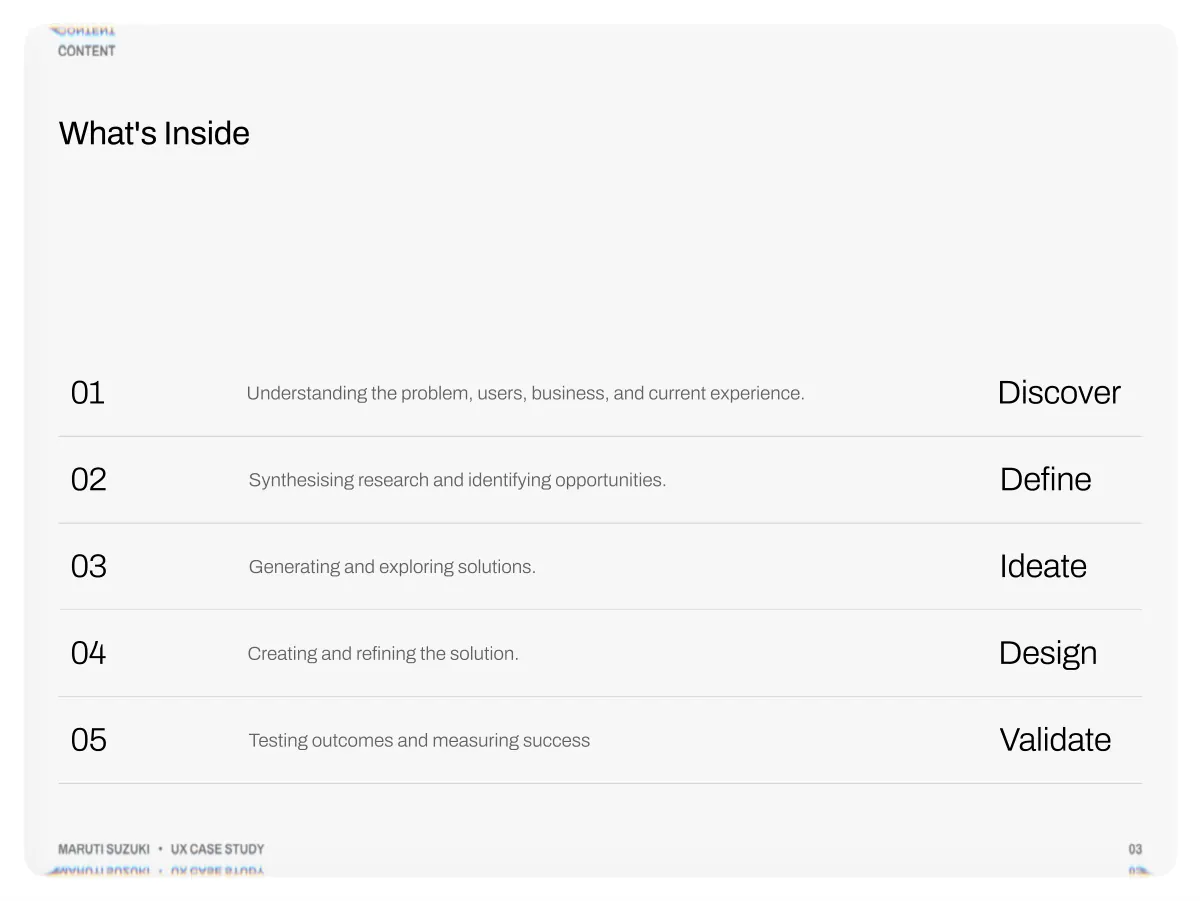
- Content What's Inside 01 02 03 04 05 Understanding the problem, users, business, and current experience. Creating and refining the solution. Synthesising research and identifying opportunities. Generating and exploring solutions. Testing outcomes and measuring success Discover Define Ideate Design Validate Maruti Suzuki • UX Case Study 03
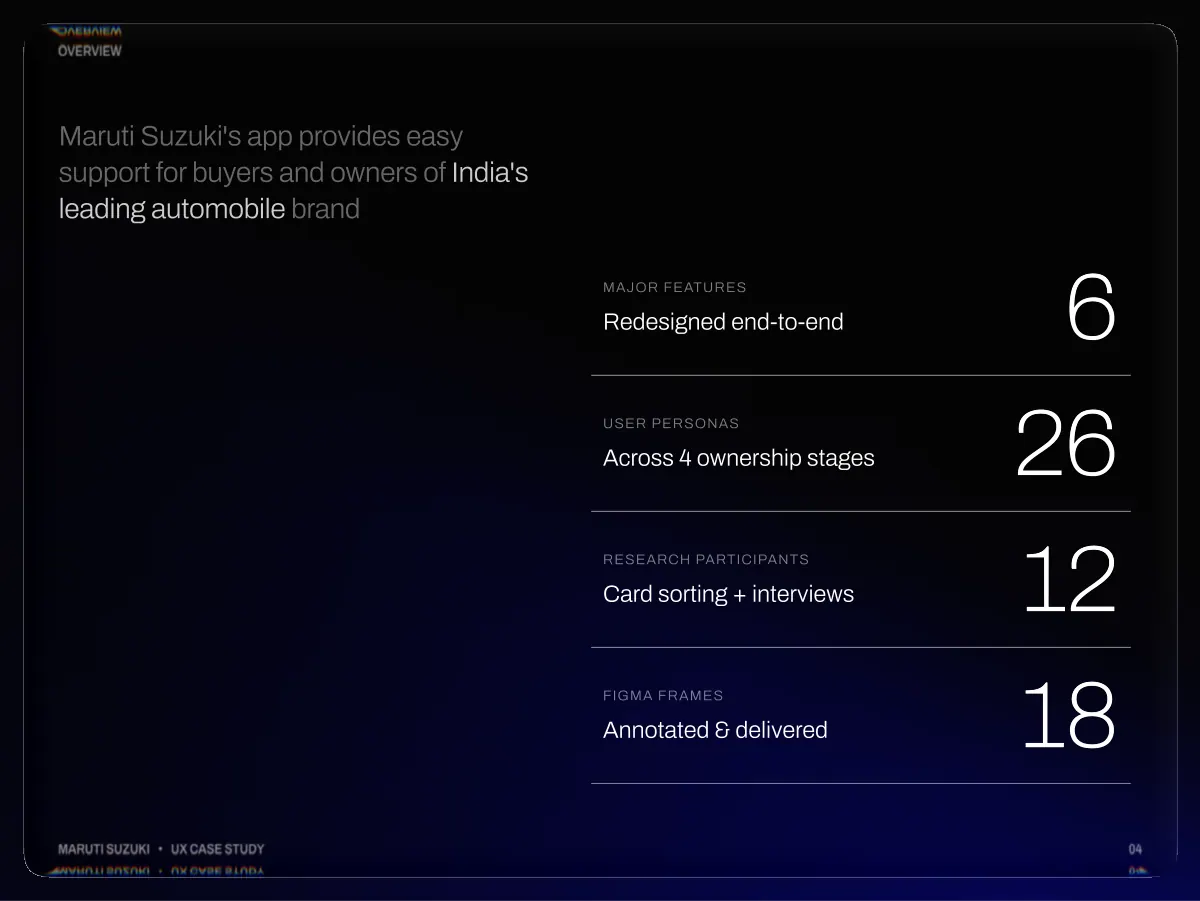
- OverView Maruti Suzuki's app provides easy support for buyers and owners of India's leading automobile brand Major Features Redesigned end-to-end 6 User Personas Across 4 ownership stages 26 Research Participants Card sorting + interviews 12 Figma Frames Annotated & delivered 18 Maruti Suzuki • UX Case Study 04
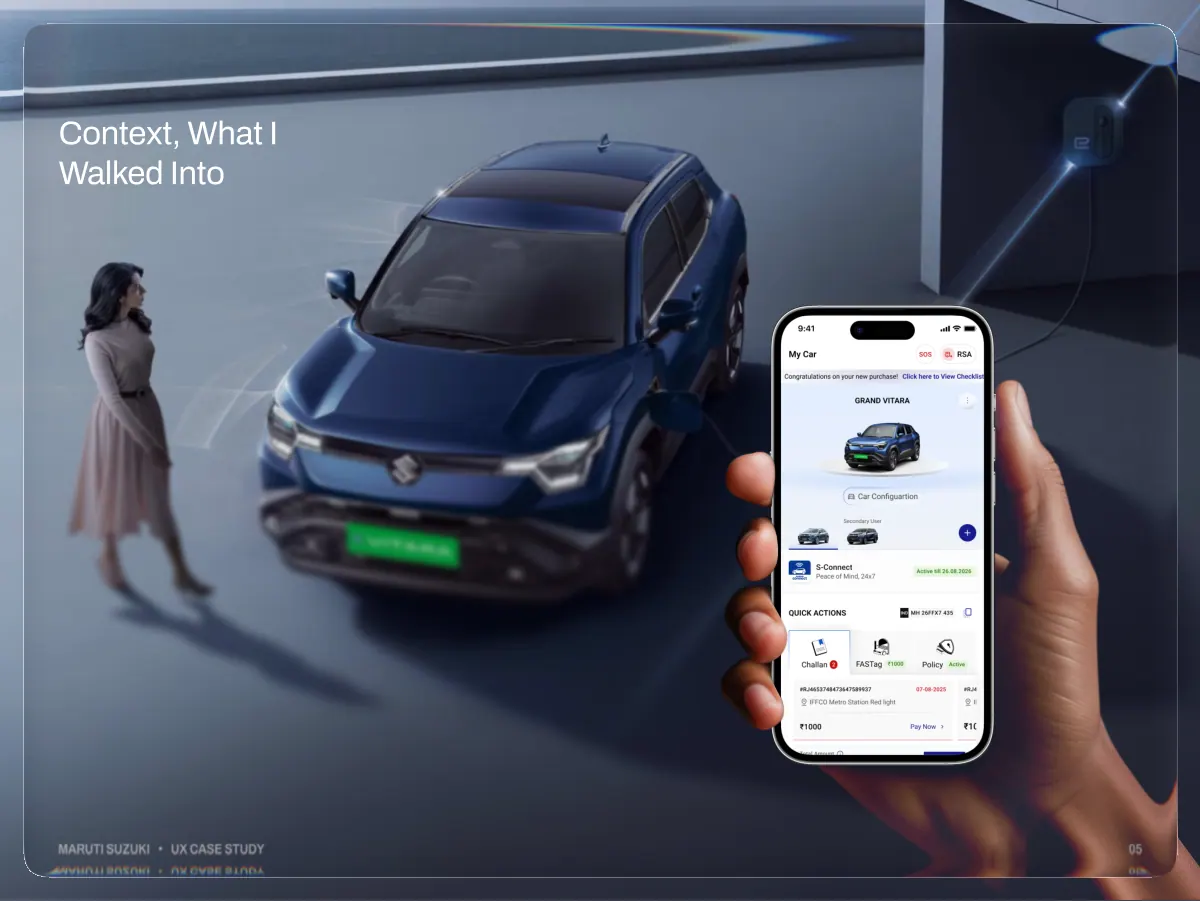
- Context, What I Walked Into Maruti Suzuki • UX Case Study 05
- Discover Understanding the problem, users, business, and current experience 01 Maruti Suzuki • UX Case Study 06
- Context, What I Walked Into Discover Define Ideate Design Validate The team delivered MVP 1 and MVP 2 of the app, launching every major feature: home, My Car, service booking, offers, and accessories. The product functioned, but working and being user-friendly are not the same. Maruti Suzuki • UX Case Study My Mandate At MVP 3, 4, 5 Rather than relying on assumptions or design intuition, we grounded the redesign in user research. Instead of jumping straight into wireframes, I deliberately postponed ideation until completing four key research activities. The existing MVP served as a baseline, allowing us to evaluate the experience through heuristic analysis, identify usability issues, and validate findings with user research before defining the solution. 07
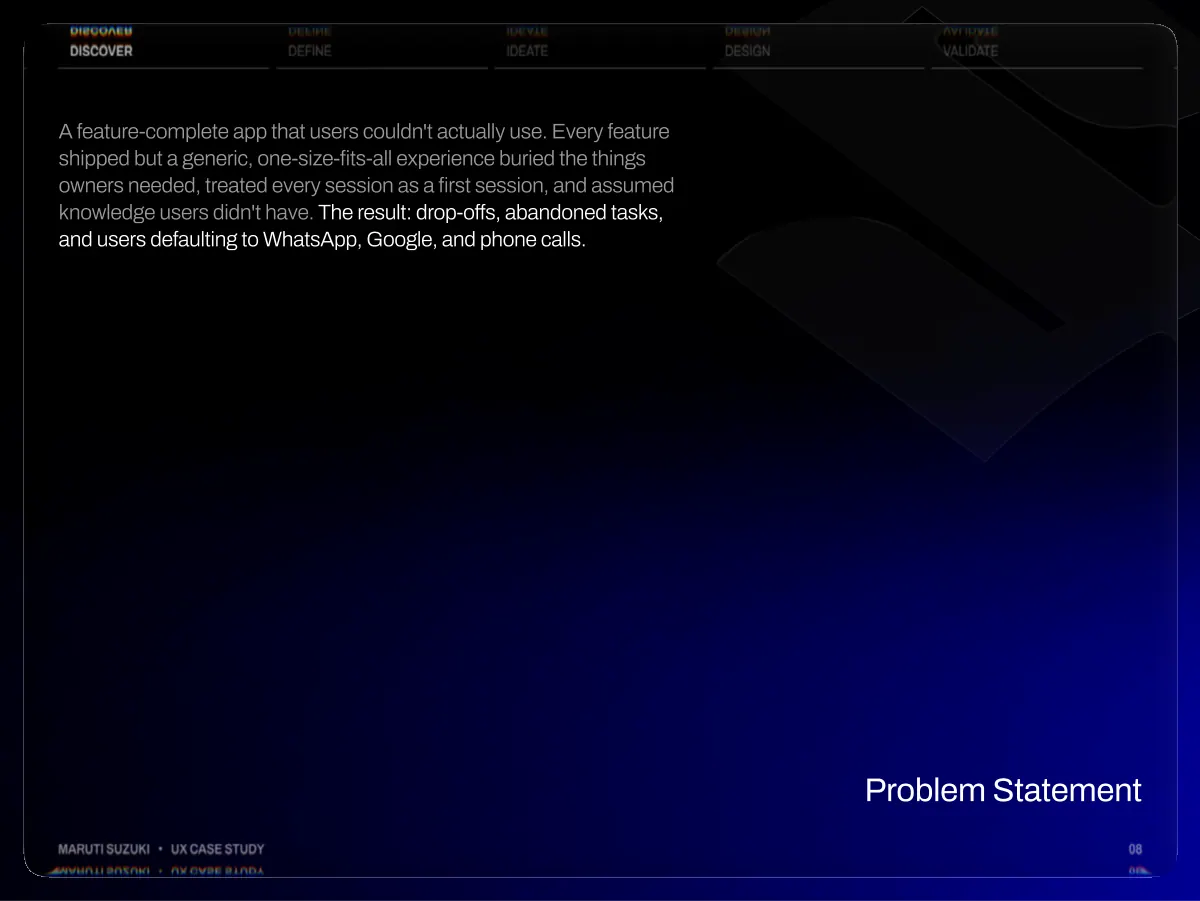
- Discover Define Ideate Design Validate A feature-complete app that users couldn't actually use. Every feature shipped but a generic, one-size-fits-all experience buried the things owners needed, treated every session as a first session, and assumed knowledge users didn't have. The result: drop-offs, abandoned tasks, and users defaulting to WhatsApp, Google, and phone calls. Maruti Suzuki • UX Case Study Problem Statement 08
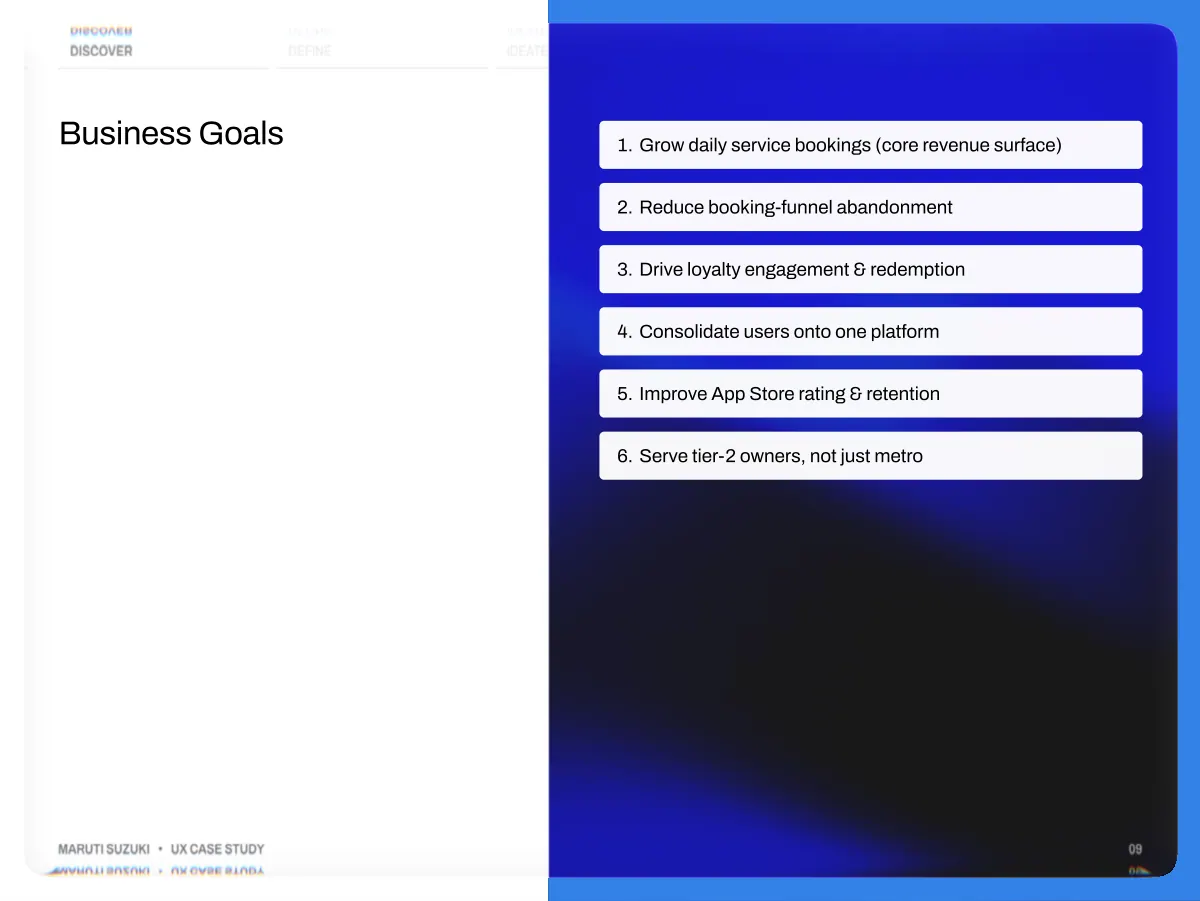
- Discover Define Ideate Design Validate Business Goals Grow daily service bookings (core revenue surface) Reduce booking-funnel abandonment Drive loyalty engagement & redemption Consolidate users onto one platform Improve App Store rating & retention Serve tier-2 owners, not just metro Maruti Suzuki • UX Case Study 09
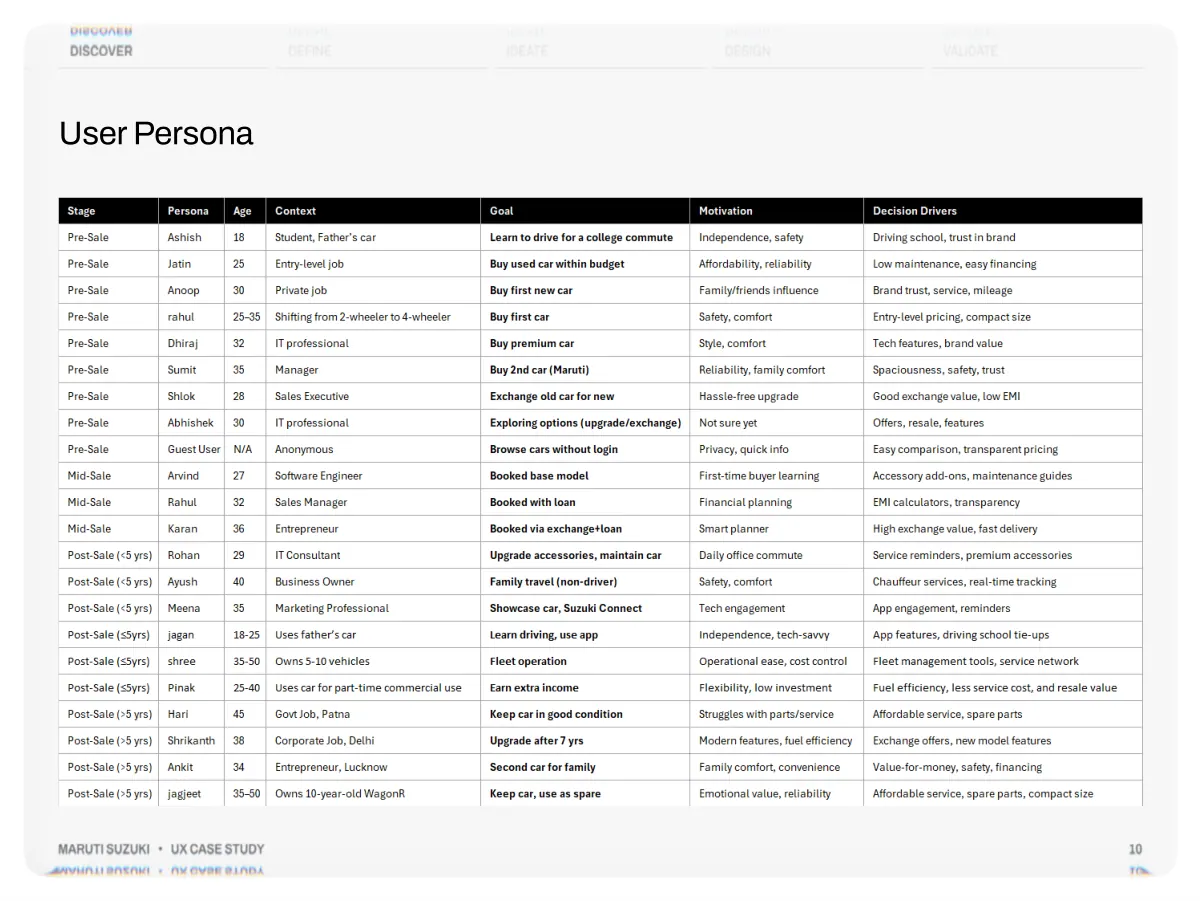
- Discover Define Ideate Design Validate User Persona Maruti Suzuki • UX Case Study 10
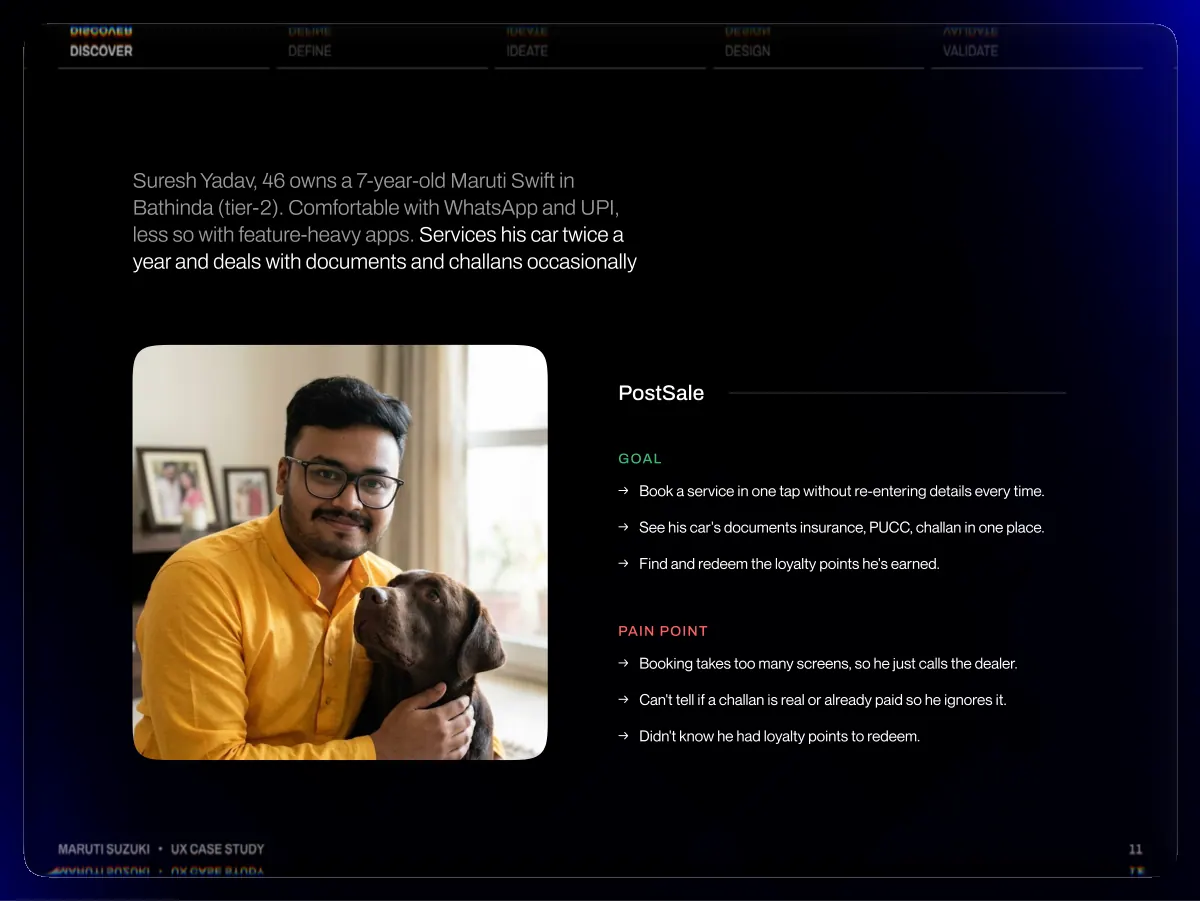
- Discover Define Ideate Design Validate Suresh Yadav, 46 owns a 7-year-old Maruti Swift in Bathinda (tier-2). Comfortable with WhatsApp and UPI, less so with feature-heavy apps. Services his car twice a year and deals with documents and challans occasionally PostSale Goal →Book a service in one tap without re-entering details every time. →See his car's documents insurance, PUCC, challan in one place. →Find and redeem the loyalty points he's earned. pain point →Booking takes too many screens, so he just calls the dealer. →Can't tell if a challan is real or already paid so he ignores it. →Didn't know he had loyalty points to redeem. Maruti Suzuki • UX Case Study 11
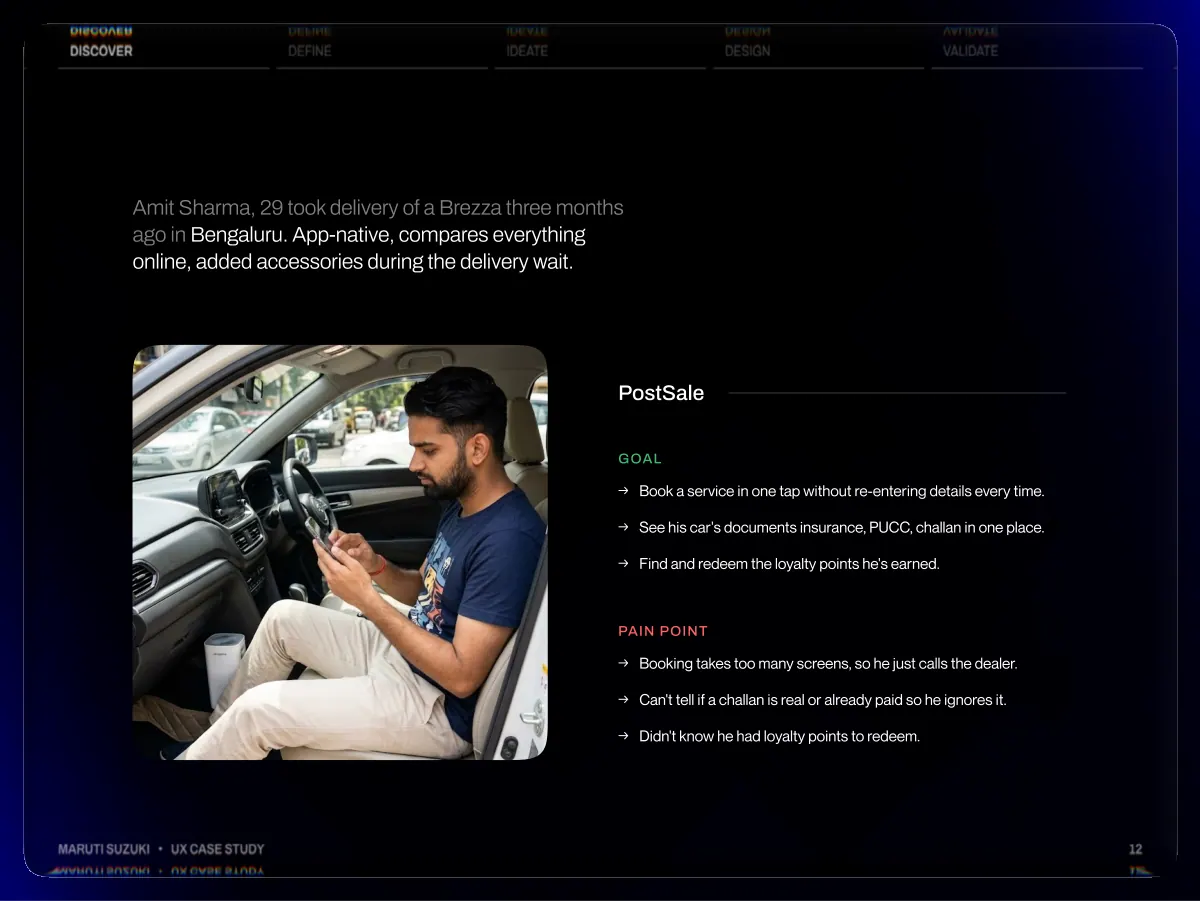
- Discover Define Ideate Design Validate Amit Sharma, 29 took delivery of a Brezza three months ago in Bengaluru. App-native, compares everything online, added accessories during the delivery wait. PostSale Goal →Book a service in one tap without re-entering details every time. →See his car's documents insurance, PUCC, challan in one place. →Find and redeem the loyalty points he's earned. pain point →Booking takes too many screens, so he just calls the dealer. →Can't tell if a challan is real or already paid so he ignores it. →Didn't know he had loyalty points to redeem. Maruti Suzuki • UX Case Study 12
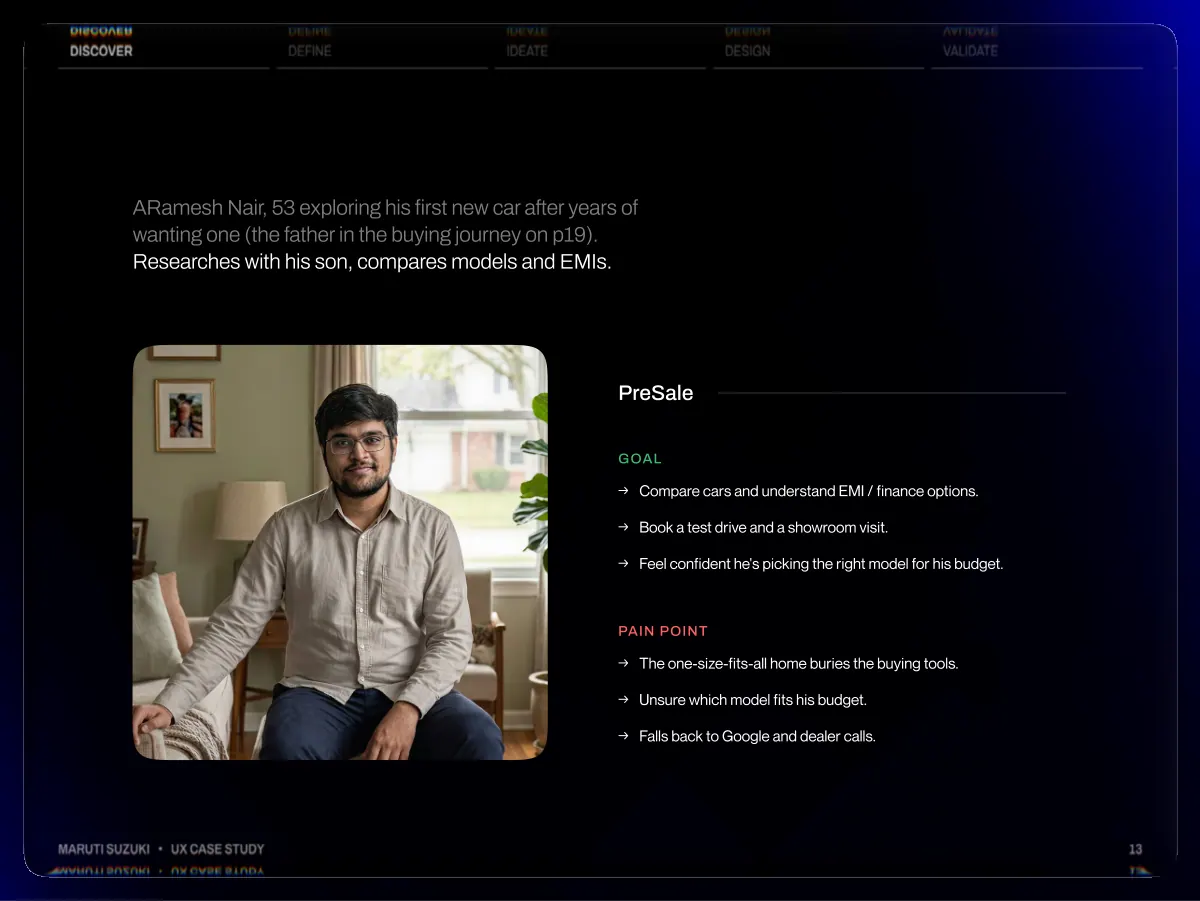
- Discover Define Ideate Design Validate ARamesh Nair, 53 exploring his first new car after years of wanting one (the father in the buying journey on p19). Researches with his son, compares models and EMIs. PreSale Goal →Compare cars and understand EMI / finance options. →Book a test drive and a showroom visit. →Feel confident he's picking the right model for his budget. pain point →The one-size-fits-all home buries the buying tools. →Unsure which model fits his budget. →Falls back to Google and dealer calls. Maruti Suzuki • UX Case Study 13
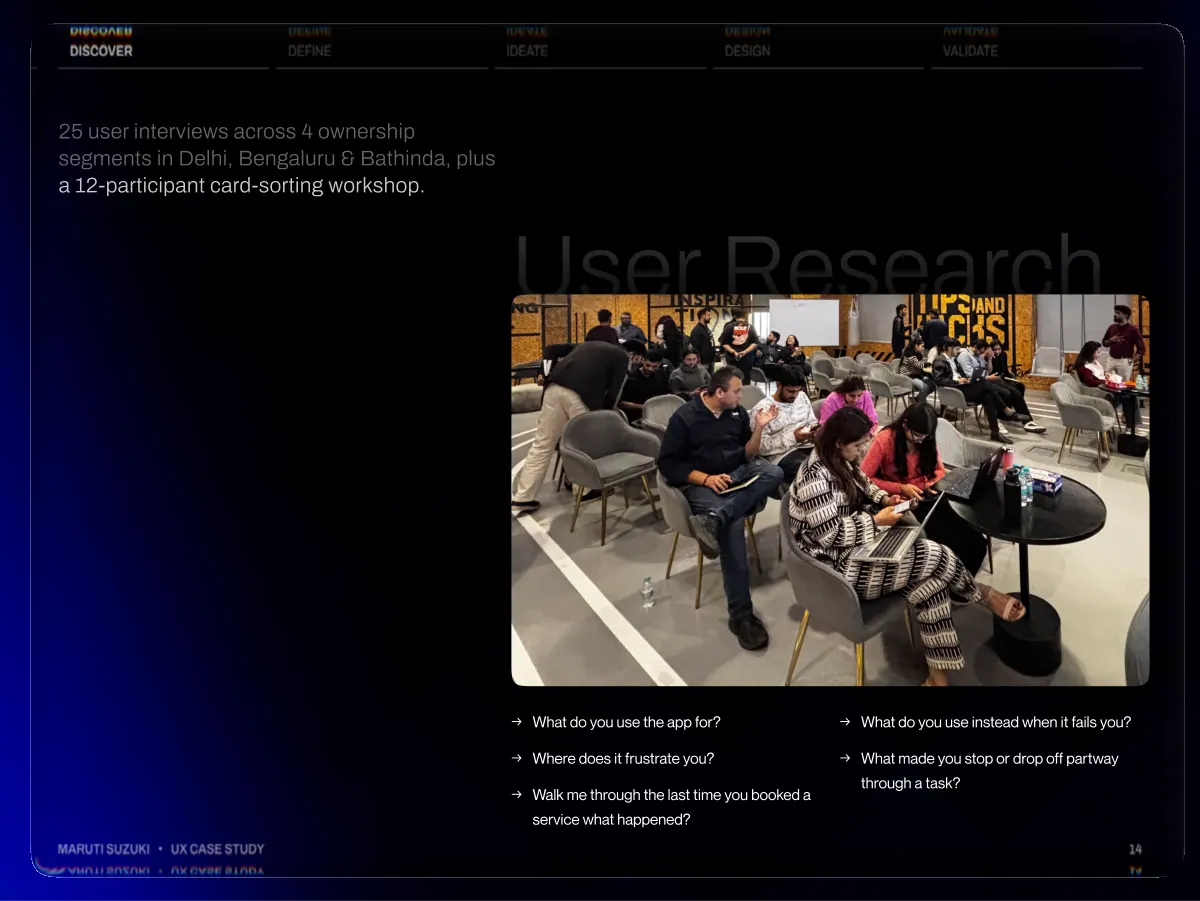
- Discover Define Ideate Design Validate 25 user interviews across 4 ownership segments in Delhi, Bengaluru & Bathinda, plus a 12-participant card-sorting workshop. User Research Maruti Suzuki • UX Case Study → → → What do you use the app for? Where does it frustrate you? Walk me through the last time you booked a service what happened? → → What do you use instead when it fails you? What made you stop or drop off partway through a task? 14
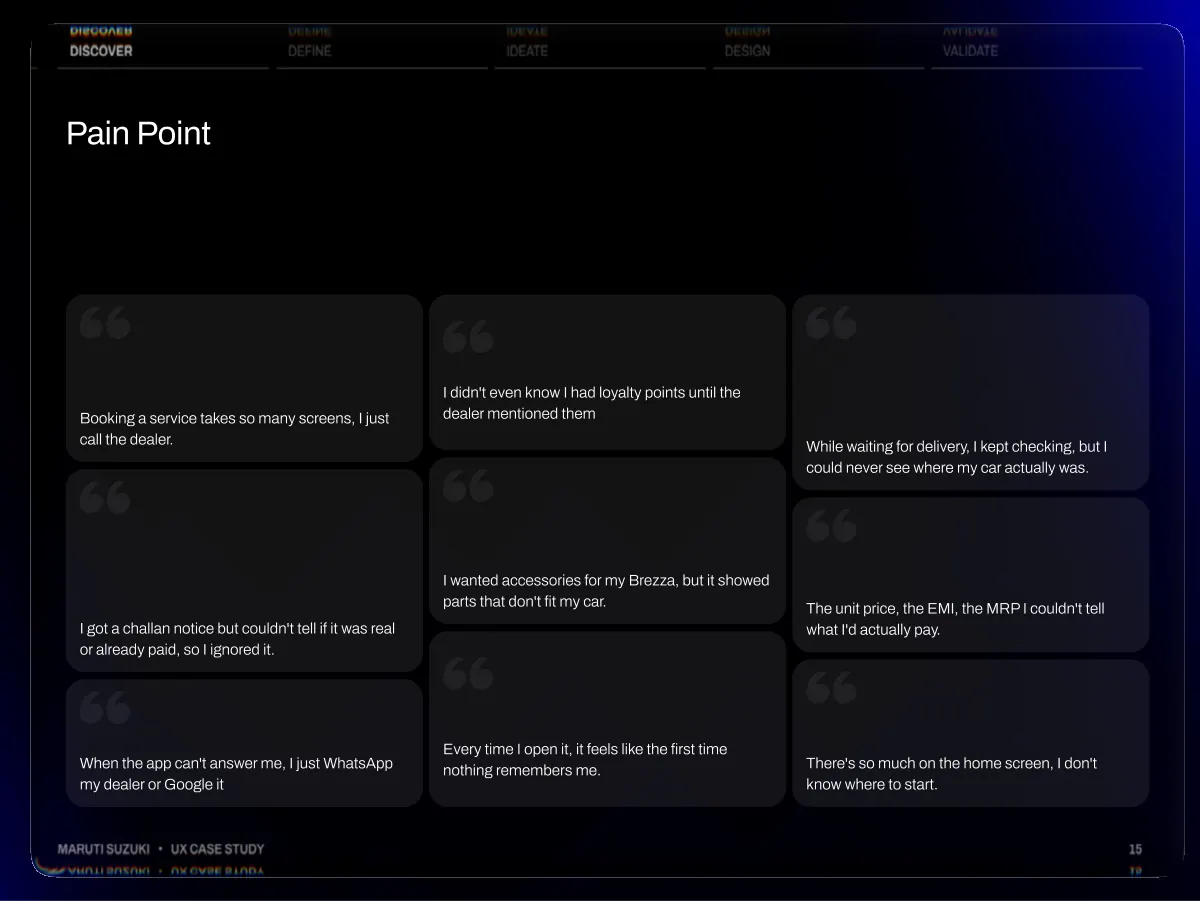
- Discover Define Ideate Design Validate Pain Point Booking a service takes so many screens, I just call the dealer. I didn't even know I had loyalty points until the dealer mentioned them While waiting for delivery, I kept checking, but I could never see where my car actually was. I got a challan notice but couldn't tell if it was real or already paid, so I ignored it. I wanted accessories for my Brezza, but it showed parts that don't fit my car. The unit price, the EMI, the MRP I couldn't tell what I'd actually pay. When the app can't answer me, I just WhatsApp my dealer or Google it Maruti Suzuki • UX Case Study Every time I open it, it feels like the first time nothing remembers me. There's so much on the home screen, I don't know where to start. 15
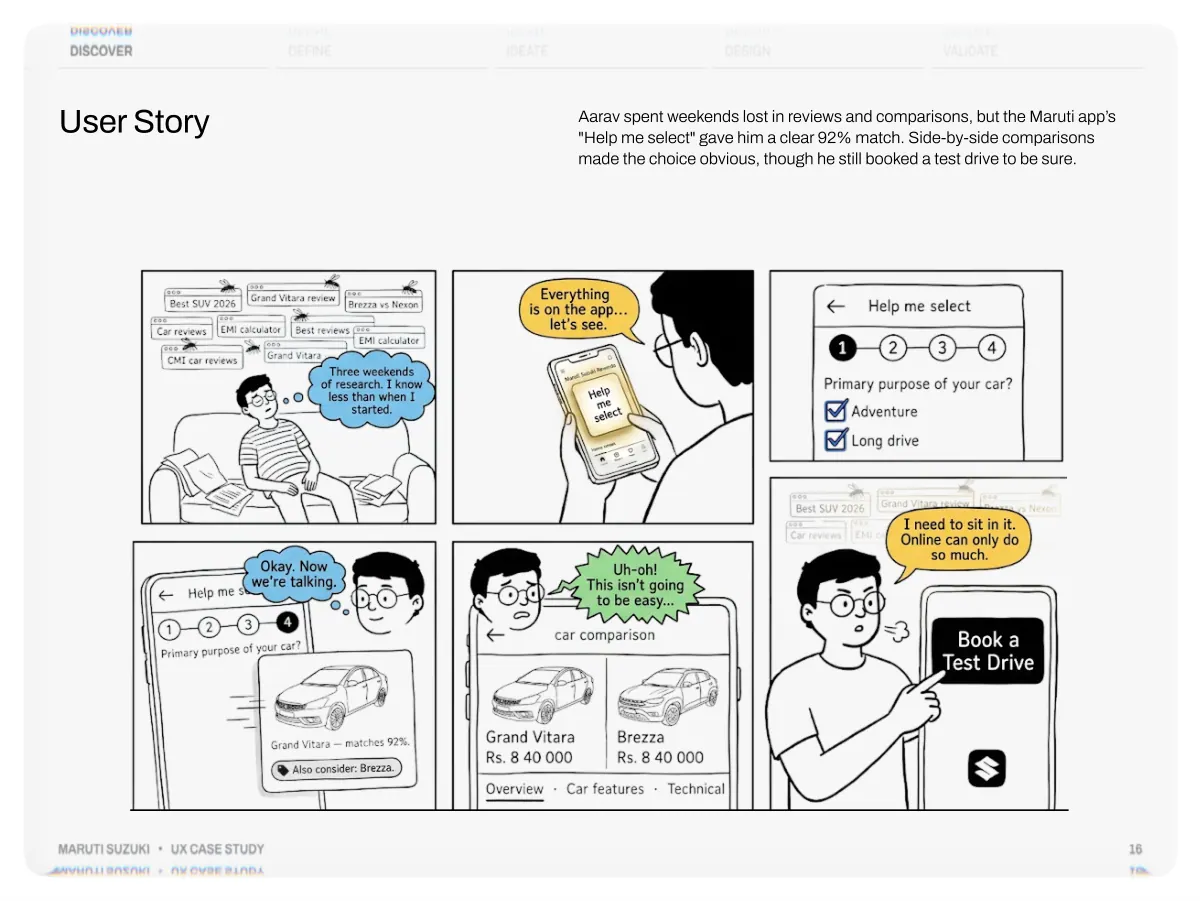
- Discover User Story Define Ideate Design Validate Aarav spent weekends lost in reviews and comparisons, but the Maruti app’s "Help me select" gave him a clear 92% match. Side-by-side comparisons made the choice obvious, though he still booked a test drive to be sure. Maruti Suzuki • UX Case Study 16
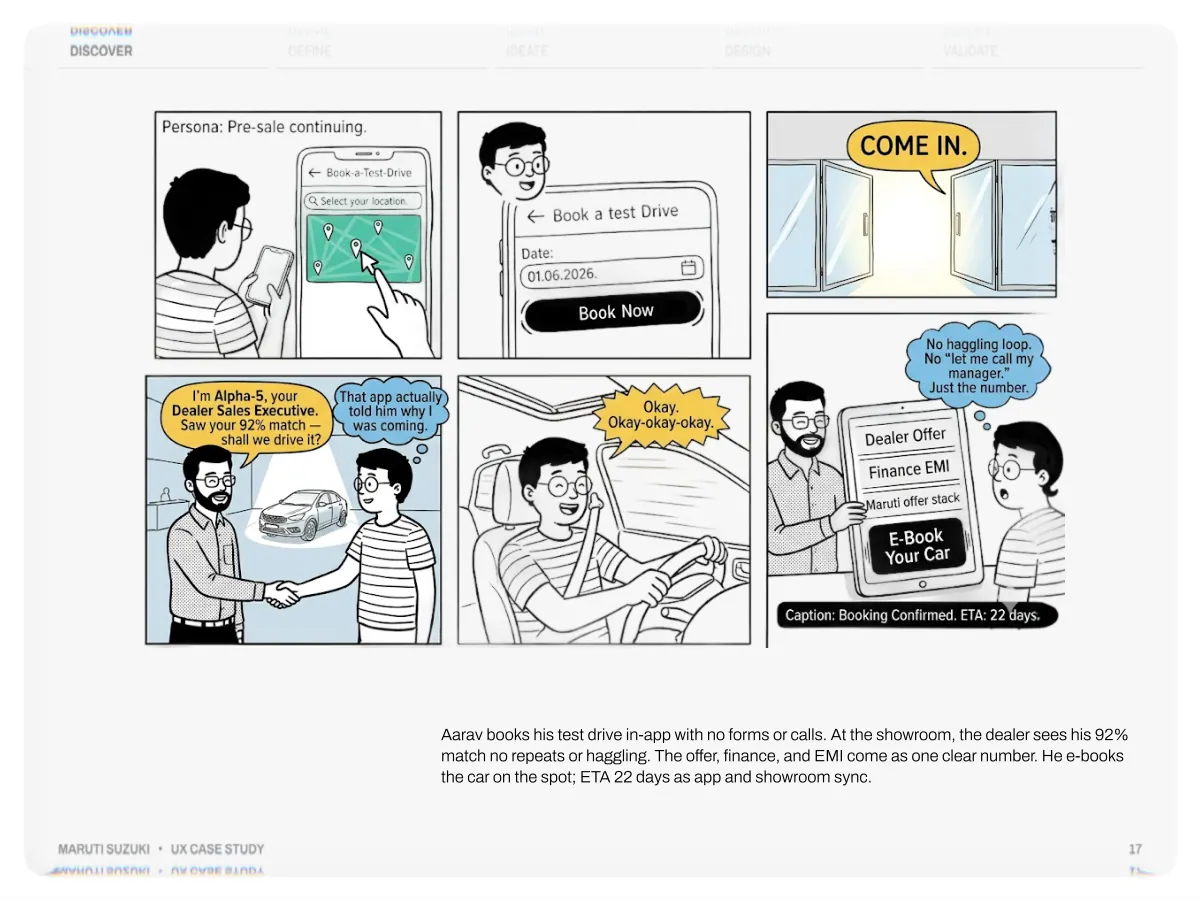
- Discover Define Ideate Design Validate Maruti Suzuki • UX Case Study Aarav books his test drive in-app with no forms or calls. At the showroom, the dealer sees his 92% match no repeats or haggling. The offer, finance, and EMI come as one clear number. He e-books the car on the spot; ETA 22 days as app and showroom sync. 17
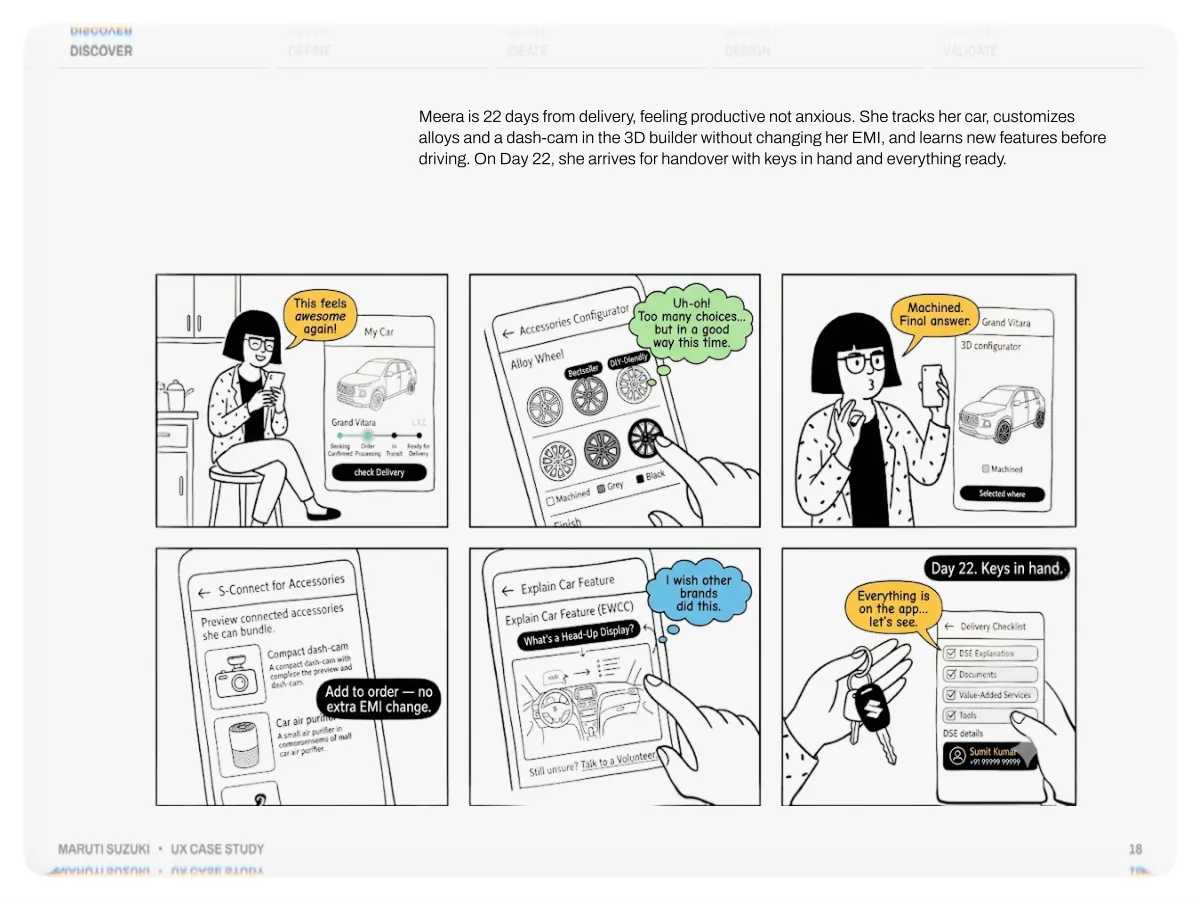
- Discover Define Ideate Design Validate Meera is 22 days from delivery, feeling productive not anxious. She tracks her car, customizes alloys and a dash-cam in the 3D builder without changing her EMI, and learns new features before driving. On Day 22, she arrives for handover with keys in hand and everything ready. Maruti Suzuki • UX Case Study 18
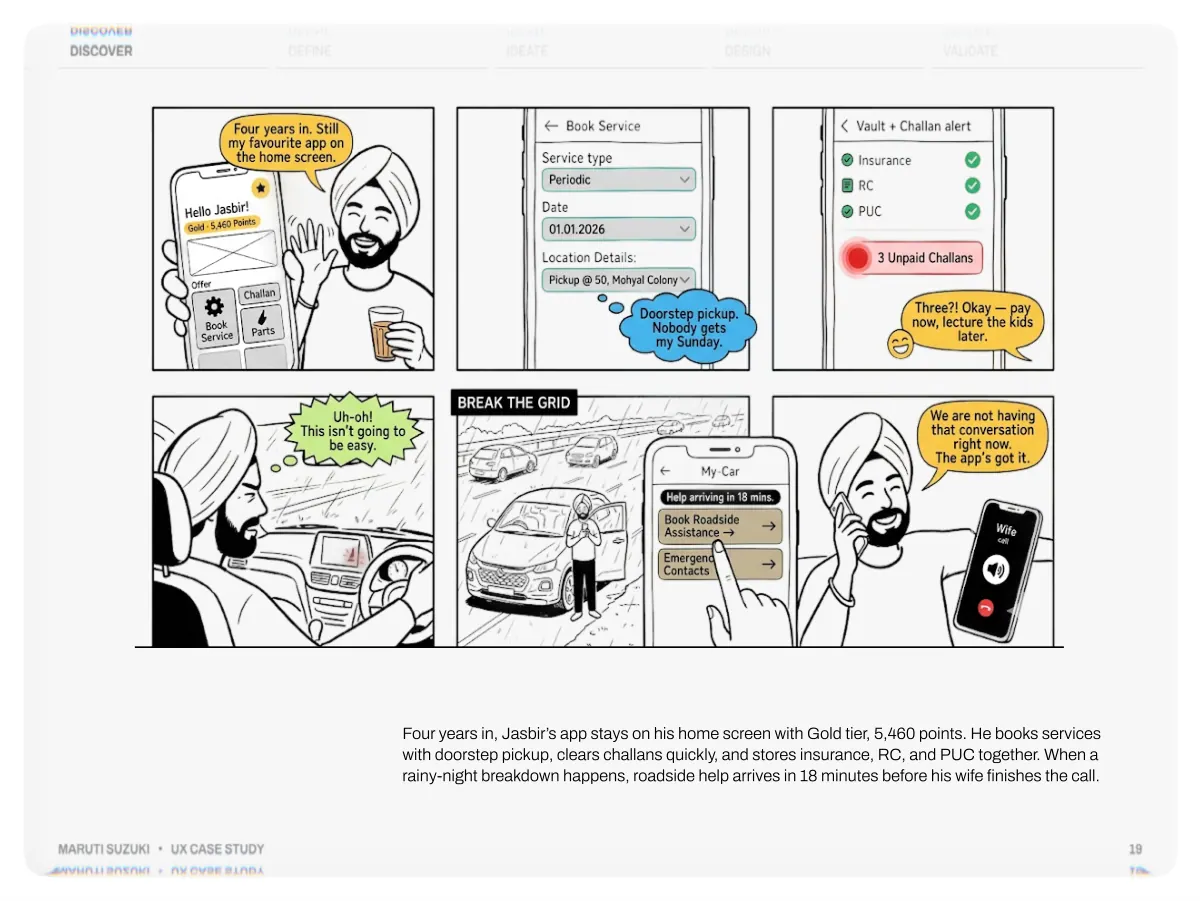
- Discover Define Ideate Design Validate Maruti Suzuki • UX Case Study Four years in, Jasbir’s app stays on his home screen with Gold tier, 5,460 points. He books services with doorstep pickup, clears challans quickly, and stores insurance, RC, and PUC together. When a rainy-night breakdown happens, roadside help arrives in 18 minutes before his wife finishes the call. 19
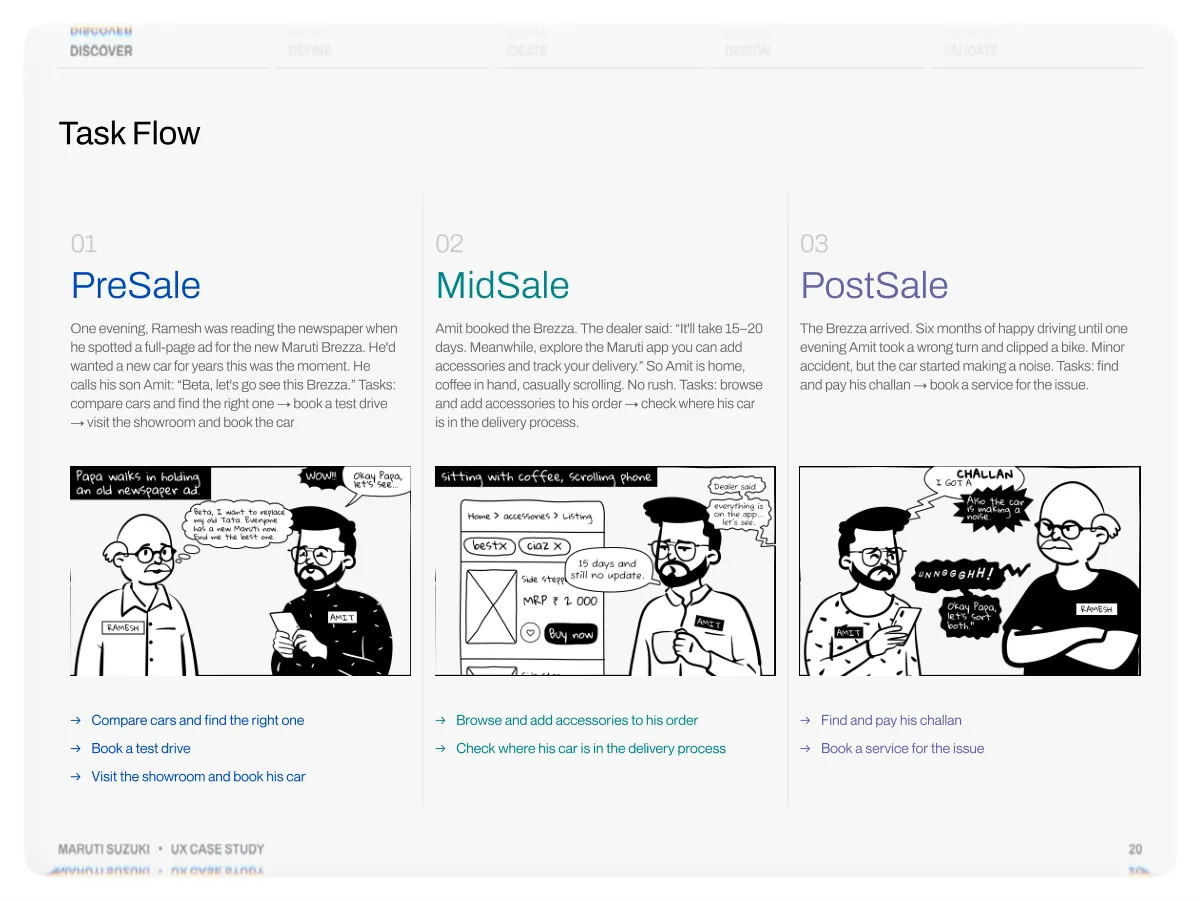
- Discover Define Ideate Design Validate Task Flow 01 PreSale One evening, Ramesh was reading the newspaper when he spotted a full-page ad for the new Maruti Brezza. He'd wanted a new car for years this was the moment. He calls his son Amit: “Beta, let's go see this Brezza.” Tasks: compare cars and find the right one → book a test drive → visit the showroom and book the car 02 MidSale Amit booked the Brezza. The dealer said: “It'll take 15–20 days. Meanwhile, explore the Maruti app you can add accessories and track your delivery.” So Amit is home, coffee in hand, casually scrolling. No rush. Tasks: browse and add accessories to his order → check where his car is in the delivery process. 03 PostSale The Brezza arrived. Six months of happy driving until one evening Amit took a wrong turn and clipped a bike. Minor accident, but the car started making a noise. Tasks: find and pay his challan → book a service for the issue. → → → Compare cars and find the right one Book a test drive Visit the showroom and book his car → → Browse and add accessories to his order Check where his car is in the delivery process → → Find and pay his challan Book a service for the issue Maruti Suzuki • UX Case Study 20
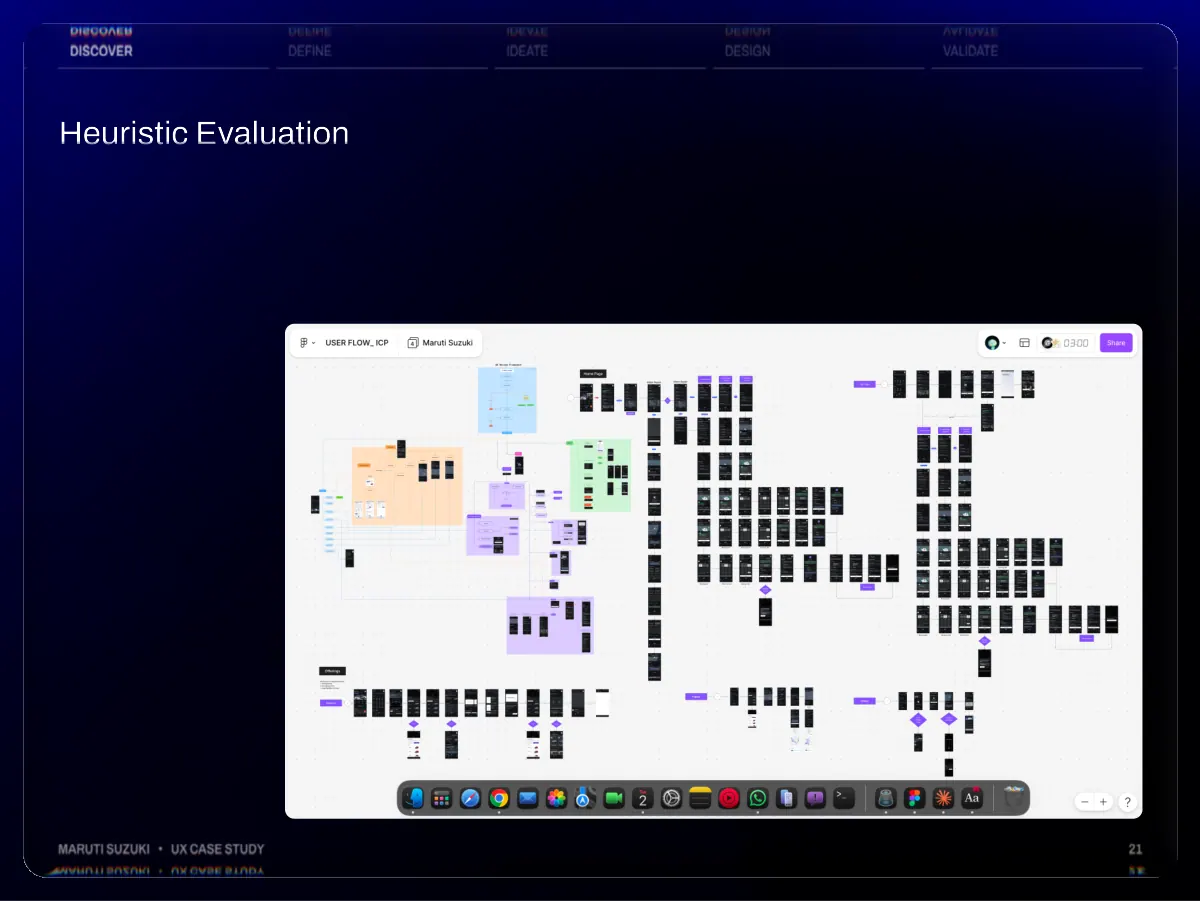
- Discover Define Ideate Design Validate Heuristic Evaluation Maruti Suzuki • UX Case Study 21
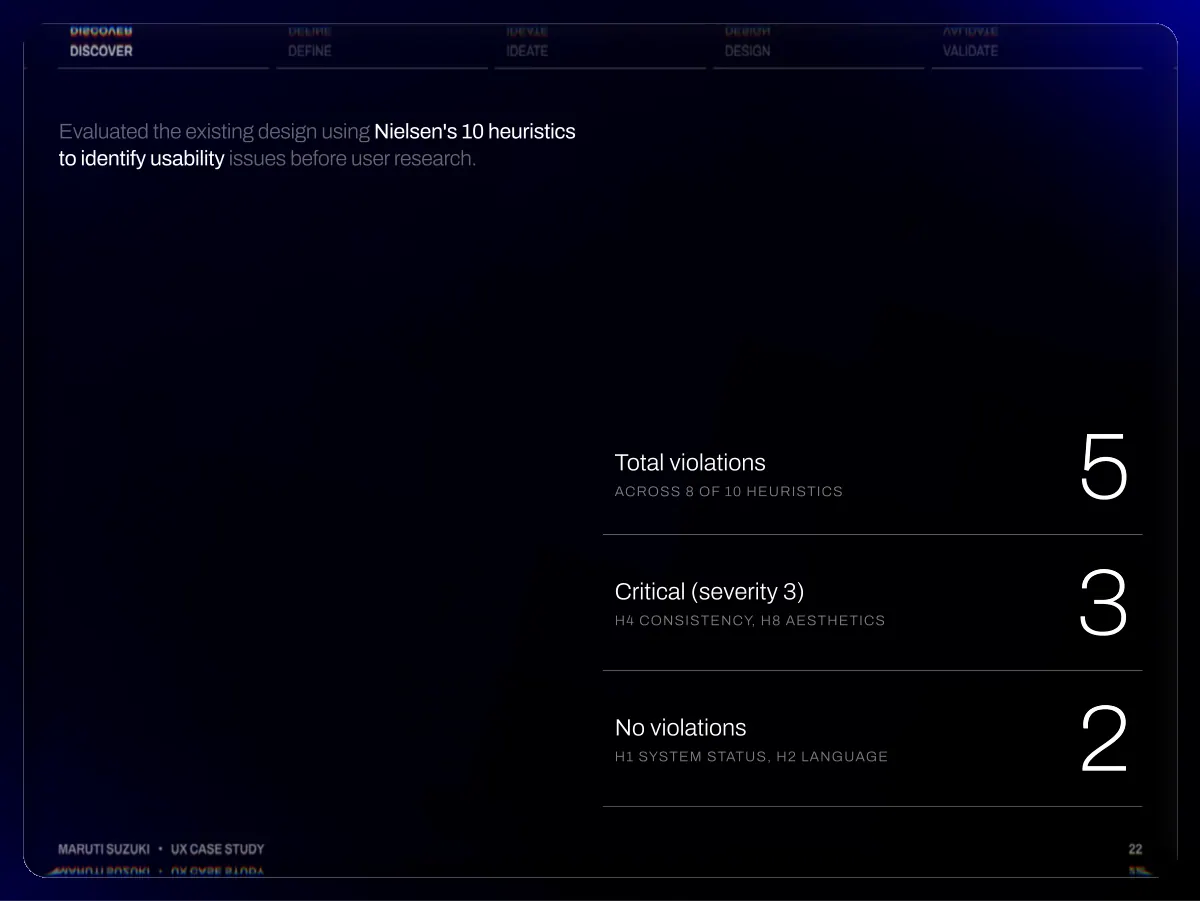
- Discover Define Ideate Design Validate Evaluated the existing design using Nielsen's 10 heuristics to identify usability issues before user research. Total violations Across 8 of 10 heuristics 5 Critical (severity 3) H4 Consistency, H8 Aesthetics 3 No violations H1 System status, H2 Language 2 Maruti Suzuki • UX Case Study 22
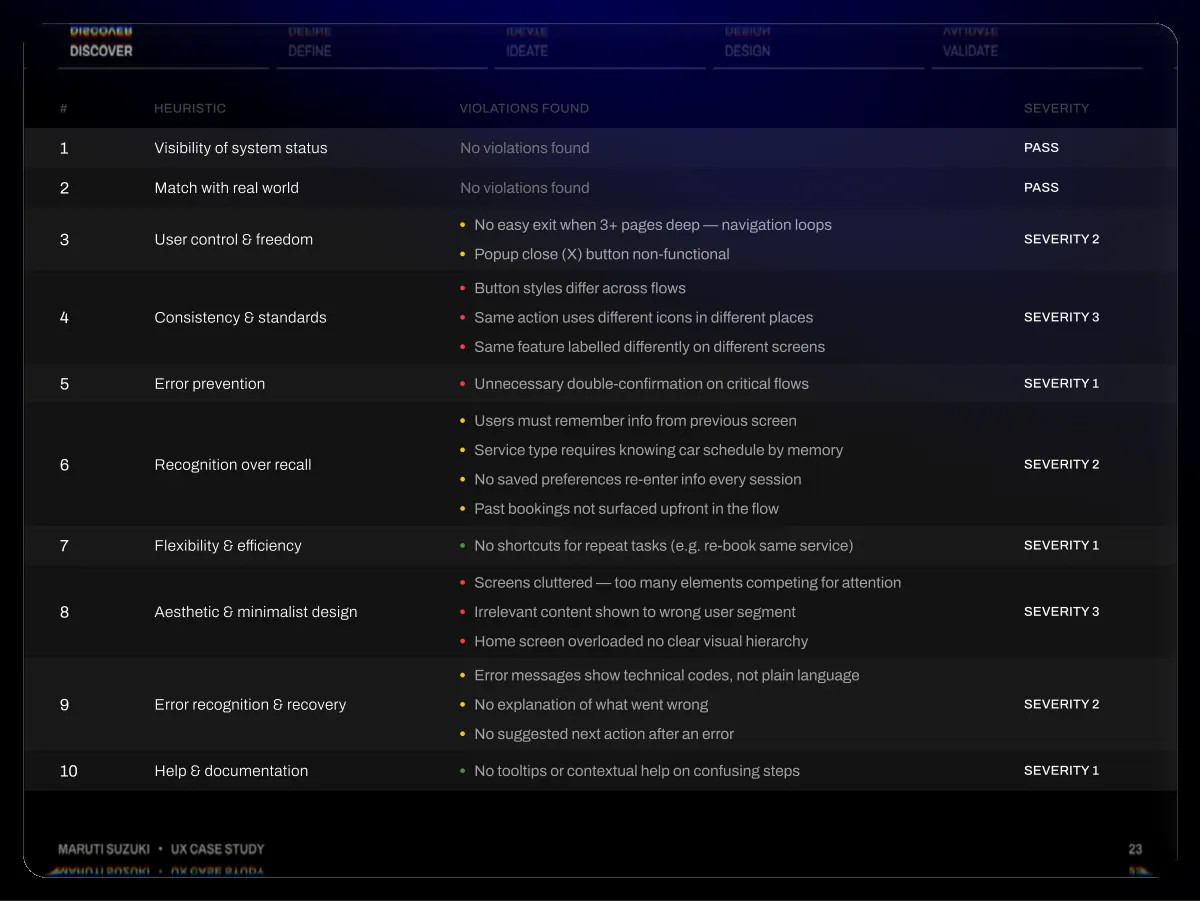
- Discover Define # Heuristic 1 Visibility of system status 2 Match with real world 3 User control & freedom 4 5 6 7 8 9 10 Consistency & standards Error prevention Recognition over recall Flexibility & efficiency Aesthetic & minimalist design Error recognition & recovery Help & documentation Ideate Design Validate Violations found Severity No violations found Pass No violations found Pass No easy exit when 3+ pages deep — navigation loops Popup close (X) button non-functional Severity 2 Button styles differ across flows Same action uses different icons in different places Same feature labelled differently on different screens Unnecessary double-confirmation on critical flows Users must remember info from previous screen Service type requires knowing car schedule by memory No saved preferences re-enter info every session Past bookings not surfaced upfront in the flow No shortcuts for repeat tasks (e.g. re-book same service) Screens cluttered — too many elements competing for attention Irrelevant content shown to wrong user segment Home screen overloaded no clear visual hierarchy Error messages show technical codes, not plain language No explanation of what went wrong No suggested next action after an error No tooltips or contextual help on confusing steps Severity 3 Severity 1 Severity 2 Severity 1 Severity 3 Severity 2 Severity 1 Maruti Suzuki • UX Case Study 23
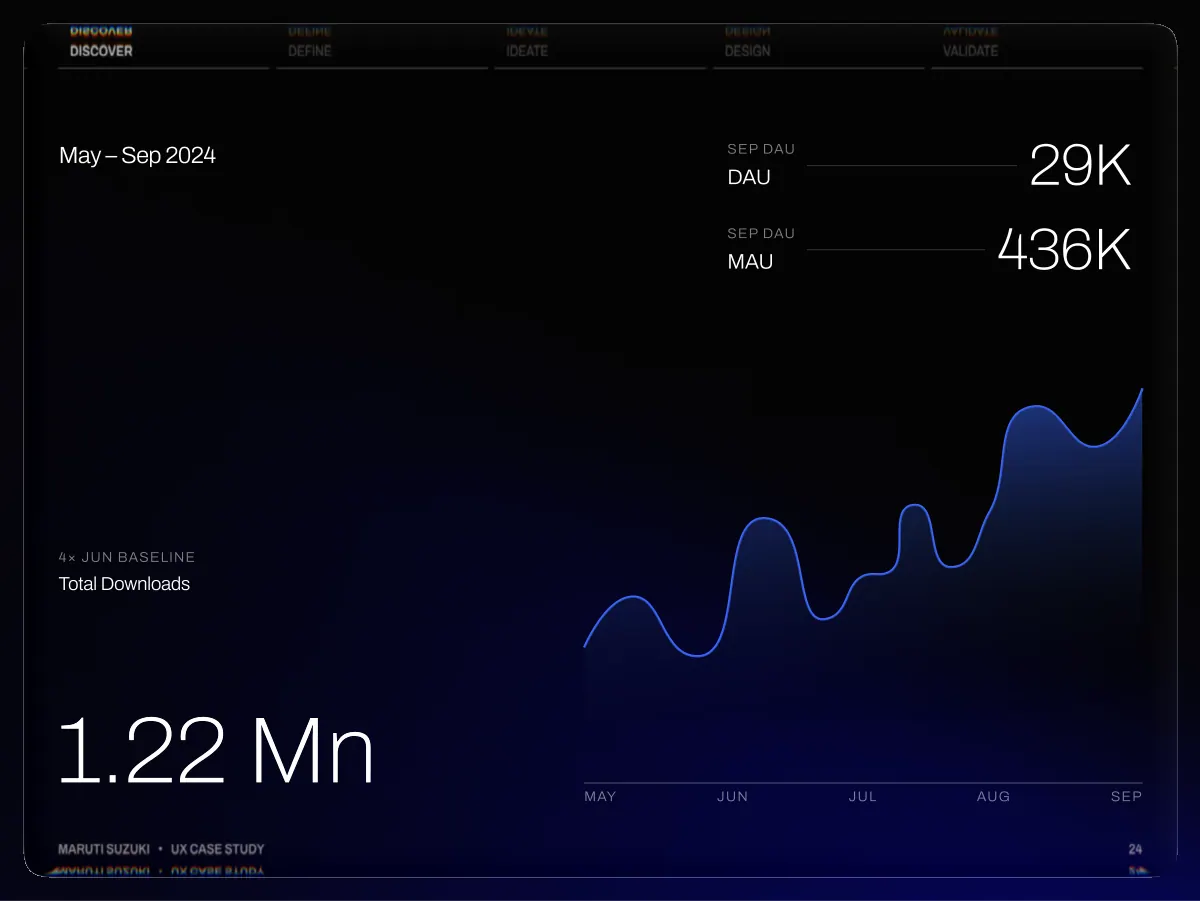
- Discover Define Ideate Design Validate May – Sep 2024 Sep DAU DAU Sep DAU MAU 29K 436K 4× Jun baseline Total Downloads 1.22 Mn Maruti Suzuki • UX Case Study May Jun Jul Aug Sep 24
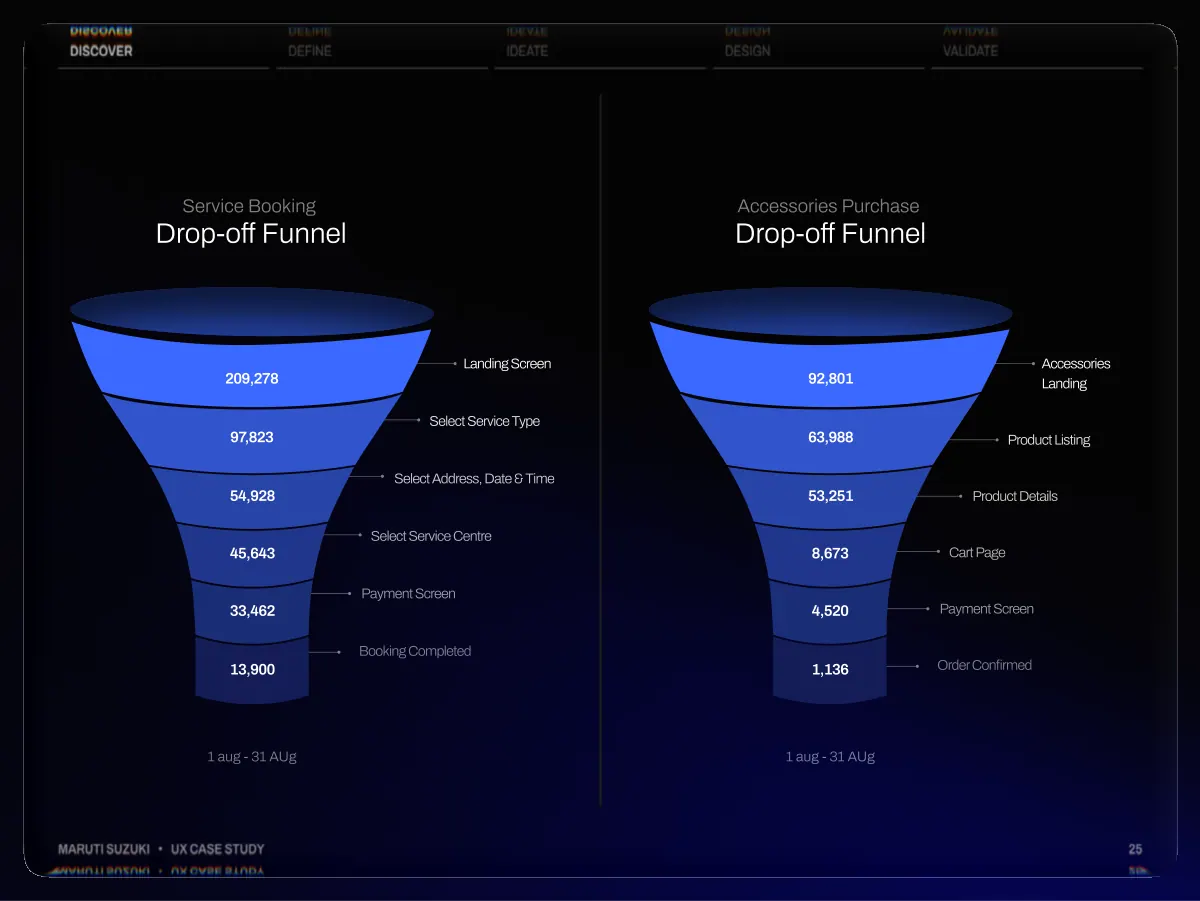
- Discover Define Ideate Design Validate Service Booking Drop-off Funnel Accessories Purchase Drop-off Funnel 209,278 97,823 54,928 45,643 33,462 13,900 Landing Screen Select Service Type Select Address, Date & Time Select Service Centre Payment Screen Booking Completed 92,801 63,988 53,251 8,673 4,520 1,136 Accessories Landing Product Listing Product Details Cart Page Payment Screen Order Confirmed 1 aug - 31 AUg 1 aug - 31 AUg Maruti Suzuki • UX Case Study 25
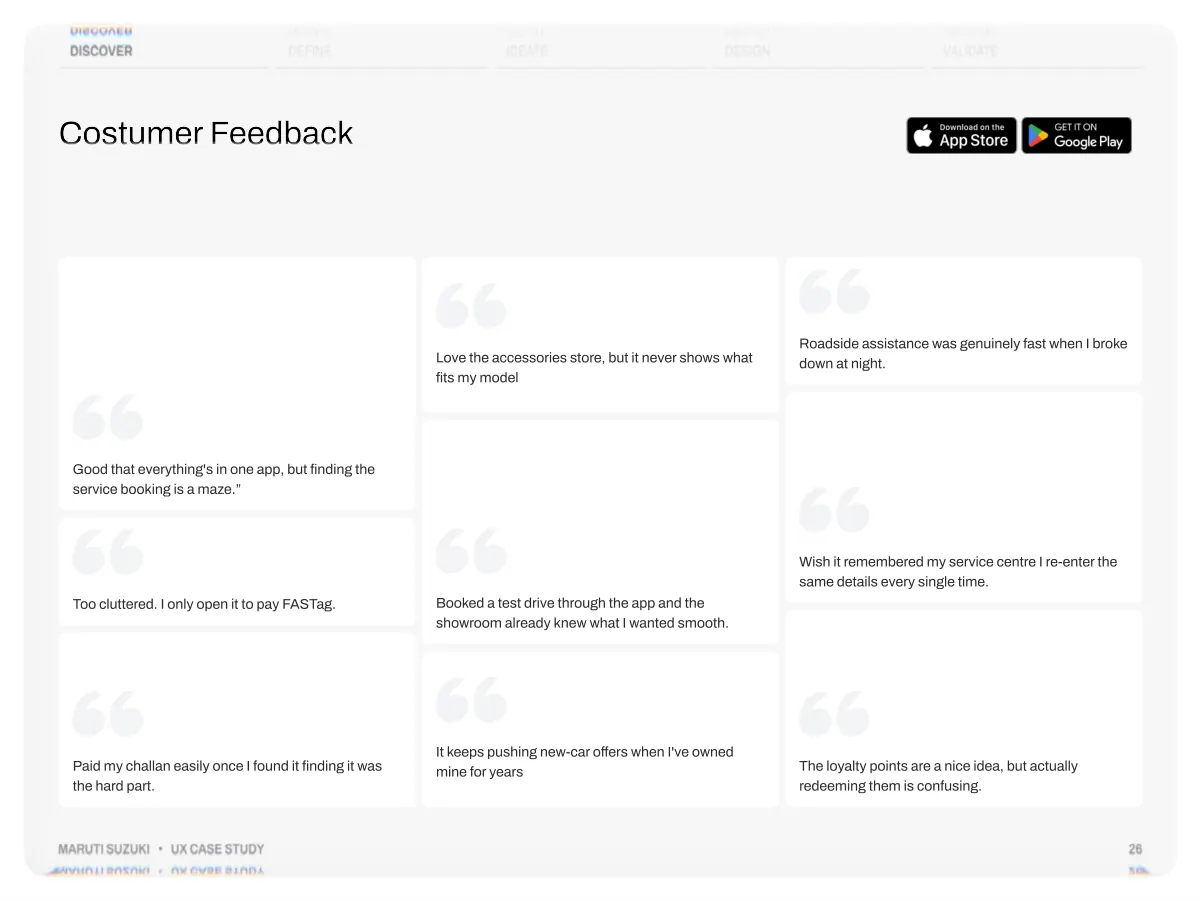
- Discover Define Ideate Design Validate Costumer Feedback Love the accessories store, but it never shows what fits my model Roadside assistance was genuinely fast when I broke down at night. Good that everything's in one app, but finding the service booking is a maze.” Too cluttered. I only open it to pay FASTag. Booked a test drive through the app and the showroom already knew what I wanted smooth. Wish it remembered my service centre I re-enter the same details every single time. Paid my challan easily once I found it finding it was the hard part. Maruti Suzuki • UX Case Study It keeps pushing new-car offers when I've owned mine for years The loyalty points are a nice idea, but actually redeeming them is confusing. 26
- Define Synthesising research and identifying opportunities 02 Maruti Suzuki • UX Case Study 27
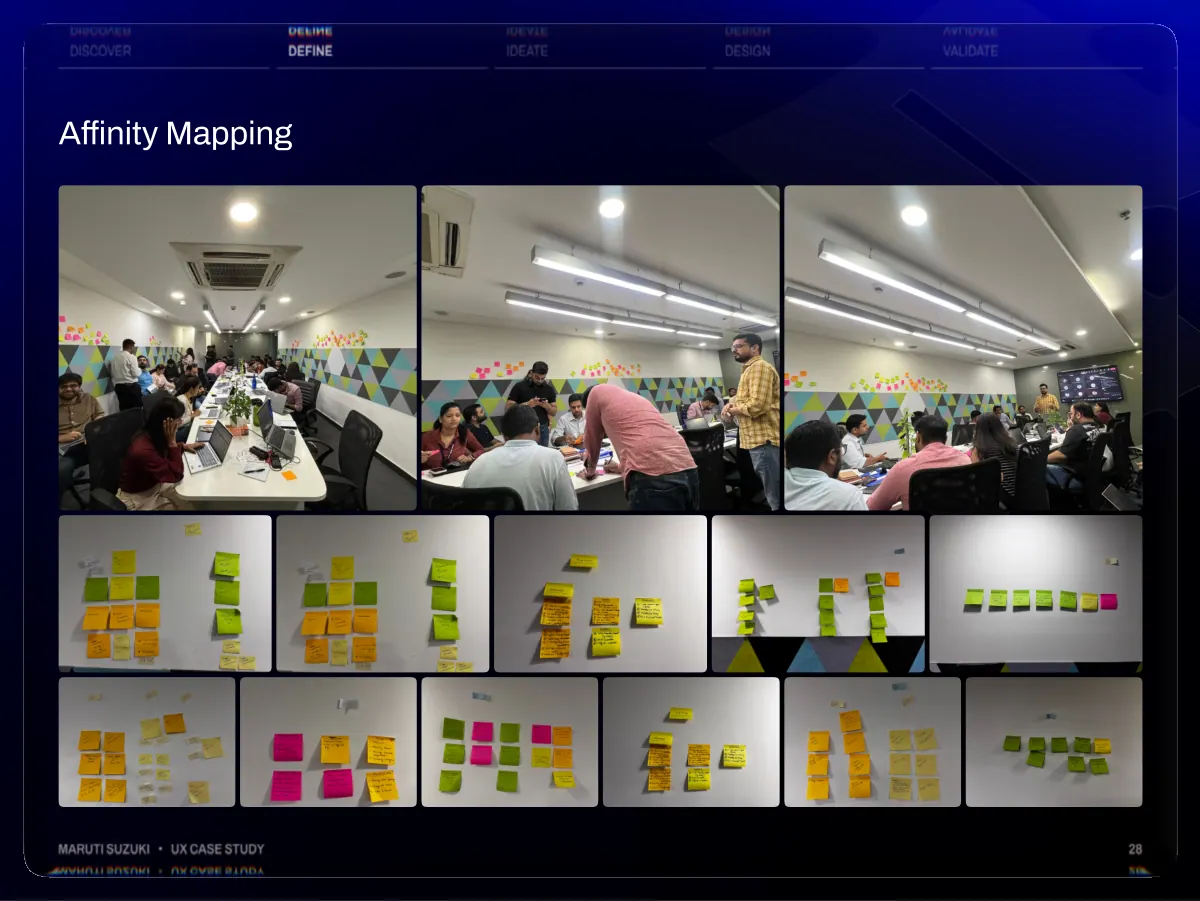
- Discover Define Ideate Design Validate Affinity Mapping Maruti Suzuki • UX Case Study 28
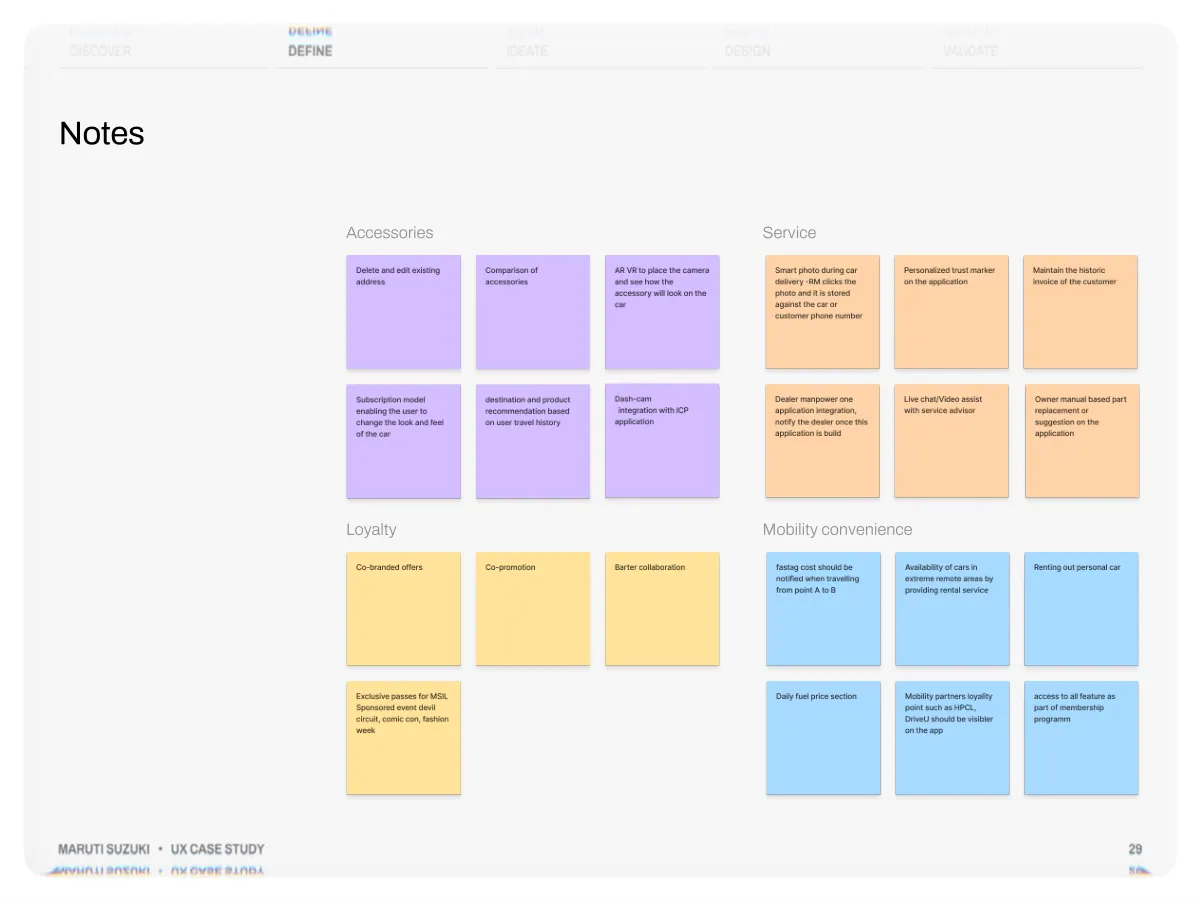
- Discover Define Ideate Design Validate Notes Accessories Service Loyalty Mobility convenience Maruti Suzuki • UX Case Study 29
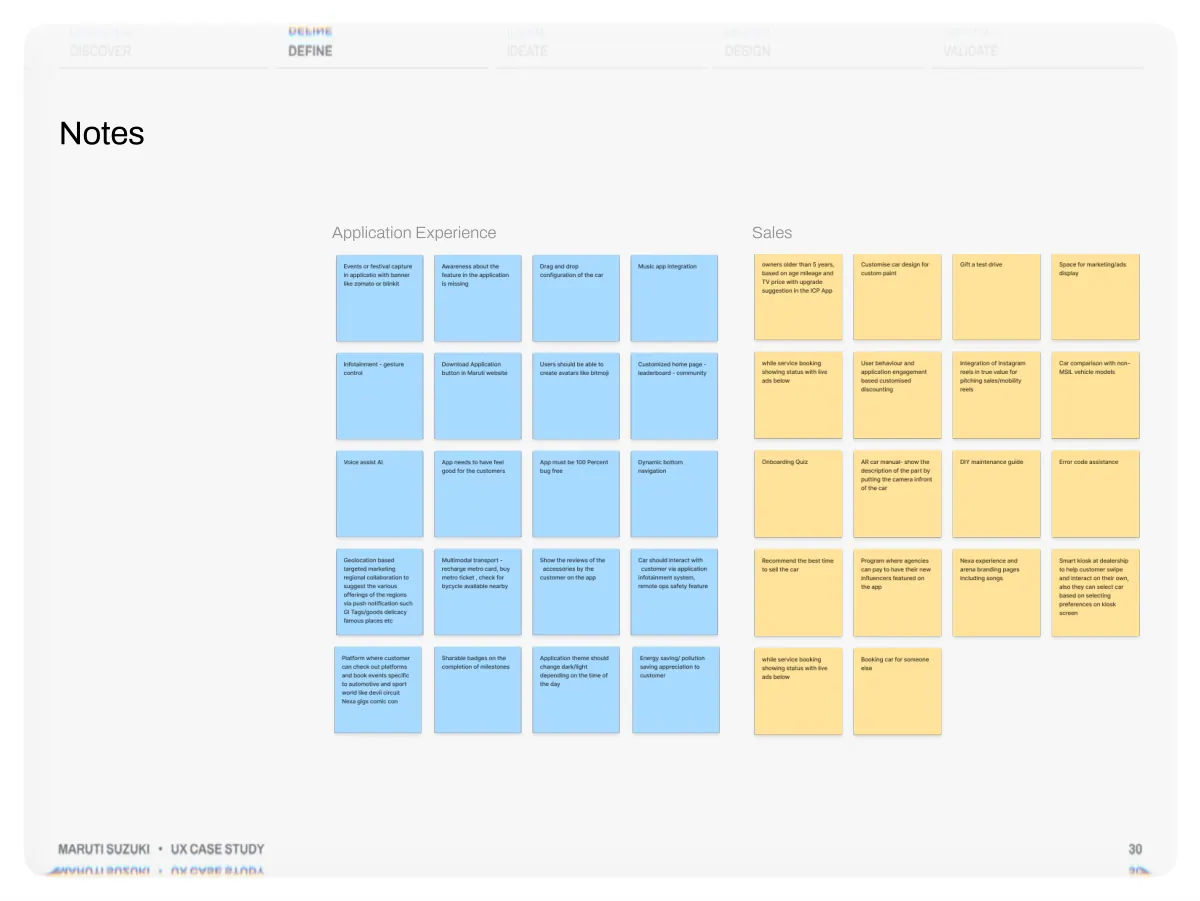
- Discover Define Ideate Design Validate Notes Application Experience Sales Maruti Suzuki • UX Case Study 30
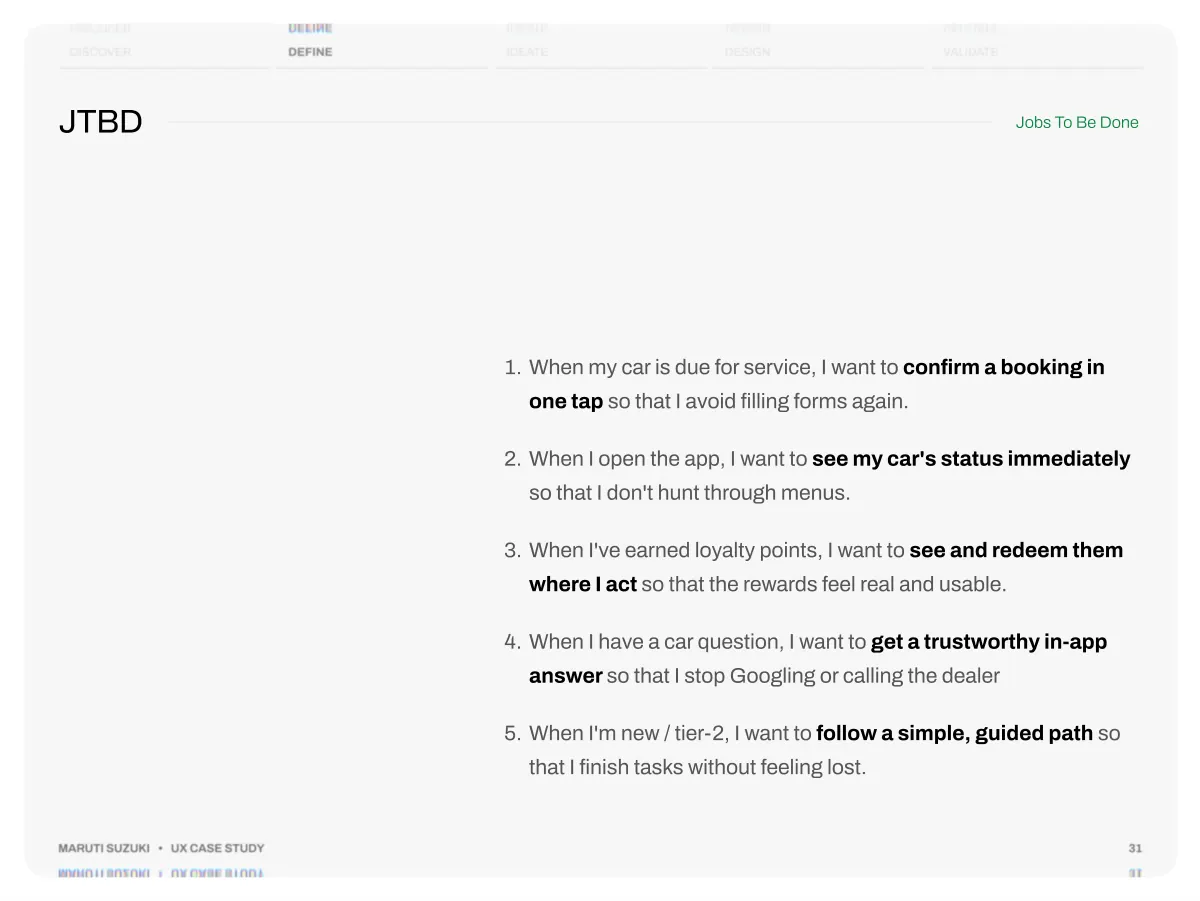
- Discover JTBD Define Ideate Design Validate Jobs To Be Done When my car is due for service, I want to confirm a booking in one tap so that I avoid filling forms again. When I open the app, I want to see my car's status immediately so that I don't hunt through menus. When I've earned loyalty points, I want to see and redeem them where I act so that the rewards feel real and usable. When I have a car question, I want to get a trustworthy in-app answer so that I stop Googling or calling the dealer When I'm new / tier-2, I want to follow a simple, guided path so that I finish tasks without feeling lost. Maruti Suzuki • UX Case Study 31
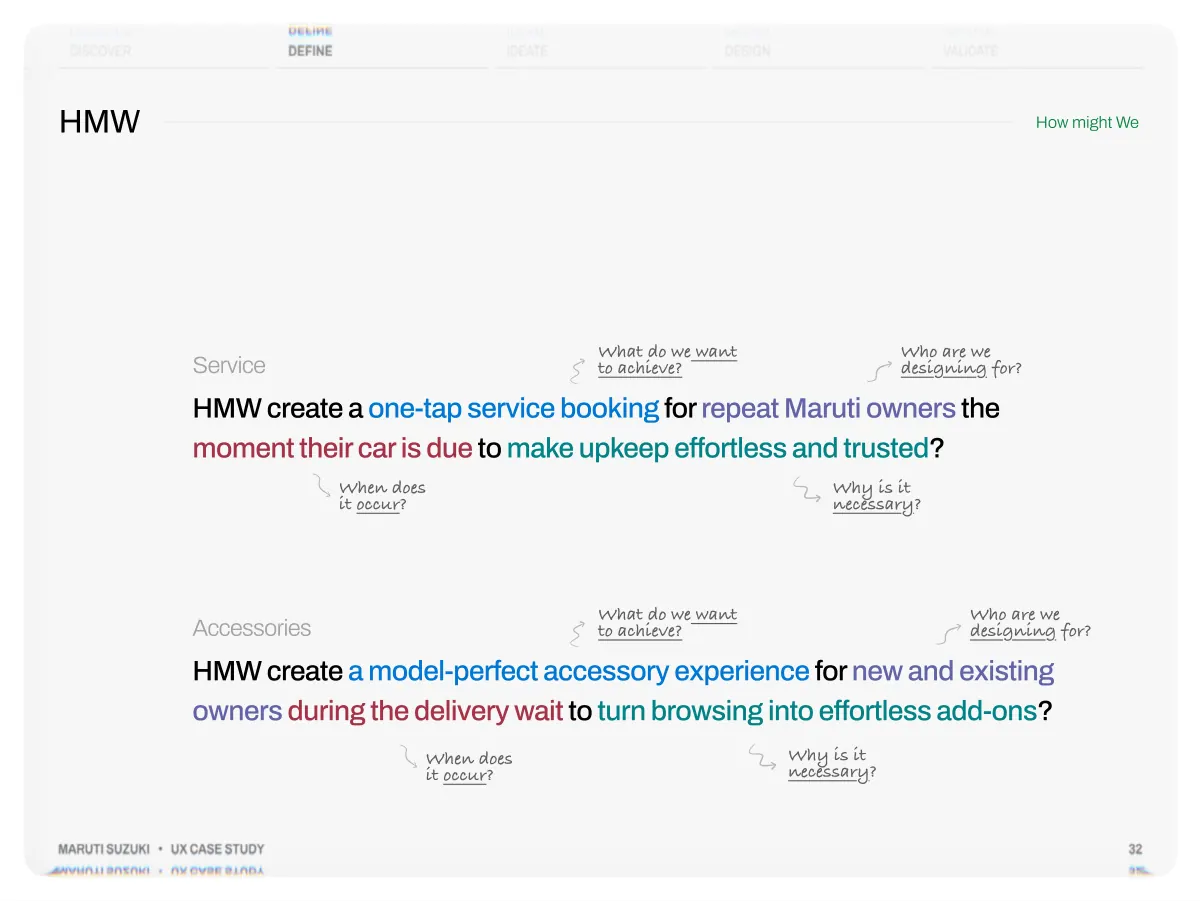
- Discover HMW Define Ideate Design Validate How might We What do we want to achieve? Who are we designing for? Service HMW create a one-tap service booking for repeat Maruti owners the moment their car is due to make upkeep effortless and trusted? When does it occur? Why is it necessary? What do we want to achieve? Who are we designing for? Accessories HMW create a model-perfect accessory experience for new and existing owners during the delivery wait to turn browsing into effortless add-ons? Why is it necessary? When does it occur? Maruti Suzuki • UX Case Study 32
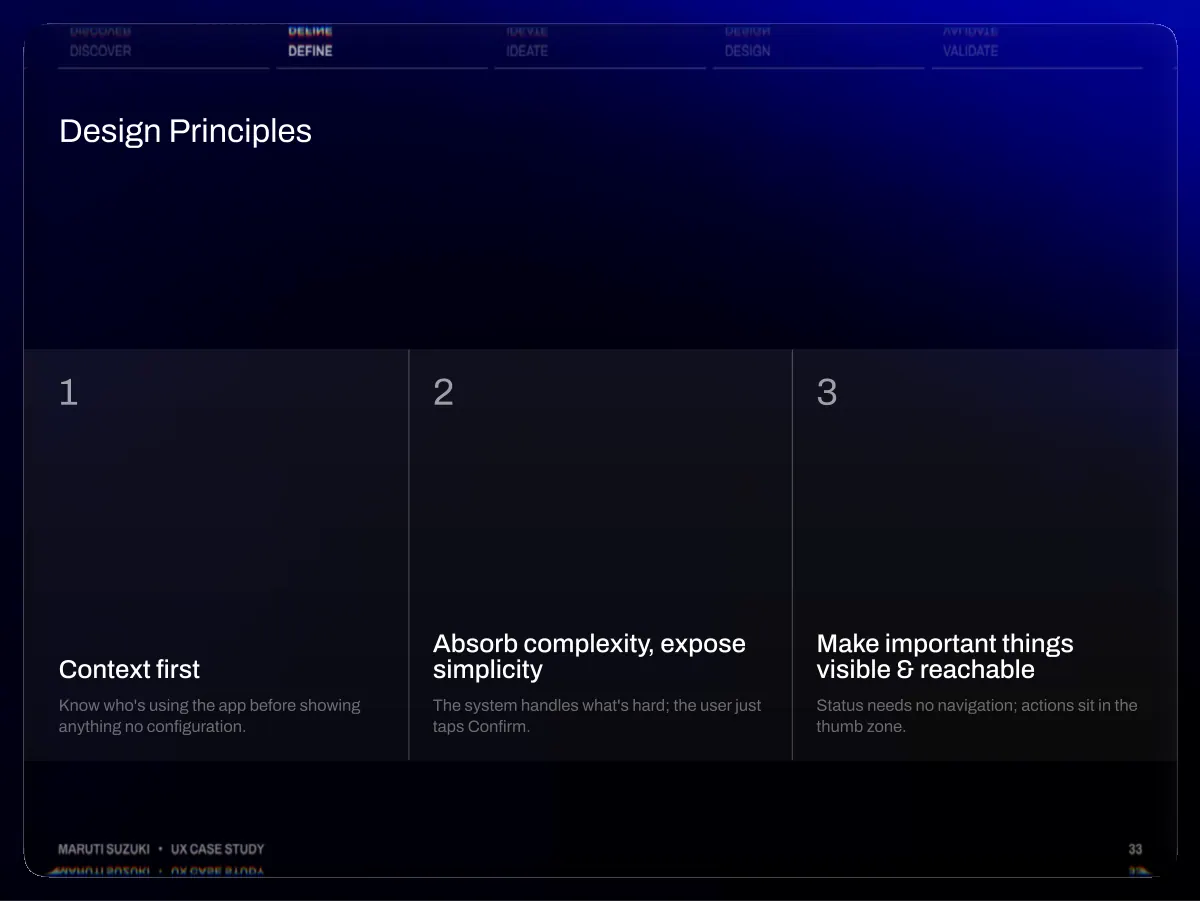
- Discover Define Design Principles Ideate Design Validate 1 2 3 Context first Know who's using the app before showing anything no configuration. Absorb complexity, expose simplicity The system handles what's hard; the user just taps Confirm. Make important things visible & reachable Status needs no navigation; actions sit in the thumb zone. Maruti Suzuki • UX Case Study 33
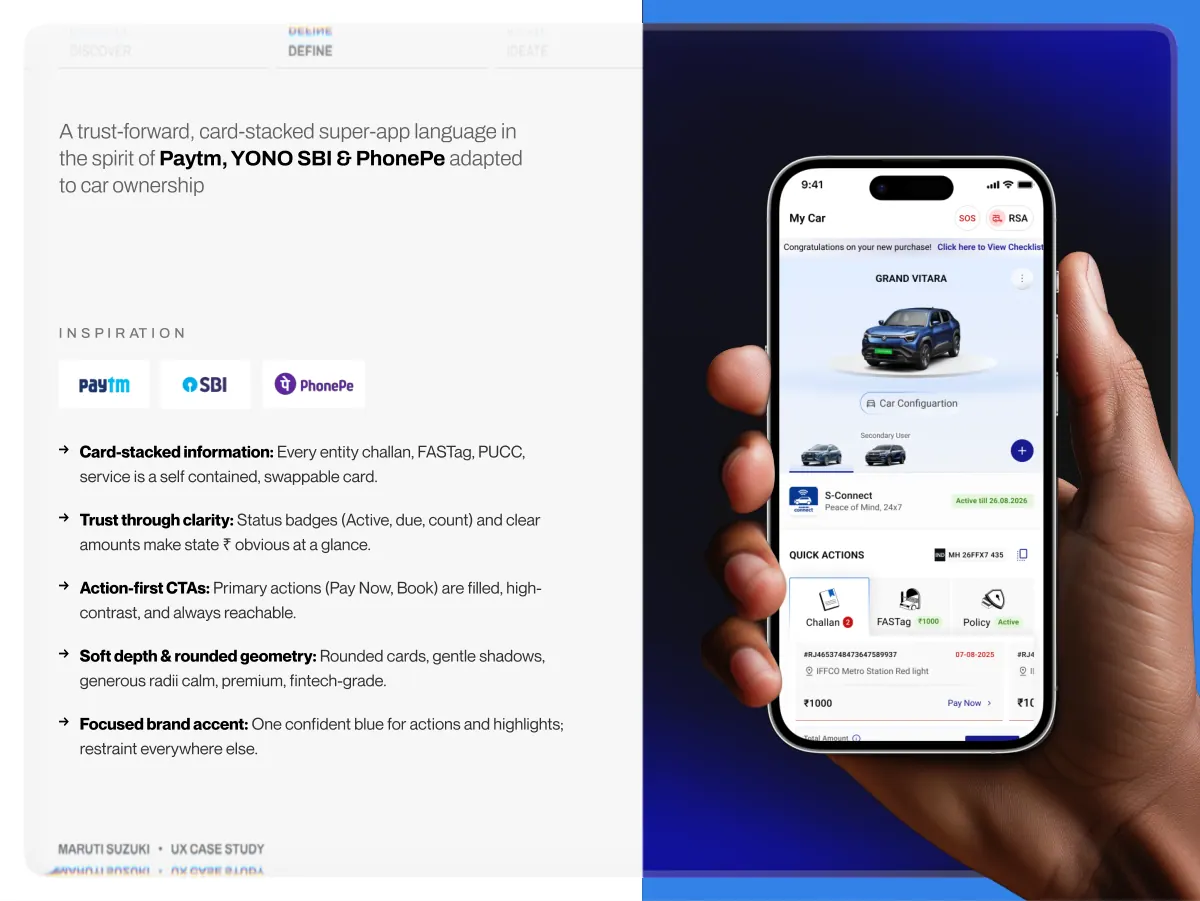
- Discover Define Ideate Design Validate A trust-forward, card-stacked super-app language in the spirit of Paytm, YONO SBI & PhonePe adapted to car ownership I N S P I R AT I O N → → → → → Card-stacked information: Every entity challan, FASTag, PUCC, service is a self contained, swappable card. Trust through clarity: Status badges (Active, due, count) and clear amounts make state ₹ obvious at a glance. Action-first CTAs: Primary actions (Pay Now, Book) are filled, high- contrast, and always reachable. Soft depth & rounded geometry: Rounded cards, gentle shadows, generous radii calm, premium, fintech-grade. Focused brand accent: One confident blue for actions and highlights; restraint everywhere else. Maruti Suzuki • UX Case Study 04
- Ideate Generating and exploring solutions 03 Maruti Suzuki • UX Case Study 35
- Discover Define Redesign Approach Ideate Design Validate VISUAL LEVEL Nexa and Arena ran inconsistent Design systems. Unified into one consistent visual language across the whole app type, colour, components. UX LEVEL Reviewed usability and improved the structure, 3- tab navigation, high-intent features promoted upfront, journeys streamlined. Maruti Suzuki • UX Case Study 36
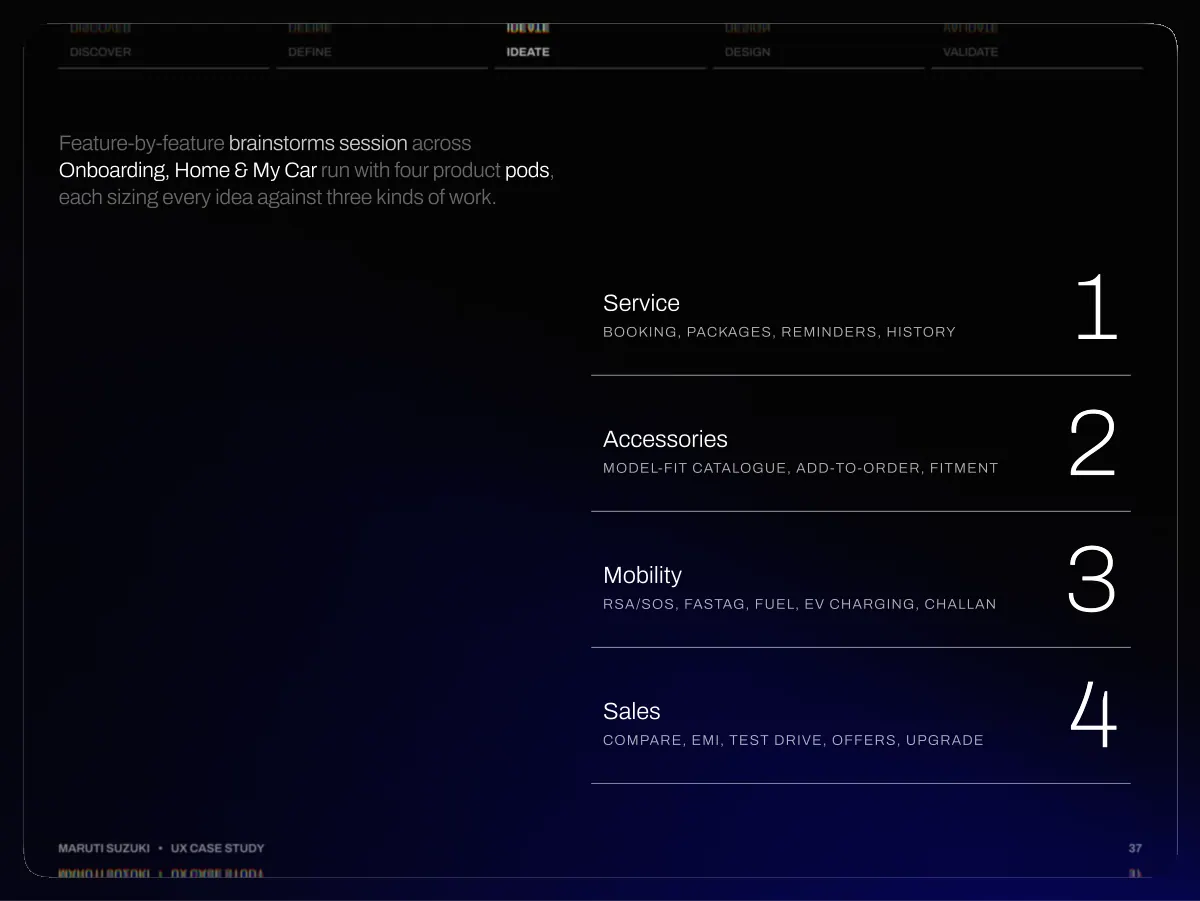
- Discover Define Ideate Design Validate Feature-by-feature brainstorms session across Onboarding, Home & My Car run with four product pods, each sizing every idea against three kinds of work. Service Booking, packages, reminders, history 1 Accessories Model-fit catalogue, add-to-order, fitment 2 Mobility RSA/SOS, FASTag, fuel, EV charging, challan 3 Sales Compare, EMI, test drive, offers, upgrade 4 Maruti Suzuki • UX Case Study 37
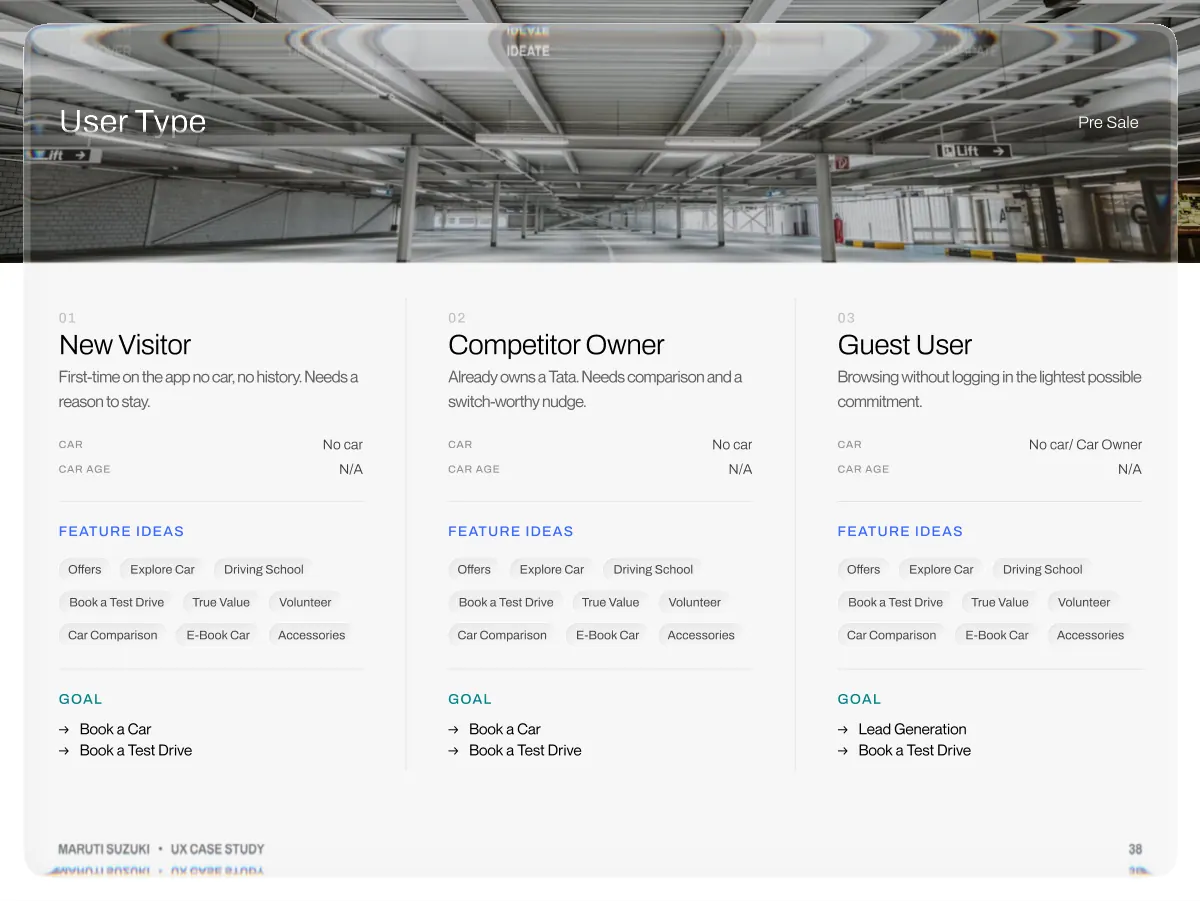
- Discover User Type Define Ideate Design Validate Pre Sale 01 New Visitor First-time on the app no car, no history. Needs a reason to stay. Car No car Car Age N/A Feature Ideas Offers Explore Car Driving School Book a Test Drive True Value Volunteer Car Comparison E-Book Car Accessories Goal →Book a Car →Book a Test Drive 02 Competitor Owner Already owns a Tata. Needs comparison and a switch-worthy nudge. Car No car Car Age N/A Feature Ideas Offers Explore Car Driving School Book a Test Drive True Value Volunteer Car Comparison E-Book Car Accessories Goal →Book a Car →Book a Test Drive 03 Guest User Browsing without logging in the lightest possible commitment. Car No car/ Car Owner Car Age N/A Feature Ideas Offers Explore Car Driving School Book a Test Drive True Value Volunteer Car Comparison E-Book Car Accessories Goal →Lead Generation →Book a Test Drive Maruti Suzuki • UX Case Study 38
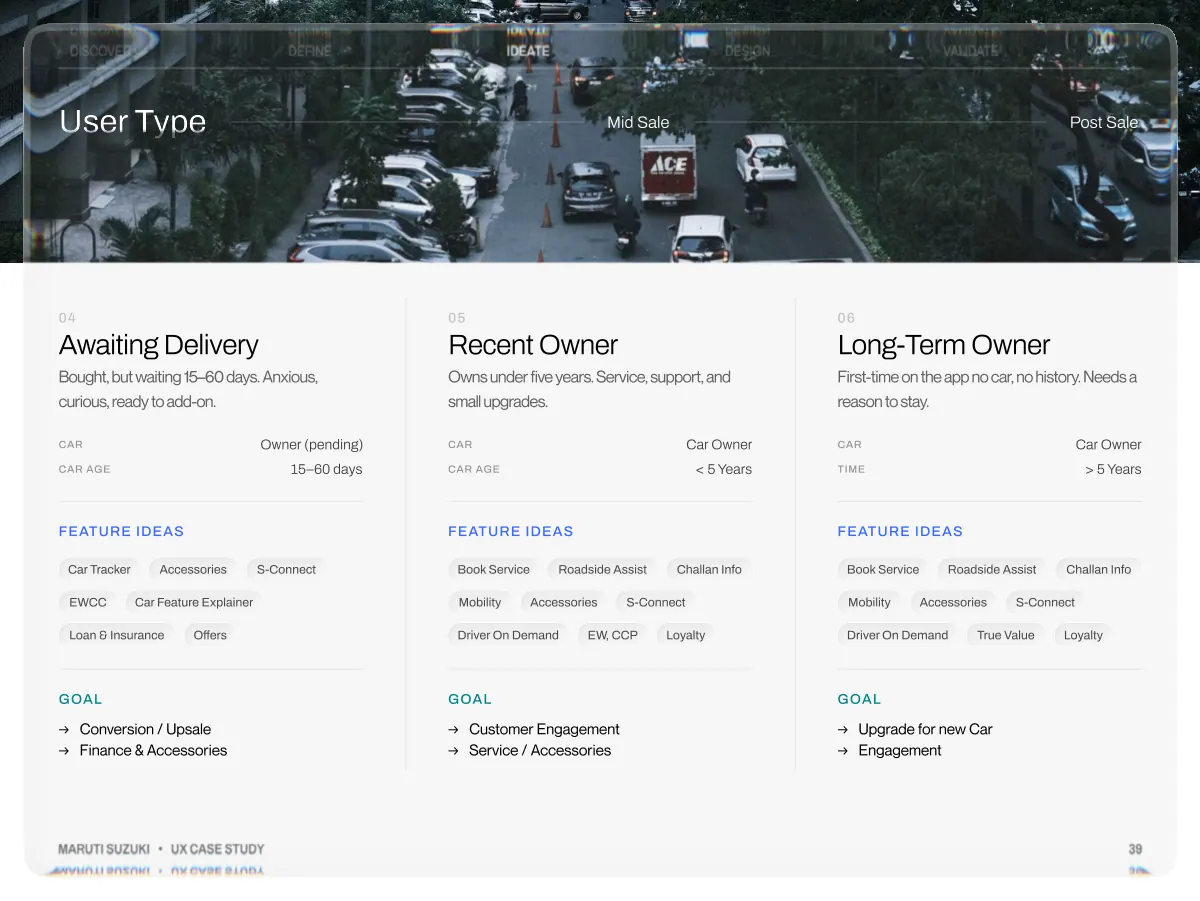
- Discover User Type Define Ideate Mid Sale Design Validate Post Sale 04 Awaiting Delivery Bought, but waiting 15–60 days. Anxious, curious, ready to add-on. Car Owner (pending) Car Age 15–60 days Feature Ideas Car Tracker Accessories S-Connect EWCC Car Feature Explainer Loan & Insurance Offers Goal →Conversion / Upsale →Finance & Accessories 05 Recent Owner Owns under five years. Service, support, and small upgrades. Car Car Owner Car Age < 5 Years Feature Ideas Book Service Roadside Assist Challan Info Mobility Accessories S-Connect Driver On Demand EW, CCP Loyalty Goal →Customer Engagement →Service / Accessories 06 Long-Term Owner First-time on the app no car, no history. Needs a reason to stay. Car Car Owner Time > 5 Years Feature Ideas Book Service Roadside Assist Challan Info Mobility Accessories S-Connect Driver On Demand True Value Loyalty Goal →Upgrade for new Car →Engagement Maruti Suzuki • UX Case Study 39
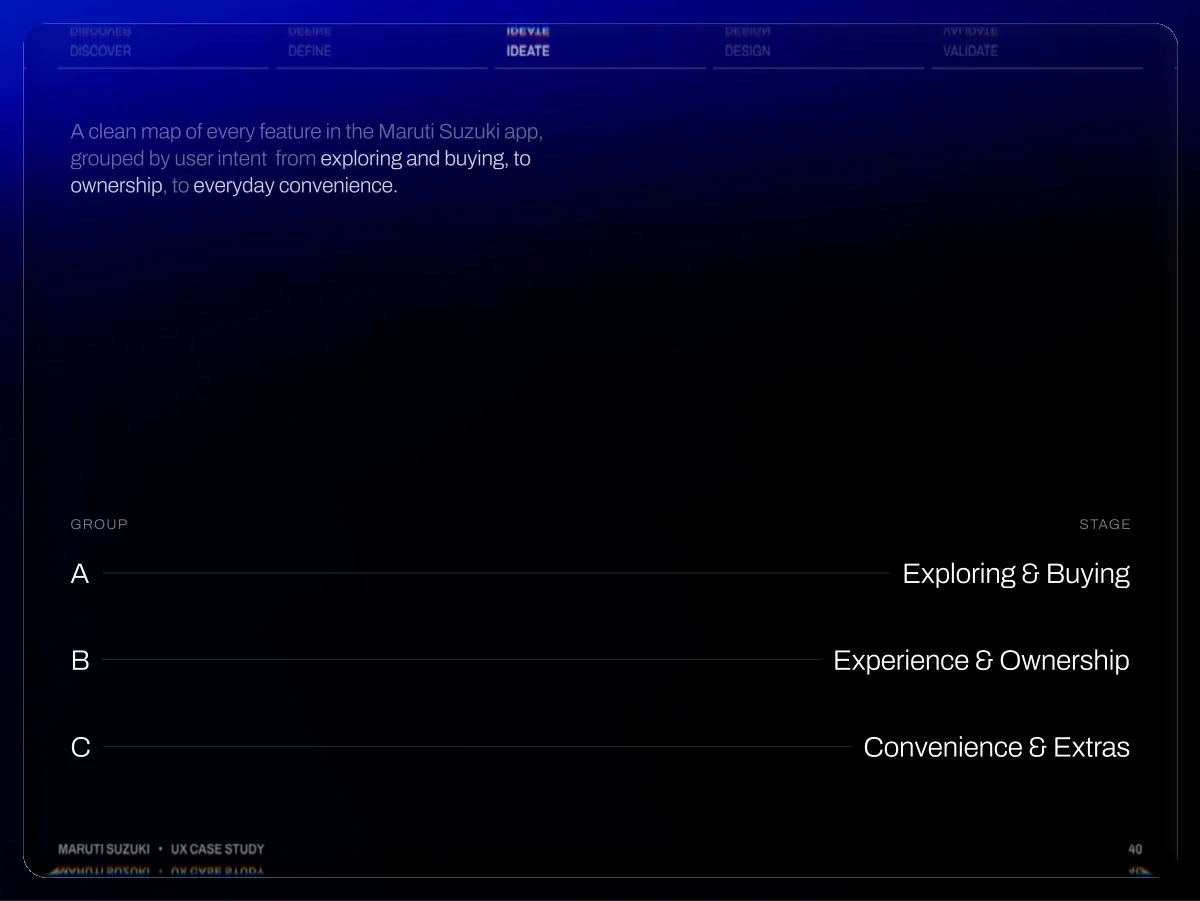
- Discover Define Ideate Design Validate A clean map of every feature in the Maruti Suzuki app, grouped by user intent from exploring and buying, to ownership, to everyday convenience. Group A B C Stage Exploring & Buying Experience & Ownership Convenience & Extras Maruti Suzuki • UX Case Study 40
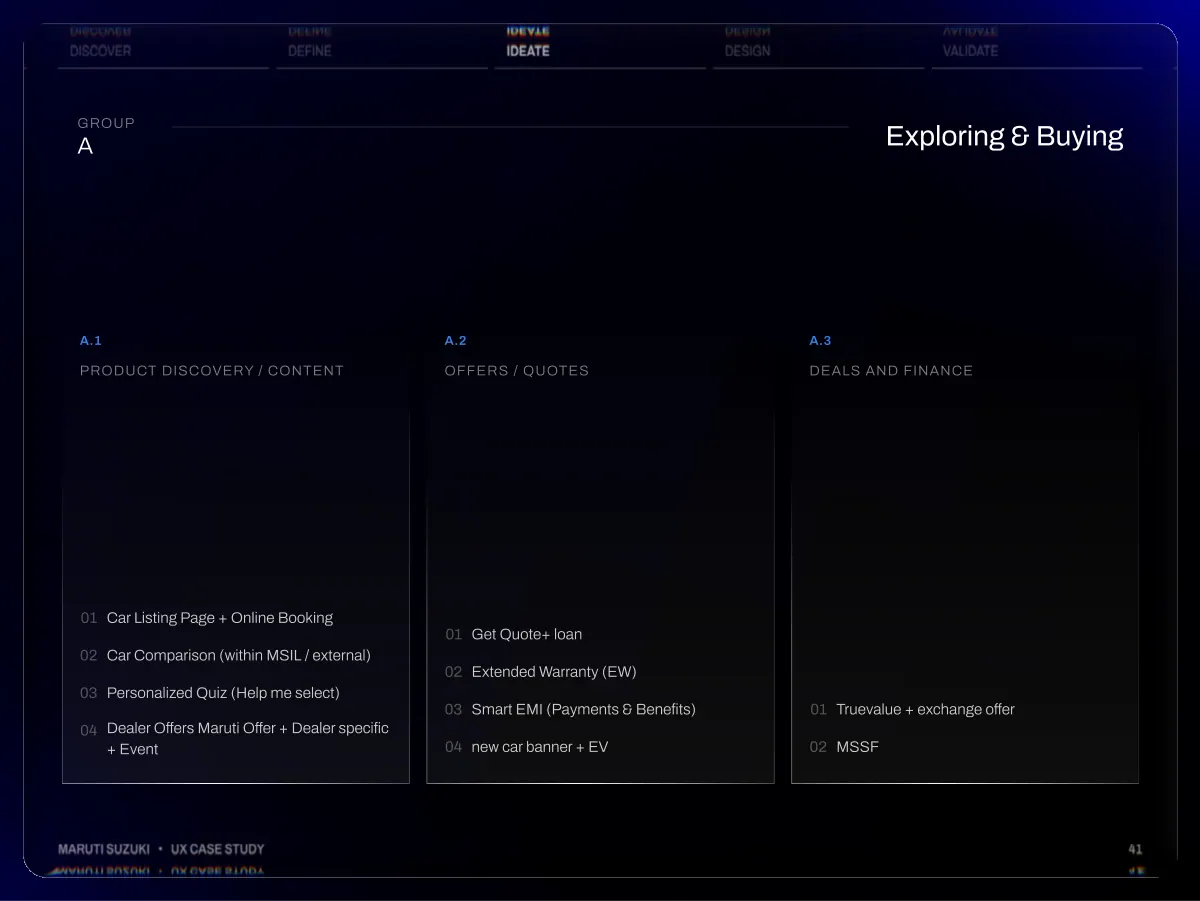
- Discover Define Ideate Design Validate Group A Exploring & Buying A.1 Product discovery / content A.2 Offers / quotes A.3 Deals and Finance 01 02 03 04 Car Listing Page + Online Booking Car Comparison (within MSIL / external) Personalized Quiz (Help me select) Dealer Offers Maruti Offer + Dealer specific + Event 01 02 03 04 Get Quote+ loan Extended Warranty (EW) Smart EMI (Payments & Benefits) new car banner + EV 01 02 Truevalue + exchange offer MSSF Maruti Suzuki • UX Case Study 41
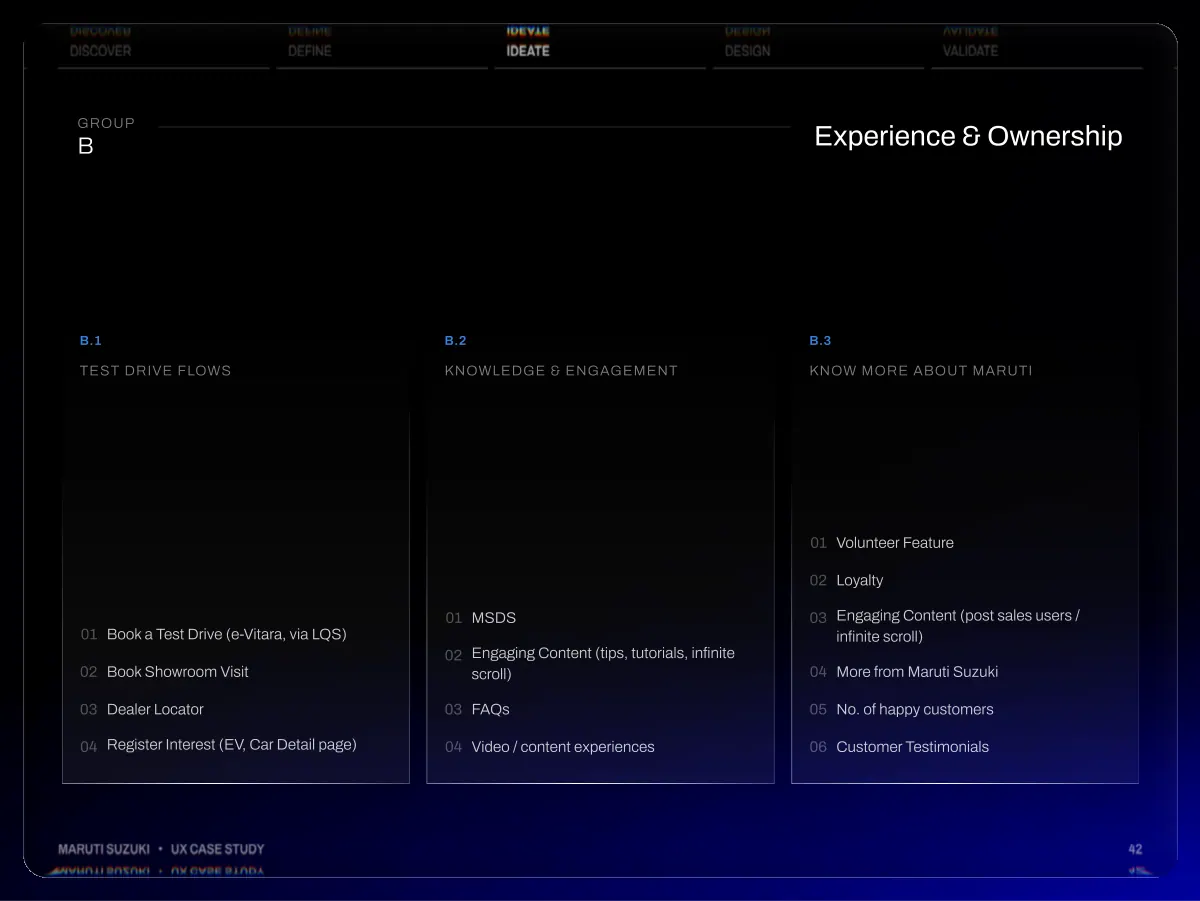
- Discover Define Ideate Design Validate Group B Experience & Ownership B.1 Test drive flows B.2 Knowledge & engagement B.3 Know More about Maruti 01 02 03 04 Book a Test Drive (e-Vitara, via LQS) Book Showroom Visit Dealer Locator Register Interest (EV, Car Detail page) 01 02 03 04 MSDS Engaging Content (tips, tutorials, infinite scroll) FAQs Video / content experiences 01 02 03 04 05 06 Volunteer Feature Loyalty Engaging Content (post sales users / infinite scroll) More from Maruti Suzuki No. of happy customers Customer Testimonials Maruti Suzuki • UX Case Study 42
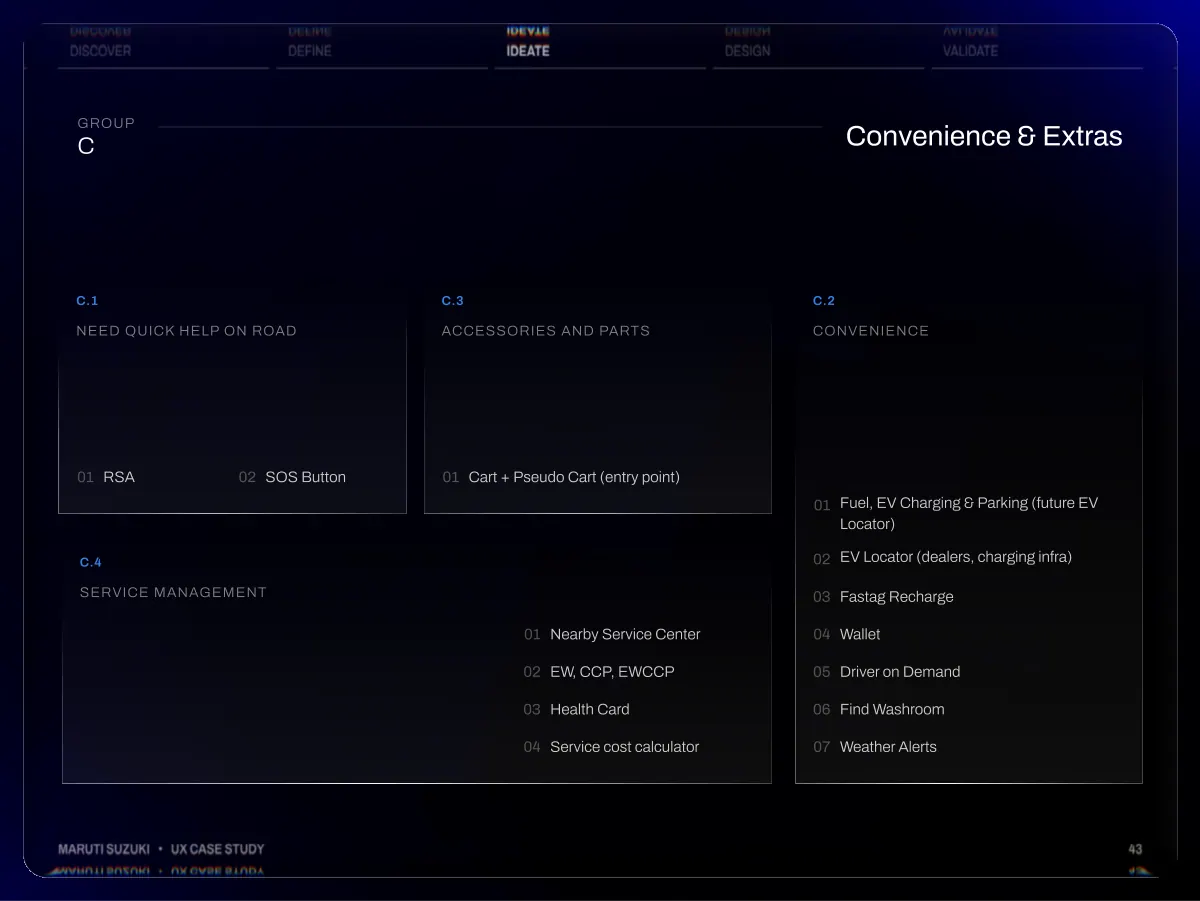
- Discover Define Ideate Design Validate Group C Convenience & Extras C.1 Need quick help on ROad C.3 accessories and parts C.2 Convenience 01 RSA 02 SOS Button 01 Cart + Pseudo Cart (entry point) C.4 Service Management 01 02 03 04 Nearby Service Center EW, CCP, EWCCP Health Card Service cost calculator 01 02 03 04 05 06 07 Fuel, EV Charging & Parking (future EV Locator) EV Locator (dealers, charging infra) Fastag Recharge Wallet Driver on Demand Find Washroom Weather Alerts Maruti Suzuki • UX Case Study 43
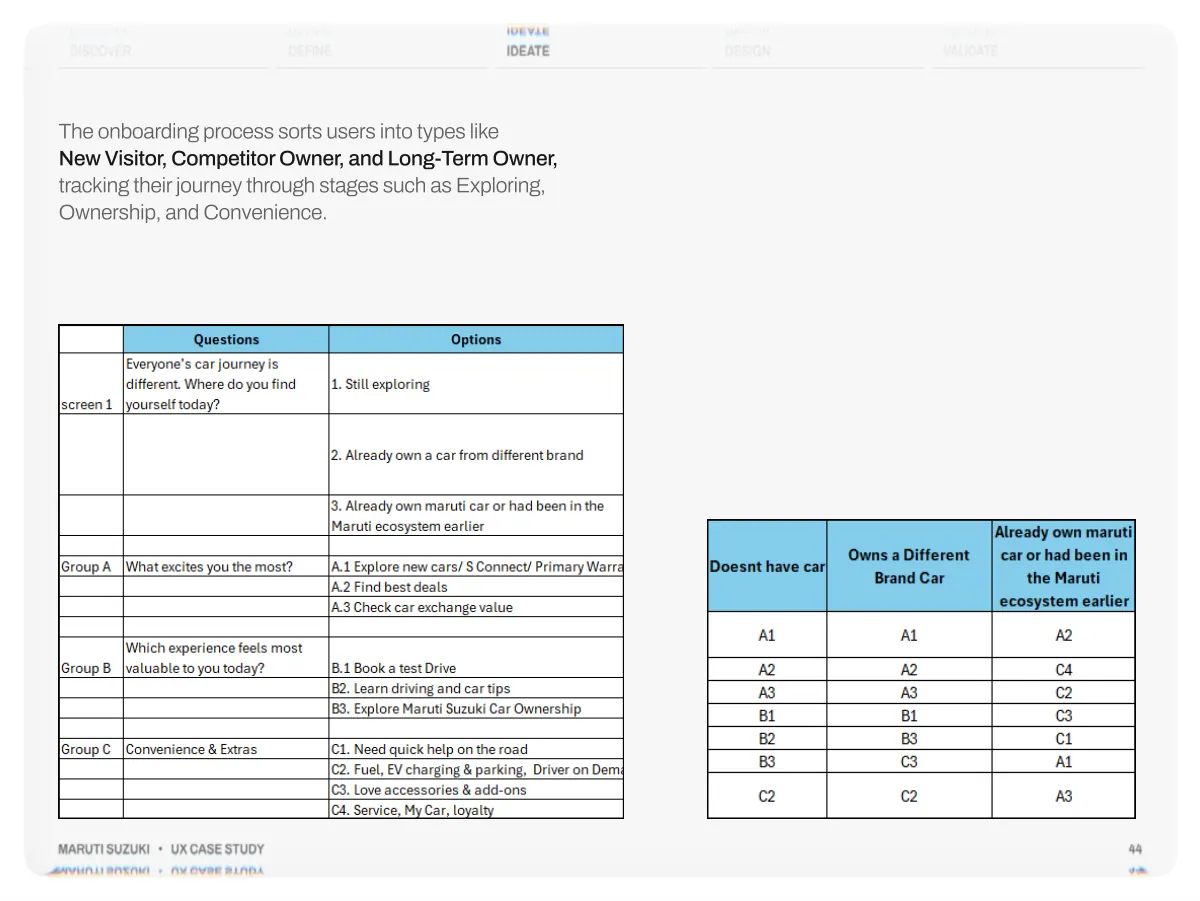
- Discover Define Ideate Design Validate The onboarding process sorts users into types like New Visitor, Competitor Owner, and Long-Term Owner, tracking their journey through stages such as Exploring, Ownership, and Convenience. Maruti Suzuki • UX Case Study 44
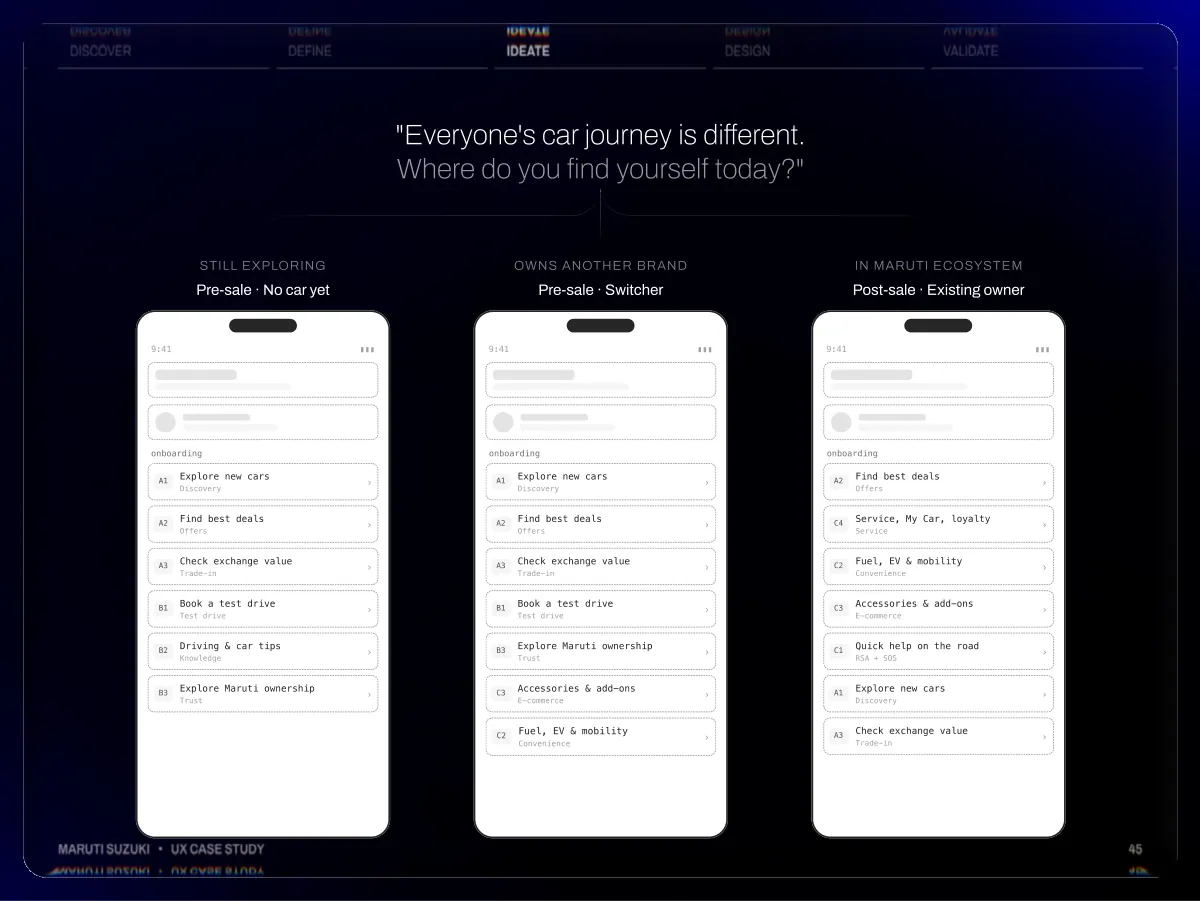
- Discover Define Ideate Design Validate "Everyone's car journey is different. Where do you find yourself today?" 9:41 Still exploring Pre-sale · No car yet ▮▮▮ 9:41 Owns another brand Pre-sale · Switcher ▮▮▮ 9:41 In Maruti ecosystem Post-sale · Existing owner ▮▮▮ onboarding A1 A2 A3 B1 B2 B3 Explore new cars Discovery Find best deals Offers Check exchange value Trade-in Book a test drive Test drive Driving & car tips Knowledge Explore Maruti ownership Trust › › › › › › onboarding A1 A2 A3 B1 B3 C3 C2 Explore new cars Discovery Find best deals Offers Check exchange value Trade-in Book a test drive Test drive Explore Maruti ownership Trust Accessories & add-ons E-commerce Fuel, EV & mobility Convenience › › › › › › › onboarding A2 C4 C2 C3 C1 A1 A3 Find best deals Offers Service, My Car, loyalty Service Fuel, EV & mobility Convenience Accessories & add-ons E-commerce Quick help on the road RSA + SOS Explore new cars Discovery Check exchange value Trade-in › › › › › › › Maruti Suzuki • UX Case Study 45
- Discover Define Ideate Design Validate Maruti Suzuki • UX Case Study 46
- Discover Define Ideate Design Validate Maruti Suzuki • UX Case Study 47
- Design Redesigning every existing flow, page & concept same business, new UX 04 Maruti Suzuki • UX Case Study 48
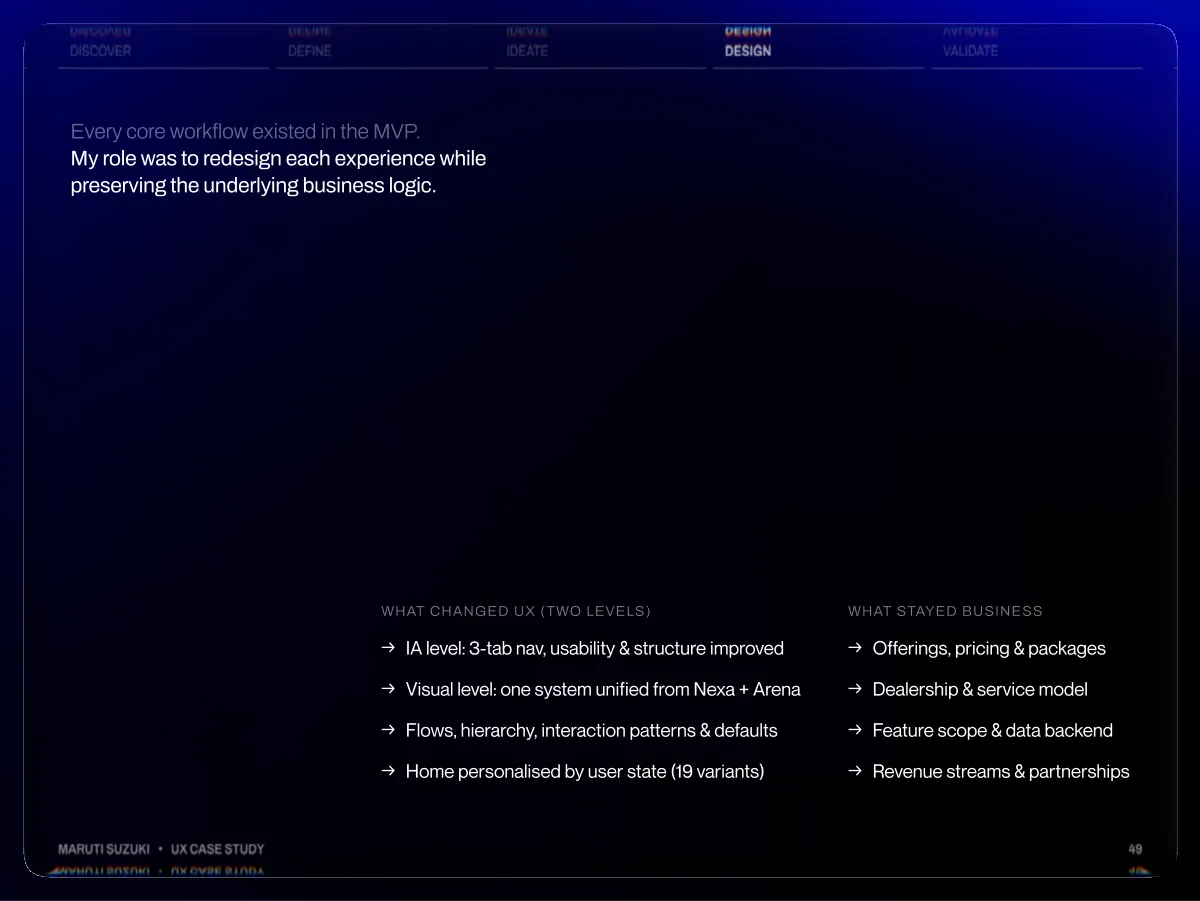
- Discover Define Ideate Design Validate Every core workflow existed in the MVP. My role was to redesign each experience while preserving the underlying business logic. WHAT CHANGED UX (TWO LEVELS) →IA level: 3-tab nav, usability & structure improved →Visual level: one system unified from Nexa + Arena →Flows, hierarchy, interaction patterns & defaults →Home personalised by user state (19 variants) WHAT STAYED BUSINESS →Offerings, pricing & packages →Dealership & service model →Feature scope & data backend →Revenue streams & partnerships Maruti Suzuki • UX Case Study 49
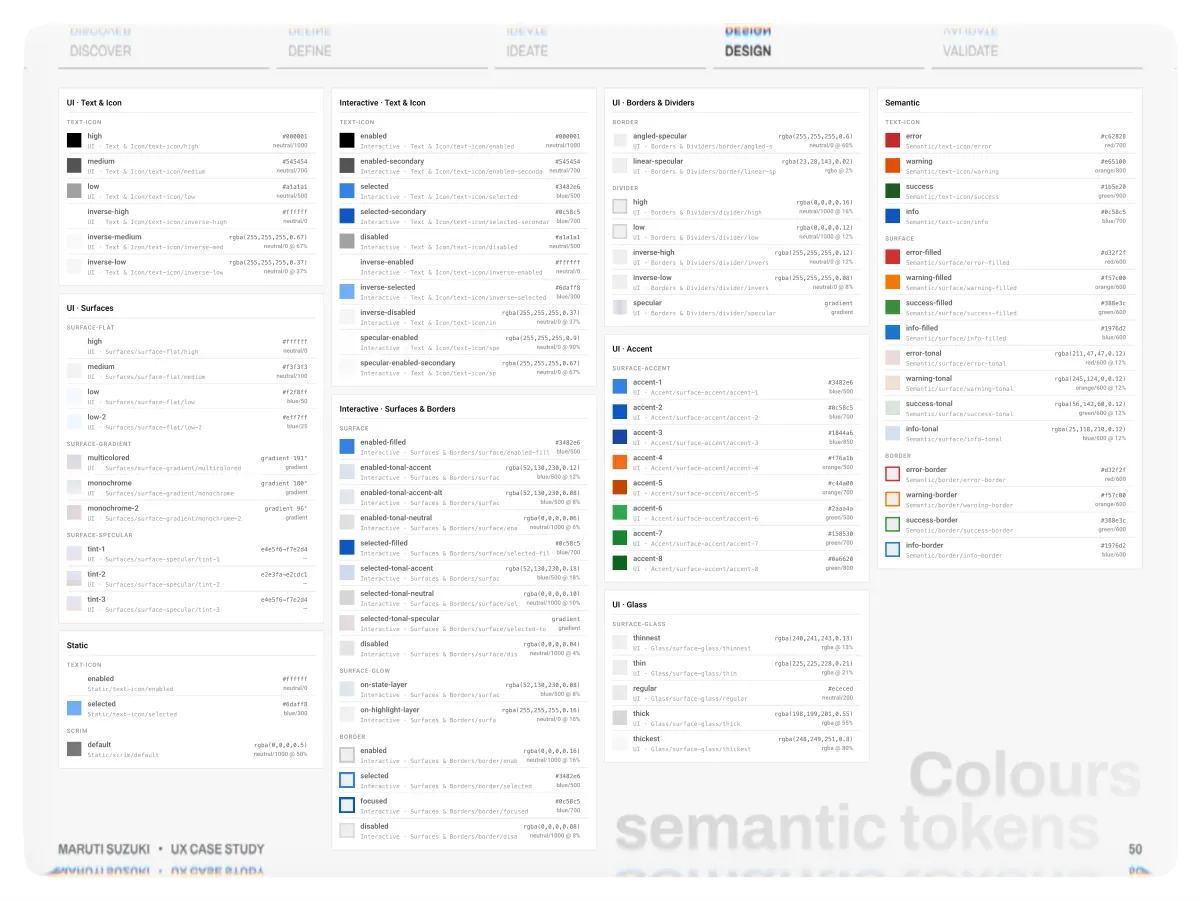
- Discover UI · Text & Icon text-icon Define Interactive · Text & Icon text-icon Ideate UI · Borders & Dividers border Design Semantic text-icon Validate high UI · Text & Icon/text-icon/high neutral/1000 #000001 enabled Interactive · Text & Icon/text-icon/enabled neutral/1000 #000001 angled-specular UI · Borders & Dividers/border/angled-specular rgba(255,255,255,0.6) neutral/0 @ 60% error Semantic/text-icon/error #c62828 red/700 medium UI · Text & Icon/text-icon/medium neutral/700 #545454 enabled-secondary Interactive · Text & Icon/text-icon/enabled-secondaryneutral/700 #545454 linear-specular UI · Borders & Dividers/border/linear-specular rgba(23,28,143,0.02) rgba @ 2% warning Semantic/text-icon/warning orange/800 #e65100 Maruti Suzuki • UX Case Study UI · Surfaces surface-flat surface-gradient surface-specular Static text-icon scrim low UI · Text & Icon/text-icon/low inverse-high UI · Text & Icon/text-icon/inverse-high inverse-medium UI · Text & Icon/text-icon/inverse-medium inverse-low UI · Text & Icon/text-icon/inverse-low high UI · Surfaces/surface-flat/high medium UI · Surfaces/surface-flat/medium low UI · Surfaces/surface-flat/low low-2 UI · Surfaces/surface-flat/low-2 multicolored UI · Surfaces/surface-gradient/multicolored monochrome UI · Surfaces/surface-gradient/monochrome monochrome-2 UI · Surfaces/surface-gradient/monochrome-2 tint-1 UI · Surfaces/surface-specular/tint-1 tint-2 UI · Surfaces/surface-specular/tint-2 tint-3 UI · Surfaces/surface-specular/tint-3 enabled Static/text-icon/enabled selected Static/text-icon/selected default Static/scrim/default rgba(255,255,255,0.67) neutral/0 @ 67% rgba(255,255,255,0.37) neutral/0 @ 37% rgba(0,0,0,0.5) neutral/1000 @ 50% gradient 191° gradient gradient 180° gradient e4e5f6→f7e2d4 — e2e3fa→e2cdc1 — e4e5f6→f7e2d4 — gradient 96° gradient neutral/500 #a1a1a1 neutral/100 #f3f3f3 #ffffff neutral/0 #ffffff neutral/0 #f2f8ff blue/50 #eff7ff blue/25 #ffffff neutral/0 #6daff8 blue/300 Interactive · Surfaces & Borders surface surface-glow border selected Interactive · Text & Icon/text-icon/selected selected-secondary Interactive · Text & Icon/text-icon/selected-secondary disabled Interactive · Text & Icon/text-icon/disabled inverse-enabled Interactive · Text & Icon/text-icon/inverse-enabled inverse-selected Interactive · Text & Icon/text-icon/inverse-selected inverse-disabled Interactive · Text & Icon/text-icon/inverse-disabled rgba(255,255,255,0.37) neutral/0 @ 37% specular-enabled Interactive · Text & Icon/text-icon/specular-enabled rgba(255,255,255,0.9) neutral/0 @ 90% specular-enabled-secondary Interactive · Text & Icon/text-icon/specular-enabled-secondary rgba(255,255,255,0.67) neutral/0 @ 67% enabled-filled Interactive · Surfaces & Borders/surface/enabled-filled #3482e6 blue/500 enabled-tonal-accent Interactive · Surfaces & Borders/surface/enabled-tonal-accent rgba(52,130,230,0.12) blue/500 @ 12% enabled-tonal-accent-alt Interactive · Surfaces & Borders/surface/enabled-tonal-accent-alt rgba(52,130,230,0.08) blue/500 @ 8% enabled-tonal-neutral Interactive · Surfaces & Borders/surface/enabled-tonal-neutral rgba(0,0,0,0.06) neutral/1000 @ 6% selected-filled Interactive · Surfaces & Borders/surface/selected-filled #0c58c5 blue/700 selected-tonal-accent Interactive · Surfaces & Borders/surface/selected-tonal-accent rgba(52,130,230,0.18) blue/500 @ 18% selected-tonal-neutral Interactive · Surfaces & Borders/surface/selected-tonal-neutral rgba(0,0,0,0.10) neutral/1000 @ 10% selected-tonal-specular Interactive · Surfaces & Borders/surface/selected-tonal-specular gradient gradient disabled Interactive · Surfaces & Borders/surface/disabled rgba(0,0,0,0.04) neutral/1000 @ 4% on-state-layer Interactive · Surfaces & Borders/surface-glow/on-state-layer rgba(52,130,230,0.08) blue/500 @ 8% on-highlight-layer Interactive · Surfaces & Borders/surface-glow/on-highlight-layer rgba(255,255,255,0.16) neutral/0 @ 16% enabled Interactive · Surfaces & Borders/border/enabled rgba(0,0,0,0.16) neutral/1000 @ 16% selected Interactive · Surfaces & Borders/border/selected focused Interactive · Surfaces & Borders/border/focused disabled Interactive · Surfaces & Borders/border/disabled rgba(0,0,0,0.08) neutral/1000 @ 8% neutral/500 #a1a1a1 #3482e6 blue/500 #0c58c5 blue/700 #ffffff neutral/0 #6daff8 blue/300 #3482e6 blue/500 #0c58c5 blue/700 Colours semantic tokens 50 divider UI · Accent surface-accent UI · Glass surface-glass high UI · Borders & Dividers/divider/high low UI · Borders & Dividers/divider/low inverse-high UI · Borders & Dividers/divider/inverse-high inverse-low UI · Borders & Dividers/divider/inverse-low specular UI · Borders & Dividers/divider/specular accent-1 UI · Accent/surface-accent/accent-1 accent-2 UI · Accent/surface-accent/accent-2 accent-3 UI · Accent/surface-accent/accent-3 accent-4 UI · Accent/surface-accent/accent-4 accent-5 UI · Accent/surface-accent/accent-5 accent-6 UI · Accent/surface-accent/accent-6 accent-7 UI · Accent/surface-accent/accent-7 accent-8 UI · Accent/surface-accent/accent-8 thinnest UI · Glass/surface-glass/thinnest thin UI · Glass/surface-glass/thin regular UI · Glass/surface-glass/regular thick UI · Glass/surface-glass/thick thickest UI · Glass/surface-glass/thickest rgba(255,255,255,0.12) neutral/0 @ 12% rgba(255,255,255,0.08) neutral/0 @ 8% rgba(240,241,243,0.13) rgba @ 13% rgba(225,225,228,0.21) rgba @ 21% rgba(198,199,201,0.55) rgba @ 55% rgba(248,249,251,0.8) rgba @ 80% rgba(0,0,0,0.16) neutral/1000 @ 16% rgba(0,0,0,0.12) neutral/1000 @ 12% orange/500 #f76a1b orange/700 #c44a00 neutral/200 #ececed gradient gradient green/500 #2aaa4a green/700 #158530 green/800 #0a6620 #3482e6 blue/500 #0c58c5 blue/700 #1844a6 blue/850 surface border success Semantic/text-icon/success info Semantic/text-icon/info error-filled Semantic/surface/error-filled warning-filled Semantic/surface/warning-filled success-filled Semantic/surface/success-filled info-filled Semantic/surface/info-filled error-tonal Semantic/surface/error-tonal warning-tonal Semantic/surface/warning-tonal success-tonal Semantic/surface/success-tonal info-tonal Semantic/surface/info-tonal error-border Semantic/border/error-border warning-border Semantic/border/warning-border success-border Semantic/border/success-border info-border Semantic/border/info-border rgba(25,118,210,0.12) blue/600 @ 12% rgba(211,47,47,0.12) red/600 @ 12% rgba(245,124,0,0.12) orange/600 @ 12% rgba(56,142,60,0.12) green/600 @ 12% orange/600 #f57c00 orange/600 #f57c00 green/900 #1b5e20 green/600 #388e3c green/600 #388e3c #0c58c5 blue/700 #d32f2f red/600 #1976d2 blue/600 #d32f2f red/600 #1976d2 blue/600
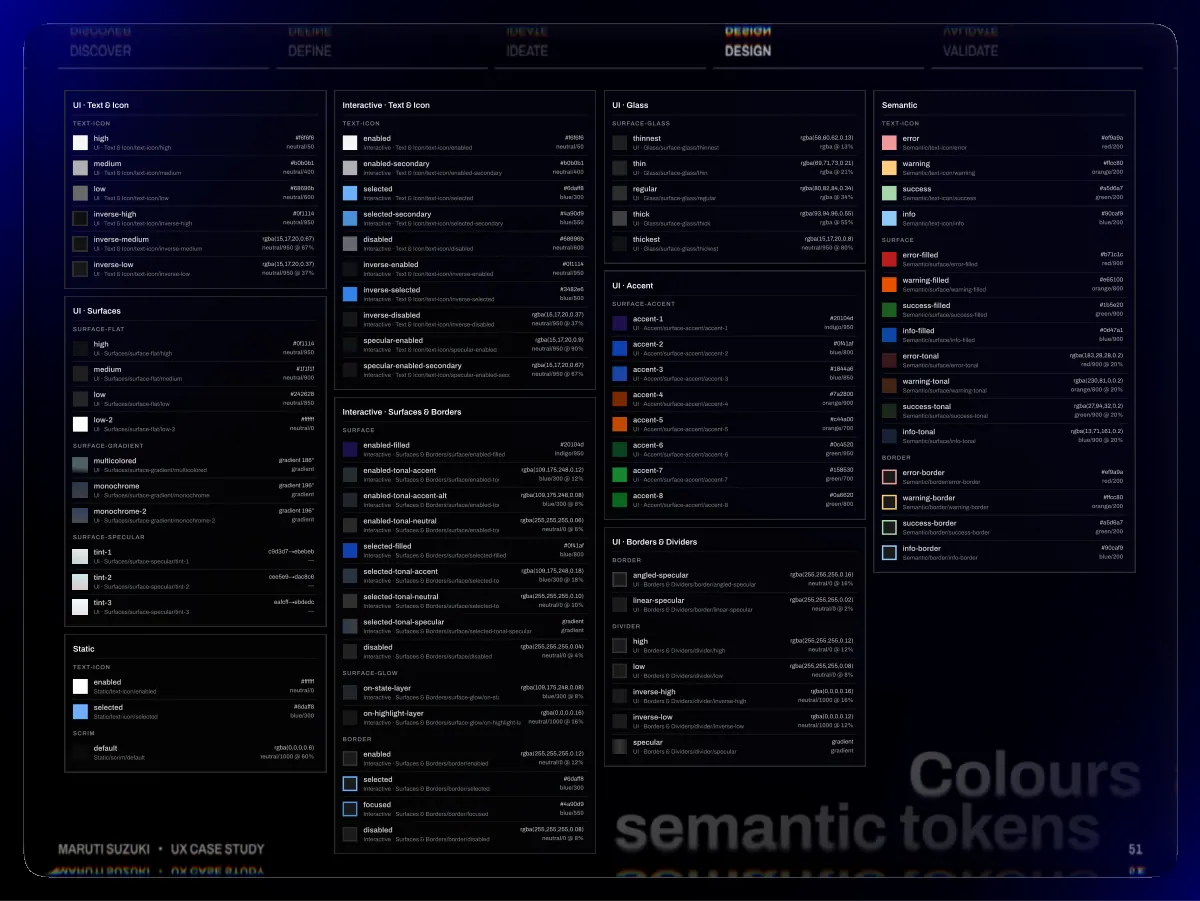
- Discover UI · Text & Icon text-icon Define Interactive · Text & Icon text-icon Ideate UI · Glass surface-glass Design Semantic text-icon Validate high UI · Text & Icon/text-icon/high neutral/50 #f6f6f6 enabled Interactive · Text & Icon/text-icon/enabled neutral/50 #f6f6f6 thinnest UI · Glass/surface-glass/thinnest rgba(58,60,62,0.13) rgba @ 13% error Semantic/text-icon/error #ef9a9a red/200 medium UI · Text & Icon/text-icon/medium neutral/400 #b0b0b1 enabled-secondary Interactive · Text & Icon/text-icon/enabled-secondary neutral/400 #b0b0b1 thin UI · Glass/surface-glass/thin rgba(69,71,73,0.21) rgba @ 21% warning Semantic/text-icon/warning orange/200 #ffcc80 low UI · Text & Icon/text-icon/low neutral/600 #68696b selected Interactive · Text & Icon/text-icon/selected blue/300 #6daff8 regular UI · Glass/surface-glass/regular rgba(80,82,84,0.34) rgba @ 34% success Semantic/text-icon/success green/200 #a5d6a7 inverse-high UI · Text & Icon/text-icon/inverse-high neutral/950 #0f1114 selected-secondary Interactive · Text & Icon/text-icon/selected-secondary #4a90d9 blue/550 thick UI · Glass/surface-glass/thick rgba(93,94,96,0.55) rgba @ 55% info Semantic/text-icon/info blue/200 #90caf9 Maruti Suzuki • UX Case Study UI · Surfaces surface-flat surface-gradient surface-specular Static text-icon scrim inverse-medium UI · Text & Icon/text-icon/inverse-medium inverse-low UI · Text & Icon/text-icon/inverse-low high UI · Surfaces/surface-flat/high medium UI · Surfaces/surface-flat/medium low UI · Surfaces/surface-flat/low low-2 UI · Surfaces/surface-flat/low-2 multicolored UI · Surfaces/surface-gradient/multicolored monochrome UI · Surfaces/surface-gradient/monochrome monochrome-2 UI · Surfaces/surface-gradient/monochrome-2 tint-1 UI · Surfaces/surface-specular/tint-1 tint-2 UI · Surfaces/surface-specular/tint-2 tint-3 UI · Surfaces/surface-specular/tint-3 enabled Static/text-icon/enabled selected Static/text-icon/selected default Static/scrim/default neutral/1000 @ 60% rgba(0,0,0,0.6) rgba(15,17,20,0.67) neutral/950 @ 67% rgba(15,17,20,0.37) neutral/950 @ 37% c9d3d7→ebebeb — cee5e9→dac8c6 — eafcff→ebdedc — gradient 186° gradient gradient 196° gradient gradient 196° gradient neutral/950 #0f1114 neutral/900 #1f1f1f neutral/850 #242628 neutral/0 #ffffff neutral/0 #ffffff blue/300 #6daff8 Interactive · Surfaces & Borders surface surface-glow border disabled Interactive · Text & Icon/text-icon/disabled inverse-enabled Interactive · Text & Icon/text-icon/inverse-enabled inverse-selected Interactive · Text & Icon/text-icon/inverse-selected inverse-disabled Interactive · Text & Icon/text-icon/inverse-disabled specular-enabled Interactive · Text & Icon/text-icon/specular-enabled specular-enabled-secondary Interactive · Text & Icon/text-icon/specular-enabled-secondary enabled-filled Interactive · Surfaces & Borders/surface/enabled-filled enabled-tonal-accent Interactive · Surfaces & Borders/surface/enabled-tonal-accent enabled-tonal-accent-alt Interactive · Surfaces & Borders/surface/enabled-tonal-accent-alt enabled-tonal-neutral Interactive · Surfaces & Borders/surface/enabled-tonal-neutral selected-filled Interactive · Surfaces & Borders/surface/selected-filled selected-tonal-accent Interactive · Surfaces & Borders/surface/selected-tonal-accent selected-tonal-neutral Interactive · Surfaces & Borders/surface/selected-tonal-neutral selected-tonal-specular Interactive · Surfaces & Borders/surface/selected-tonal-specular disabled Interactive · Surfaces & Borders/surface/disabled on-state-layer Interactive · Surfaces & Borders/surface-glow/on-state-layer on-highlight-layer Interactive · Surfaces & Borders/surface-glow/on-highlight-layerneutral/1000 @ 16% rgba(0,0,0,0.16) enabled Interactive · Surfaces & Borders/border/enabled selected Interactive · Surfaces & Borders/border/selected focused Interactive · Surfaces & Borders/border/focused disabled Interactive · Surfaces & Borders/border/disabled rgba(255,255,255,0.06) neutral/0 @ 6% rgba(255,255,255,0.08) neutral/0 @ 8% rgba(109,175,248,0.12) blue/300 @ 12% rgba(109,175,248,0.08) blue/300 @ 8% rgba(109,175,248,0.18) blue/300 @ 18% rgba(255,255,255,0.10) neutral/0 @ 10% rgba(255,255,255,0.04) neutral/0 @ 4% rgba(109,175,248,0.08) blue/300 @ 8% rgba(255,255,255,0.12) neutral/0 @ 12% rgba(15,17,20,0.37) neutral/950 @ 37% neutral/950 @ 90% rgba(15,17,20,0.9) rgba(15,17,20,0.67) neutral/950 @ 67% neutral/600 #68696b neutral/950 #0f1114 indigo/950 #20104d #3482e6 blue/500 blue/800 #0f41af blue/300 #6daff8 #4a90d9 blue/550 gradient gradient UI · Accent surface-accent UI · Borders & Dividers border divider Colours semantic tokens 51 thickest UI · Glass/surface-glass/thickest accent-1 UI · Accent/surface-accent/accent-1 accent-2 UI · Accent/surface-accent/accent-2 accent-3 UI · Accent/surface-accent/accent-3 accent-4 UI · Accent/surface-accent/accent-4 accent-5 UI · Accent/surface-accent/accent-5 accent-6 UI · Accent/surface-accent/accent-6 accent-7 UI · Accent/surface-accent/accent-7 accent-8 UI · Accent/surface-accent/accent-8 angled-specular UI · Borders & Dividers/border/angled-specular linear-specular UI · Borders & Dividers/border/linear-specular high UI · Borders & Dividers/divider/high low UI · Borders & Dividers/divider/low inverse-high UI · Borders & Dividers/divider/inverse-high inverse-low UI · Borders & Dividers/divider/inverse-low specular UI · Borders & Dividers/divider/specular rgba(255,255,255,0.02) neutral/0 @ 2% rgba(255,255,255,0.08) neutral/0 @ 8% rgba(255,255,255,0.16) neutral/0 @ 16% rgba(255,255,255,0.12) neutral/0 @ 12% neutral/1000 @ 16% rgba(0,0,0,0.16) neutral/1000 @ 12% rgba(0,0,0,0.12) neutral/950 @ 80% rgba(15,17,20,0.8) orange/900 #7a2800 orange/700 #c44a00 indigo/950 #20104d green/950 #0c4520 green/700 #158530 green/800 #0a6620 blue/800 #0f41af blue/850 #1844a6 gradient gradient surface border error-filled Semantic/surface/error-filled warning-filled Semantic/surface/warning-filled success-filled Semantic/surface/success-filled info-filled Semantic/surface/info-filled error-tonal Semantic/surface/error-tonal warning-tonal Semantic/surface/warning-tonal success-tonal Semantic/surface/success-tonal info-tonal Semantic/surface/info-tonal error-border Semantic/border/error-border warning-border Semantic/border/warning-border success-border Semantic/border/success-border info-border Semantic/border/info-border rgba(183,28,28,0.2) red/900 @ 20% orange/800 @ 20% rgba(230,81,0,0.2) rgba(13,71,161,0.2) blue/900 @ 20% rgba(27,94,32,0.2) green/900 @ 20% orange/800 #e65100 orange/200 #ffcc80 green/900 #1b5e20 green/200 #a5d6a7 blue/900 #0d47a1 blue/200 #90caf9 #b71c1c red/900 #ef9a9a red/200
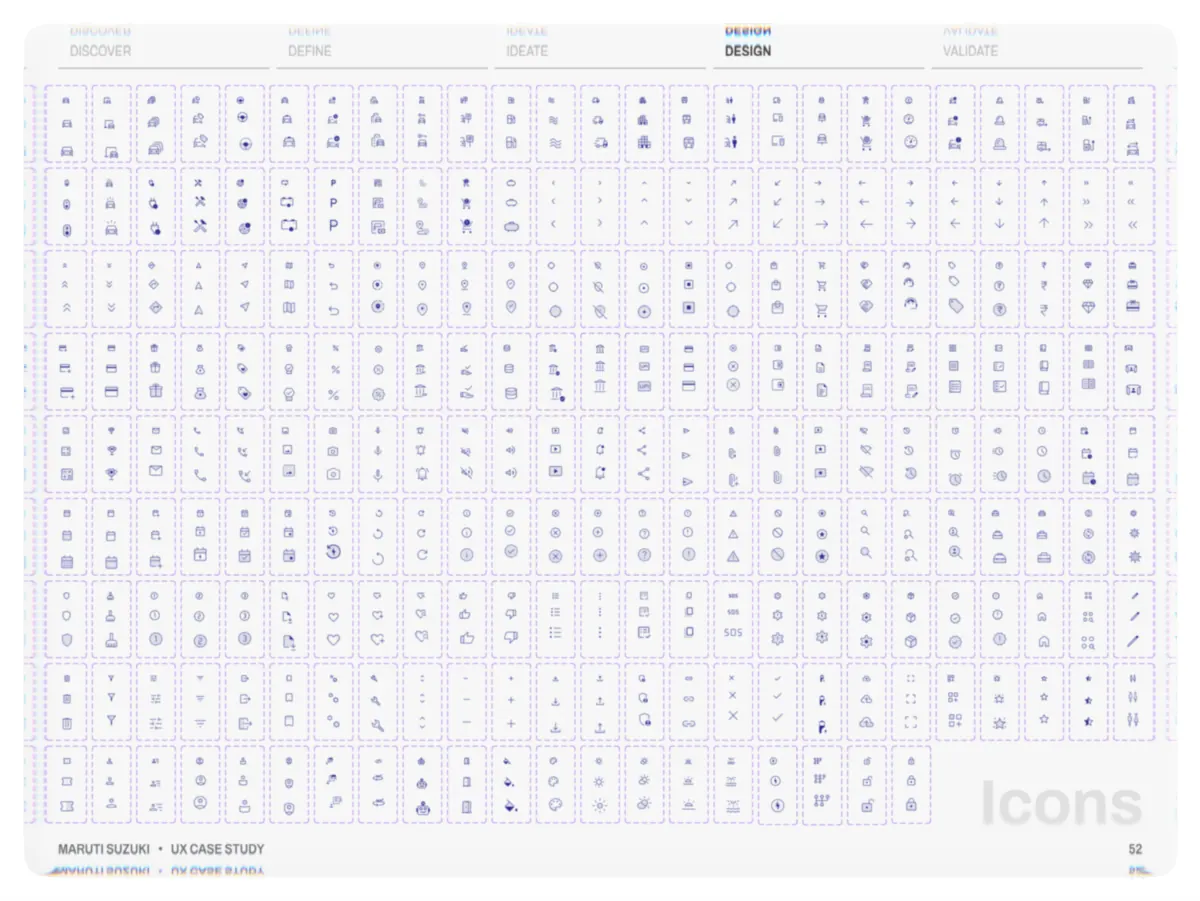
- Discover Define Ideate Design Validate Maruti Suzuki • UX Case Study Icons 52
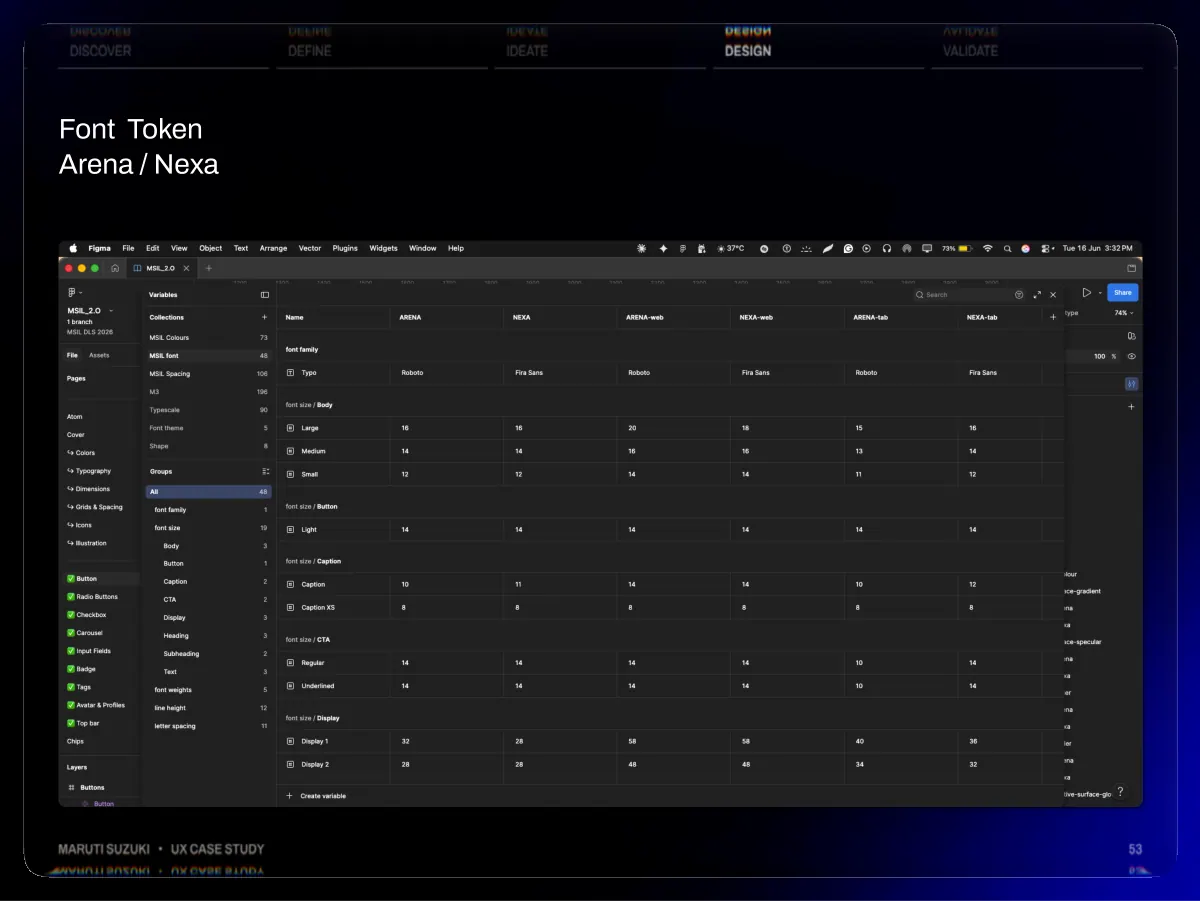
- Discover Font Token Arena / Nexa Define Ideate Design Validate Maruti Suzuki • UX Case Study 53
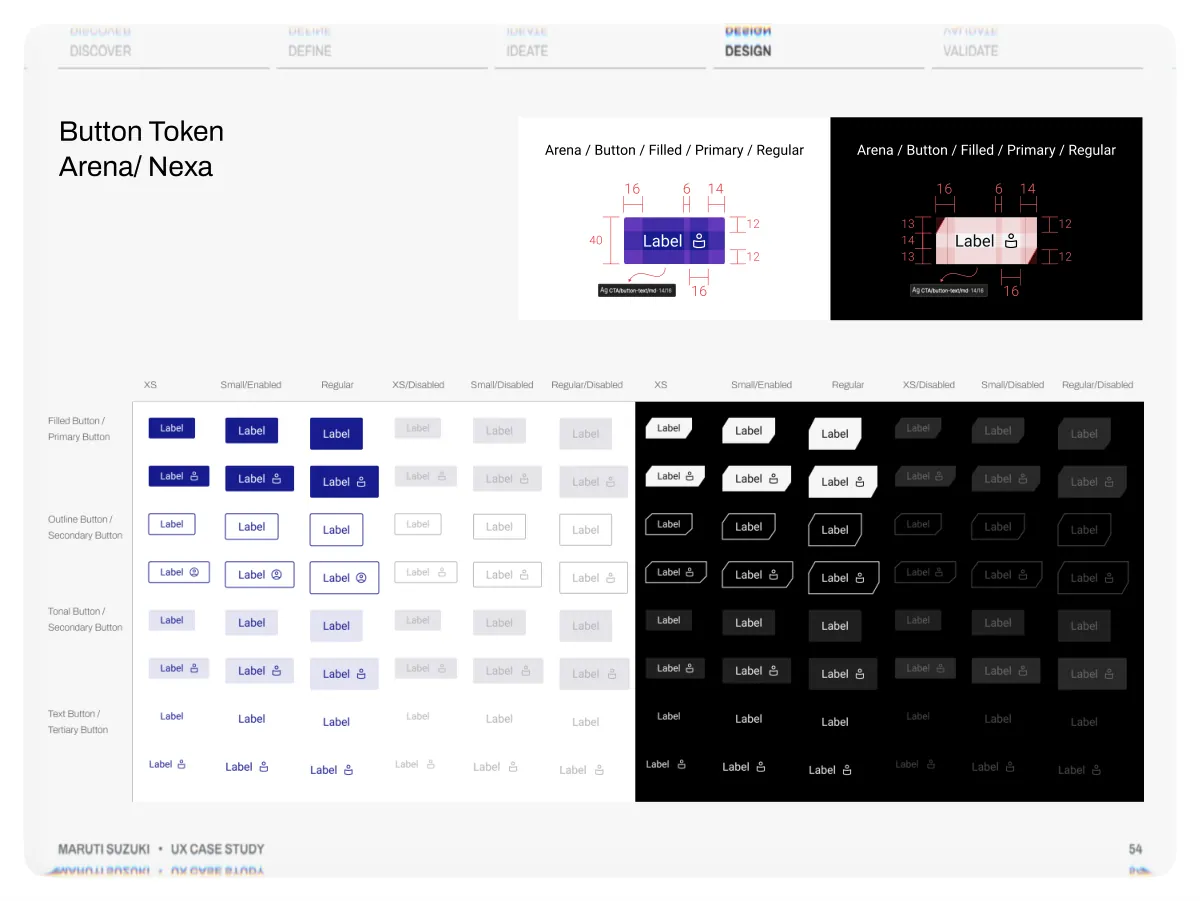
- Discover Define Ideate Design Validate Button Token Arena/ Nexa Arena / Button / Filled / Primary / Regular 16 6 14 12 Label 40 12 16 Arena / Button / Filled / Primary / Regular 16 6 14 13 12 Label 14 13 12 16 Maruti Suzuki • UX Case Study 54
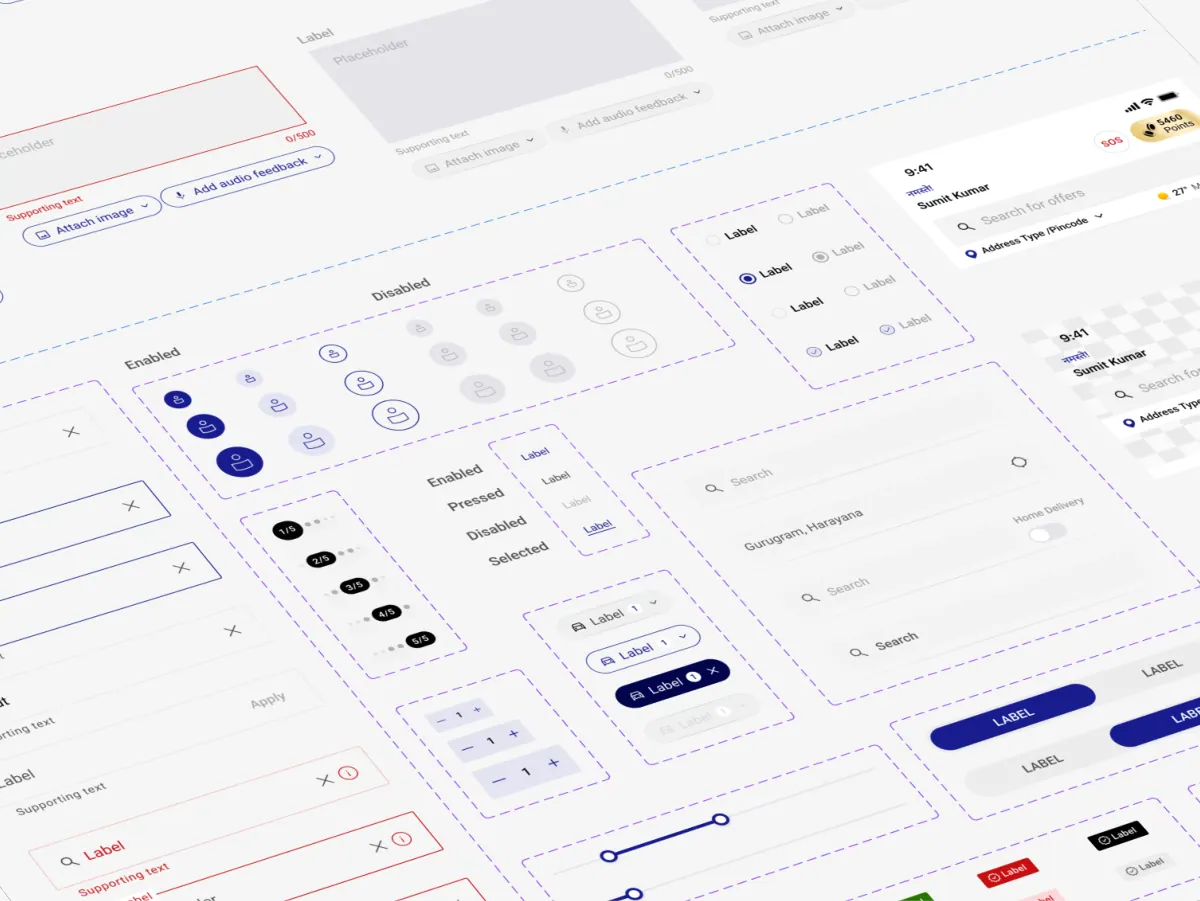
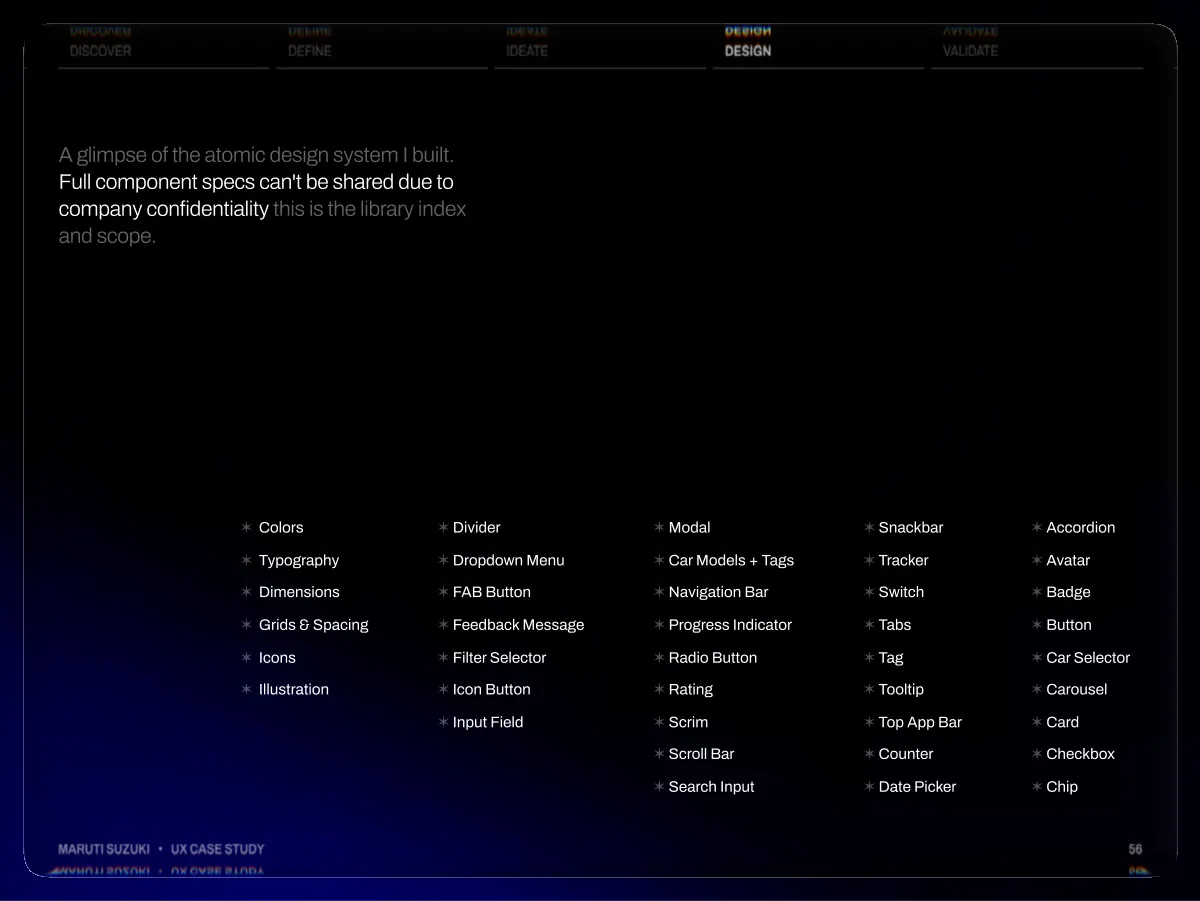
- Discover Define Ideate Design Validate A glimpse of the atomic design system I built. Full component specs can't be shared due to company confidentiality this is the library index and scope. Maruti Suzuki • UX Case Study ✶ Colors ✶ Typography ✶ Dimensions ✶ Grids & Spacing ✶ Icons ✶ Illustration ✶ Divider ✶ Dropdown Menu ✶ FAB Button ✶ Feedback Message ✶ Filter Selector ✶ Icon Button ✶ Input Field ✶ Modal ✶ Car Models + Tags ✶ Navigation Bar ✶ Progress Indicator ✶ Radio Button ✶ Rating ✶ Scrim ✶ Scroll Bar ✶ Search Input ✶ Snackbar ✶ Tracker ✶ Switch ✶ Tabs ✶ Tag ✶ Tooltip ✶ Top App Bar ✶ Counter ✶ Date Picker ✶ Accordion ✶ Avatar ✶ Badge ✶ Button ✶ Car Selector ✶ Carousel ✶ Card ✶ Checkbox ✶ Chip 56
- Discover Redesign, Not Reinvention Define Ideate Design Validate 1 2 3 4 4 5 6 7 6 Maruti Suzuki • UX Case Study Onboarding Homepage Gen AI My Car Post Sales Book Service Buy Service Packages Accessories Challan Loyalty 57
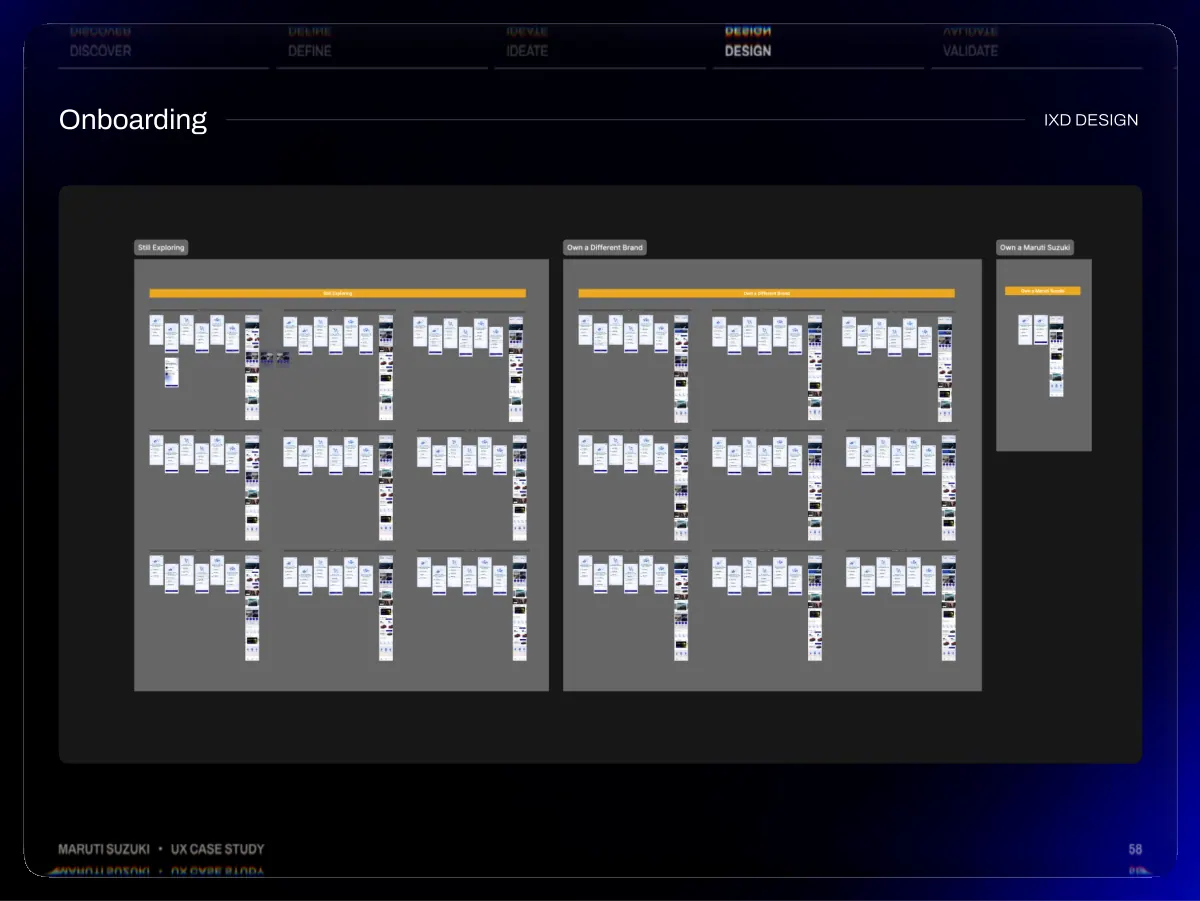
- Discover Onboarding Define Ideate Design Validate IXD DESIGN Maruti Suzuki • UX Case Study 58
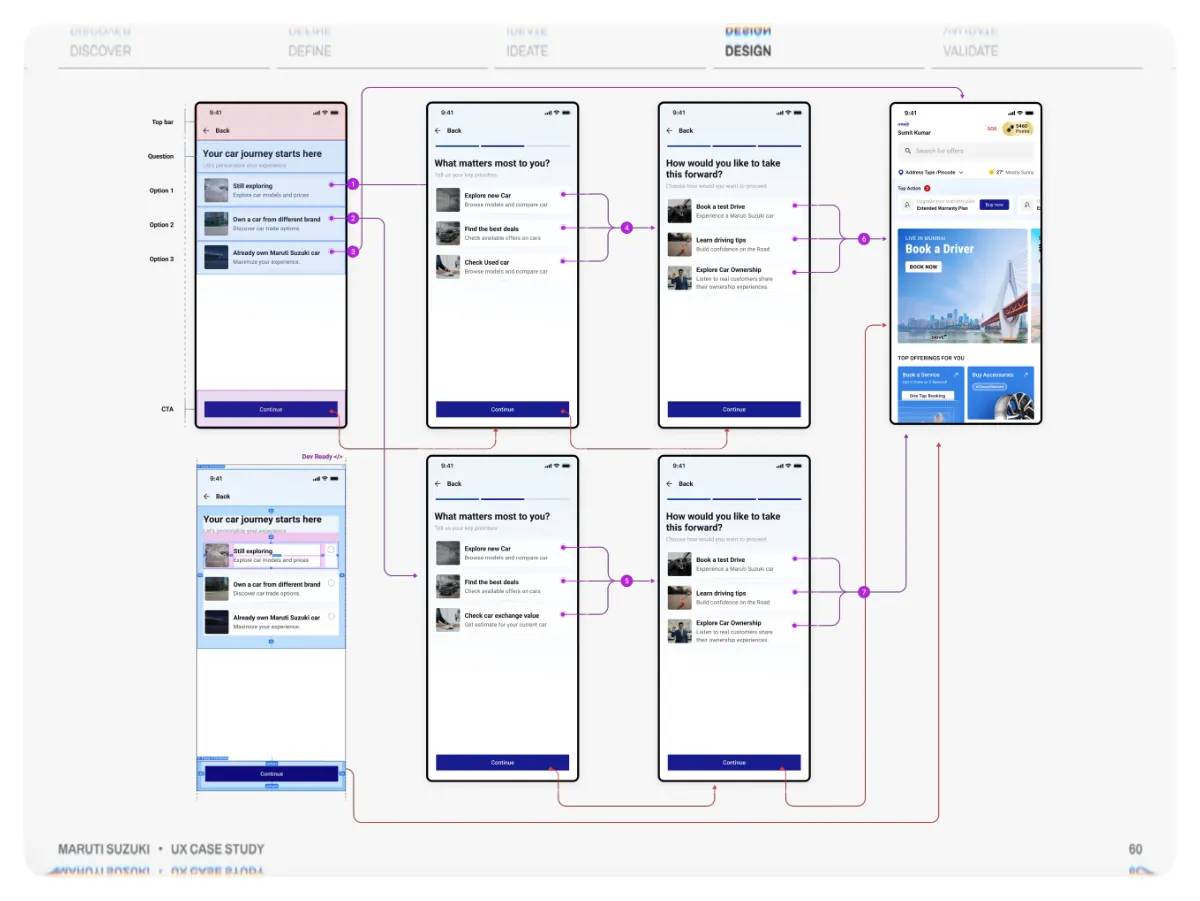
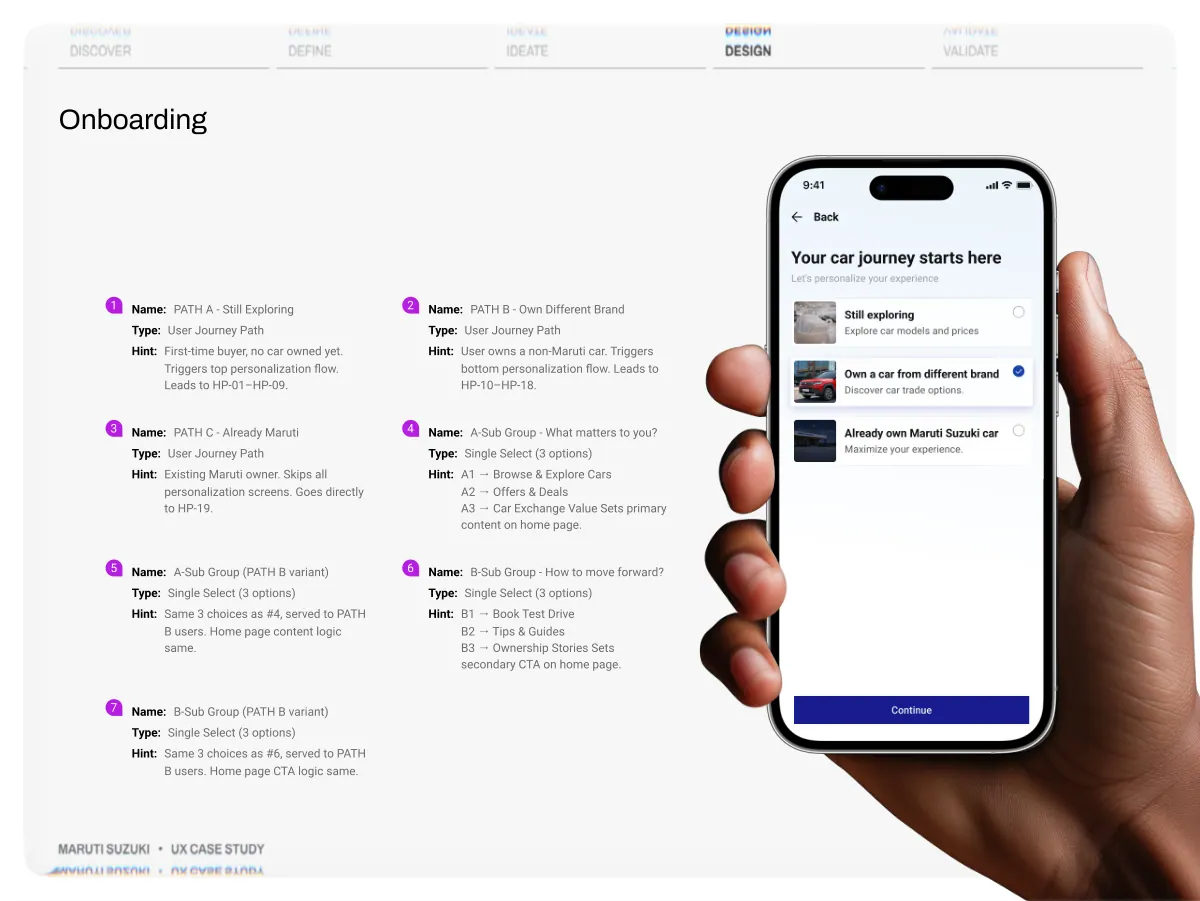
- Discover Define Ideate Design Validate A first-time buyer, a brand-switcher and an existing owner need different things first. Personalised onboarding meets each user’s intent instead of averaging everyone into one home Maruti Suzuki • UX Case Study W h y i t ’ s n e e d e d U X & b u s i n e s s →Relevance over generality: a single home dilutes every audience; onboarding shows the right first action for each, so the app feels built for them. →Faster time-to-value: routing users to their most relevant action shortens the path to high-intent moments — test drive, exchange, service. →Lower cognitive load: people see what applies to them, not a long scroll of offers that don’t. →Business value by segment: pre-sale users guided toward discovery & deals (conversion); owners toward service, loyalty & accessories (retention & cross-sell). →A foundation for growth: intent captured once becomes a reusable signal — new features can be targeted, not just stacked on. 59
- Discover Define Ideate Design Validate Maruti Suzuki • UX Case Study 60
- Discover Onboarding Define Ideate Design Validate 1 3 5 7 Name: Type: Hint: First-time buyer, no car owned yet. Triggers top personalization flow. Leads to HP-01–HP-09. Name: Type: Hint: Existing Maruti owner. Skips all personalization screens. Goes directly to HP-19. Name: Type: Single Select (3 options) Hint: Same 3 choices as #4, served to PATH B users. Home page content logic same. Name: Type: Single Select (3 options) Hint: Same 3 choices as #6, served to PATH B users. Home page CTA logic same. 2 4 6 Name: Type: Hint: User owns a non-Maruti car. Triggers bottom personalization flow. Leads to HP-10–HP-18. Name: Type: Single Select (3 options) Hint: A 1 → Browse & Explore Cars A2 → Offers & Deals A3 → Car Exchange Value Sets primary content on home page. Name: Type: Single Select (3 options) Hint: B 1 → Book Test Drive B2 → Tips & Guides B3 → Ownership Stories Sets secondary CTA on home page. Maruti Suzuki • UX Case Study 04
- Discover Redesign, Not Reinvention Define Ideate Design Validate 1 2 3 4 4 5 6 7 6 Maruti Suzuki • UX Case Study Onboarding Homepage Gen AI My Car Post Sales Book Service Buy Service Packages Accessories Challan Loyalty 62
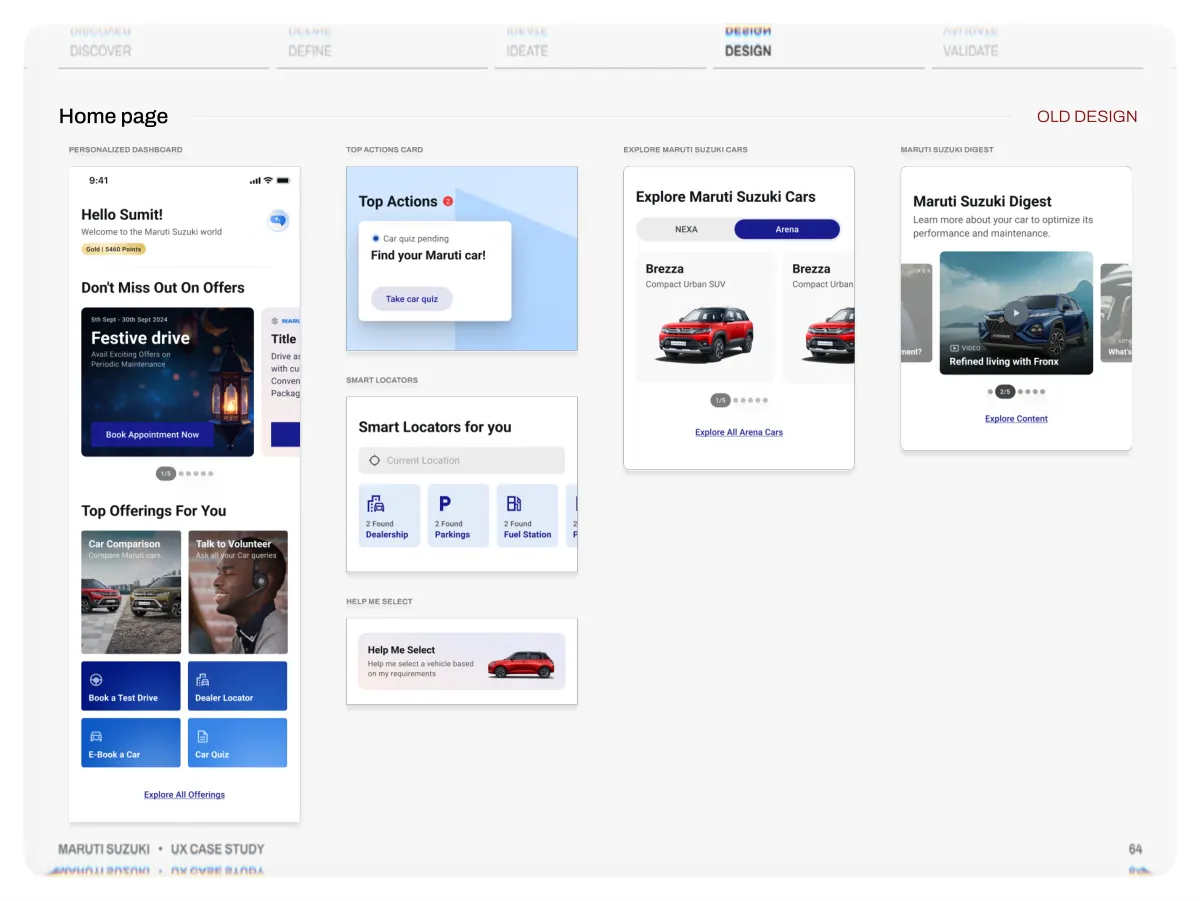
- Discover Define Ideate Design Validate A feature-rich first build that put every Maruti service on one home screen generous, section- led, and text-forward Maruti Suzuki • UX Case Study W h at w e w e r e d e s i g n i n g →Feature-complete dashboard: greeting, offers, top offerings and explore-cars all present from day one. →Section-led layout: each area offers, cars, digest given its own full- width block. →Text-forward navigation: users read labels and headings to move through the page. →Generous spacing & scale: large type and roomy cards gave each section room to breathe. →Brand-tracked content: Arena and Nexa cars surfaced through dedicated carousels. 63
- Discover Home page Define Ideate Design Validate OLD DESIGN Maruti Suzuki • UX Case Study 64
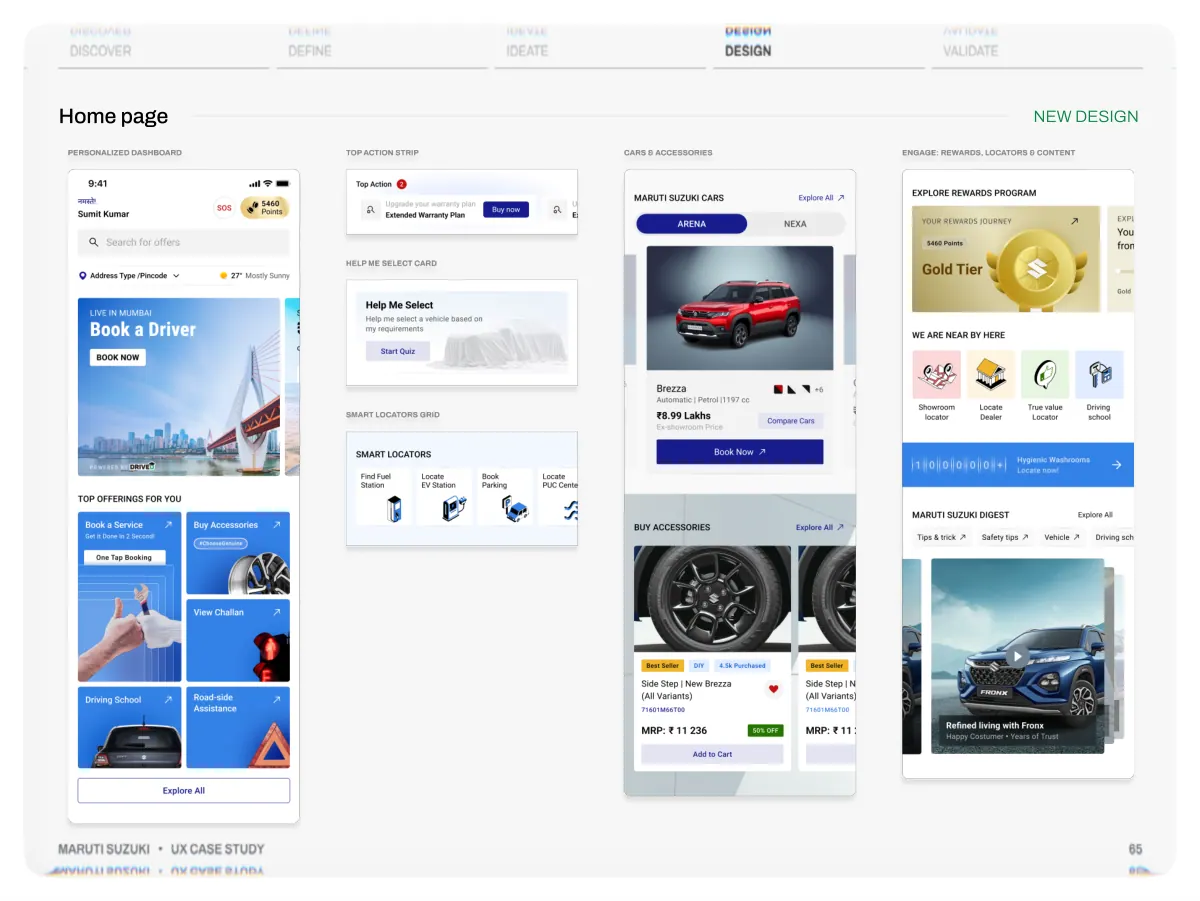
- Discover Home page Define Ideate Design Validate NEW DESIGN Maruti Suzuki • UX Case Study 65
- Discover Define Ideate Design Validate A streamlined super-app home that retains all features while offering a more organized, serene, and responsive experience for every type of user, both new and experienced. Maruti Suzuki • UX Case Study W h y w e r e d e s i g n e d →Built to scale: a modular card system so new services (challan, FASTag, PUCC, RSA) slot in as cards fewer full redesigns as the app grows. →Reduce scroll depth: tighter spacing designed to bring the top actions into the first viewport. →A clearer type scale: a tighter hierarchy so the most important action reads first. →Intentional component weight: emphasis matched to priority primary actions lead, supporting ones recede. →Visual-first cues: imagery, icons and status badges so the page can be scanned, not only read. 66
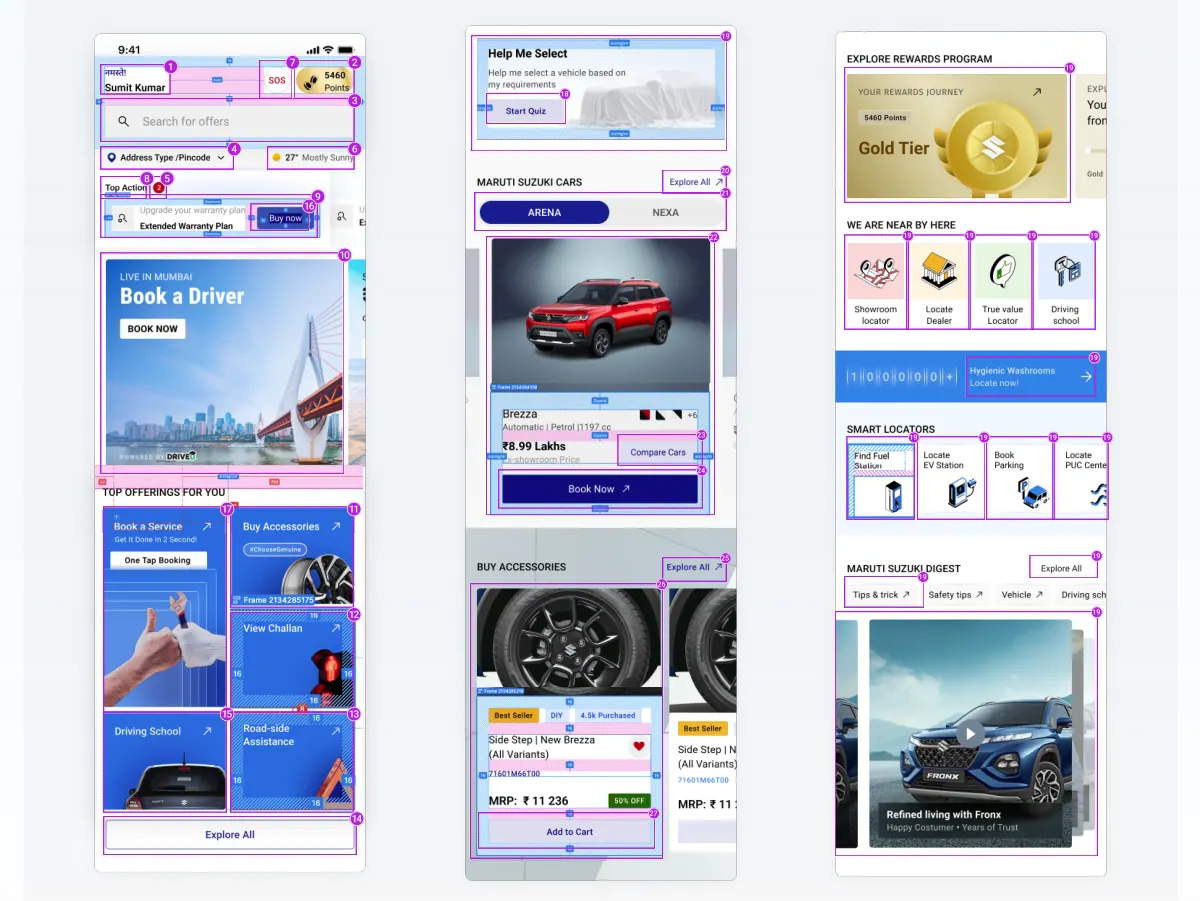
- 19 8 5 1 4 7 2 3 6 9 16 10 18 20 21 22 19 19 19 19 19 19 23 24 19 19 19 19 17 11 12 26 25 19 19 19 15 13 14 27
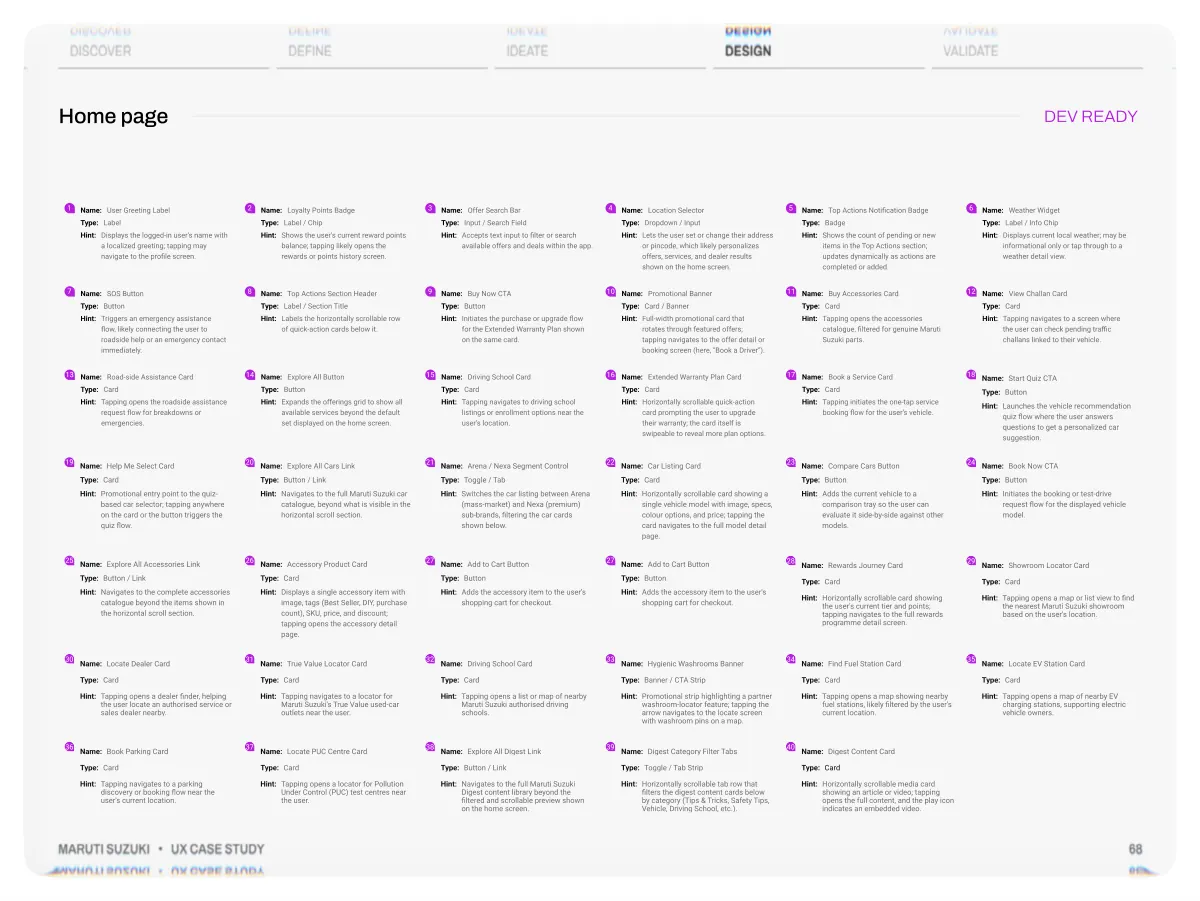
- Discover Home page Define Ideate Design Validate DEV READY 1 2 Name: User G reeting Label Name: Loyalty Points Badge Type: Label Type: Label / Chip Hint: Displays the logged-in user's name with a localized greeting; tapping may navigate to the profile screen. Hint: Shows the user's current reward points balance; tapping likely opens the rewards or points history screen. 7 8 Name: SO S Button Name: Top Actions Section Header Type: Button Type: Label / Section Title Hint: Triggers an emergency assistance flow, likely connecting the user to roadside help or an emergency contact immediately. Hint: Labels the horizontally scrollable row of q uick-action cards below it. 13 14 Name: Road-side Assistance Card Name: Explore All Button Type: Card Type: Button Hint: Tapping opens the roadside assistance req uest fl ow for breakdowns or emergencies. Hint: Expands the offerings grid to show all available services beyond the default set displayed on the home screen. 19 20 Name: Explore All Cars Link Name: Help Me Select Card Type: Card Type: Button / Link Hint: Promotional entry point to the quiz -based car selector; tapping anywhere on the card or the button triggers the quiz fl ow. Hint: Navigates to the full Maruti Suzuki car catalogue, beyond what is visible in the horizontal scroll section. 25 26 Name: Accessory Product Card Name: Explore All Accessories Link Type: Button / Link Type: Card Hint: Navigates to the complete accessories catalogue beyond the items shown in the horizontal scroll section. Hint: Displays a single accessory item with image, tags (Best Seller, DIY, purchas e count), SKU , price, and discount; tapping opens the accessory detail page. 30 31 Name: Locate Dealer Card Name: True Value Locator Card Type: Card Type: Card Hint: Tapping opens a dealer finder, helping the user locate an authorised service or sales dealer nearby. Hint: Tapping navigates to a locator for Maruti Suzuki's True Value used-car outlets near the user. 36 37 Name: Book Parking Card Name: Locate PUC Centre Card Type: Card Type: Card Hint: Tapping navigates to a parking discovery or booking flow near the user's current location. Hint: Tapping opens a locator for Pollution Under Control (PUC) test centres near the user. Maruti Suzuki • UX Case Study 3 9 15 21 27 32 38 Name: ffer Search Bar Type: Input / Search F ield Hint: Accepts text input to filter or search available offers and deals within the app. Name: Buy Now CTA Type: Button Hint: Initiates the purchase or upgrade flow for the Extended Warranty P lan shown on the same card. Name: Driving School Card Type: Card Hint: Tapping navigates to driving school listings or enrollment options near the user's location. Name: Arena / Nexa Segment Control Type: Toggle / Tab Hint: Switches the car listing between Arena (mass-market) and Nexa (premium) sub-brands, filtering the car cards shown below. Name: Add to Cart Button Type: Button Hint: Adds the accessory item to the user's shopping cart for checkout. Name: Driving School Card Type: Card Hint: Tapping opens a list or map of nearby Maruti Suzuki authorised driving schools. Name: Explore All Digest Link Type: Button / Link Hint: Navigates to the full Maruti Suzuki Digest content library beyond the filtered and scrollable preview shown on the home screen. 4 10 16 22 27 33 39 Name: Location Selector Type: Dropdown / I nput Hint: Lets the user set or change their address or pincode, which likely personalizes offers, services, and dealer results shown on the home screen. Name: Promotional Banner Type: Card / Banner Hint: Full-width promotional card that rotates through featured offers; tapping navigates to the offer detail or booking screen (here, "Book a Dri ver") . Name: Extended Warranty Plan Card Type: Card Hint: Horizontally scrollable q uick-action card prompting the user to upgrade their warranty; the card itself is swipeable to reveal more plan options. Name: Car Listing Card Type: Card Hint: Horizontally scrollable card showing a single vehicle model with image, specs, colour options, and price; tapping the card navigates to the full model detail page. Name: Add to Cart Button Type: Button Hint: Adds the accessory item to the user's shopping cart for checkout. Name: Hygienic Washrooms Banner Type: Banner / CTA Strip Hint: Promotional strip highlighting a partner washroom-locator feature; tapping the arrow navigates to the locate screen with washroom pins on a map. Name: Digest Category Filter Tabs Type: Toggle / Tab Strip Hint: Horizontally scrollable tab row that filters the digest content cards below by category (Tips & Tricks, Safety Tips, Vehicle, Driving School, etc.). 5 11 17 23 28 34 40 Name: Top Actions Notification Badge Type: Badge Hint: Shows the count of pending or new items in the Top Actions section; updates dynamically as actions are completed or added. Name: Buy Accessories Card Type: Card Hint: Tapping opens the accessories catalogue, filtered for genuine Maruti Suzuki parts. Name: Book a Service Card Type: Card Hint: Tapping initiates the one-tap service booking flow for the user's vehicle. Name: Compare Cars Button Type: Button Hint: Adds the current vehicle to a comparison tray so the user can evaluate it side-by-side against other models. Name: Rewards Journey Card Type: Card Hint: Horizontally scrollable card showing the user's current tier and points; tapping navigates to the full rewards programme detail screen. Name: Find Fuel Station Card Type: Card Hint: Tapping opens a map showing nearby fuel stations, likely filtered by the user's current location. Name: Digest Content Card Type: Card Hint: Horizontally scrollable media card showing an article or video; tapping opens the full content, and the play icon indicates an embedded video. 6 12 18 24 29 35 Name: Weather Widget Type: Label / I nfo Chip Hint: Displays current local weather; may be informational only or tap through to a weather detail view. Name: View Challan Card Type: Card Hint: Tapping navigates to a screen where the user can check pending traffi c challans linked to their vehicle. Name: Start Qu iz CT A Type: Button Hint: Launches the vehicle recommendation quiz flow where the user answers q uestions to get a personalized car suggestion. Name: Book Now CTA Type: Button Hint: Initiates the booking or test-drive reques t fl ow for the displayed vehicle model. Name: Showroom Locator Card Type: Card Hint: Tapping opens a map or list view to find the nearest Maruti Suzuki showroom based on the user's location. Name: Locate EV Station Card Type: Card Hint: Tapping opens a map of nearby EV charging stations, supporting electric vehicle owners. 68
- Discover Redesign, Not Reinvention Define Ideate Design Validate 1 2 3 4 4 5 6 7 6 Maruti Suzuki • UX Case Study Onboarding Homepage Gen AI My Car Post Sales Book Service Buy Service Packages Accessories Challan Loyalty 69
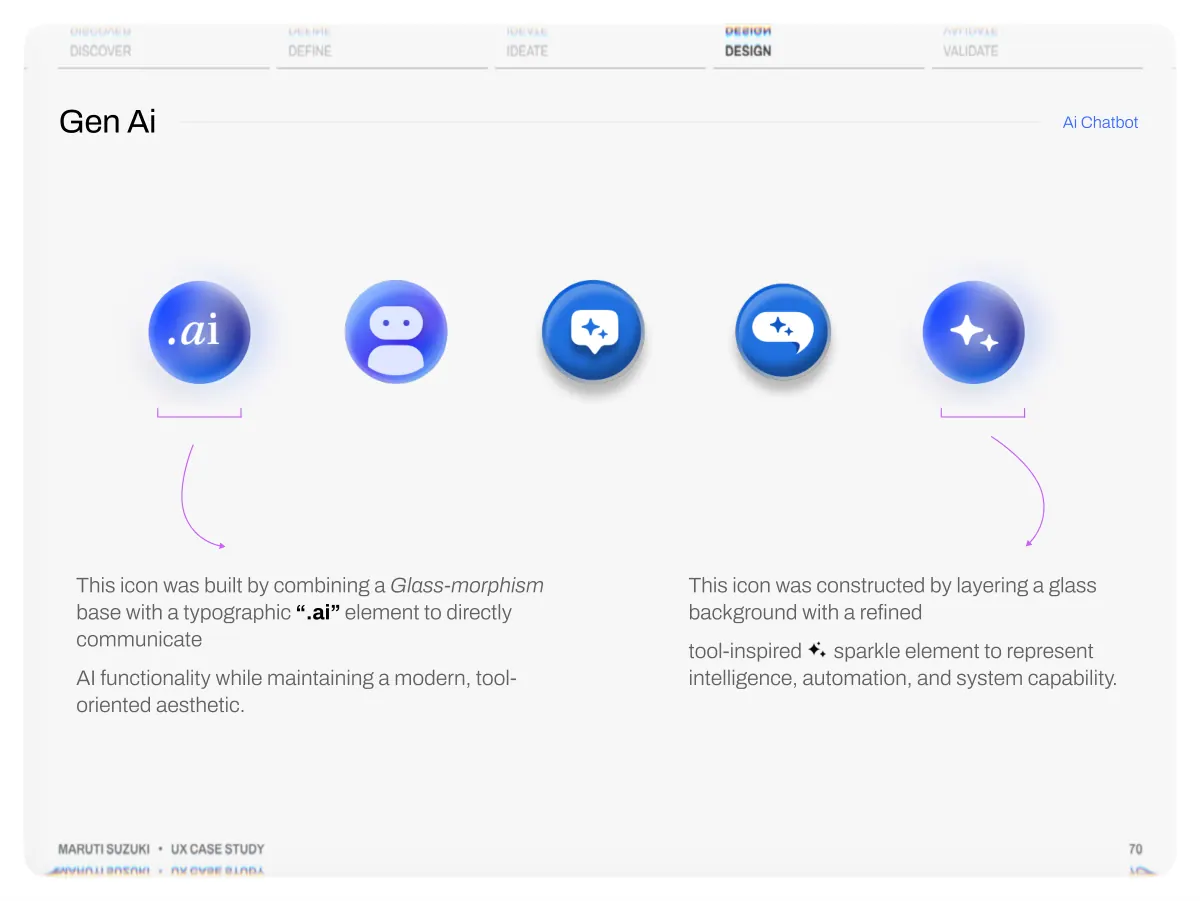
- Discover Gen Ai Define Ideate Design Validate Ai Chatbot This icon was built by combining a Glass-morphism base with a typographic “.ai” element to directly communicate AI functionality while maintaining a modern, tool- oriented aesthetic. This icon was constructed by layering a glass background with a refined tool-inspired sparkle element to represent intelligence, automation, and system capability. Maruti Suzuki • UX Case Study 70
- Discover Redesign, Not Reinvention Define Ideate Design Validate 1 2 3 4 4 5 6 7 6 Maruti Suzuki • UX Case Study Onboarding Homepage Gen AI My Car Post Sales Book Service Buy Service Packages Accessories Challan Loyalty 71
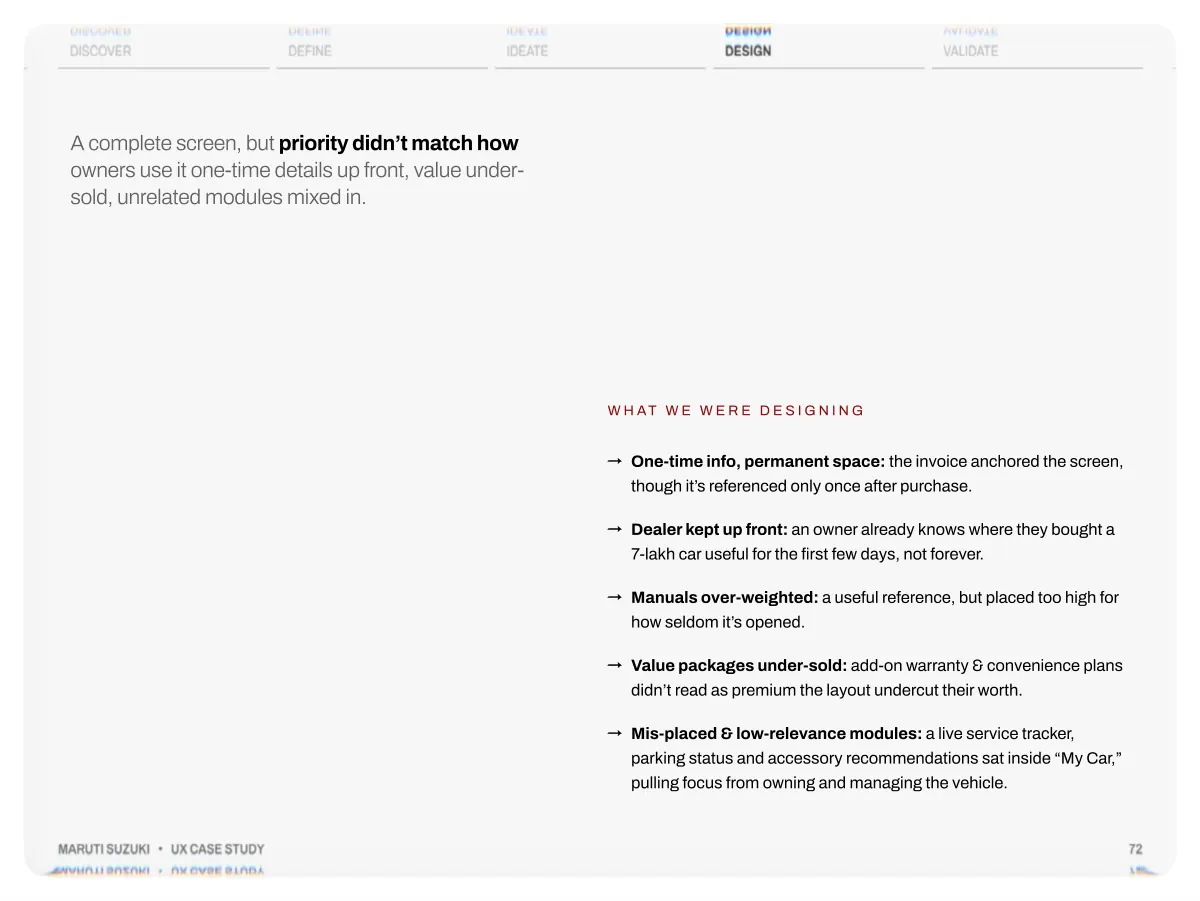
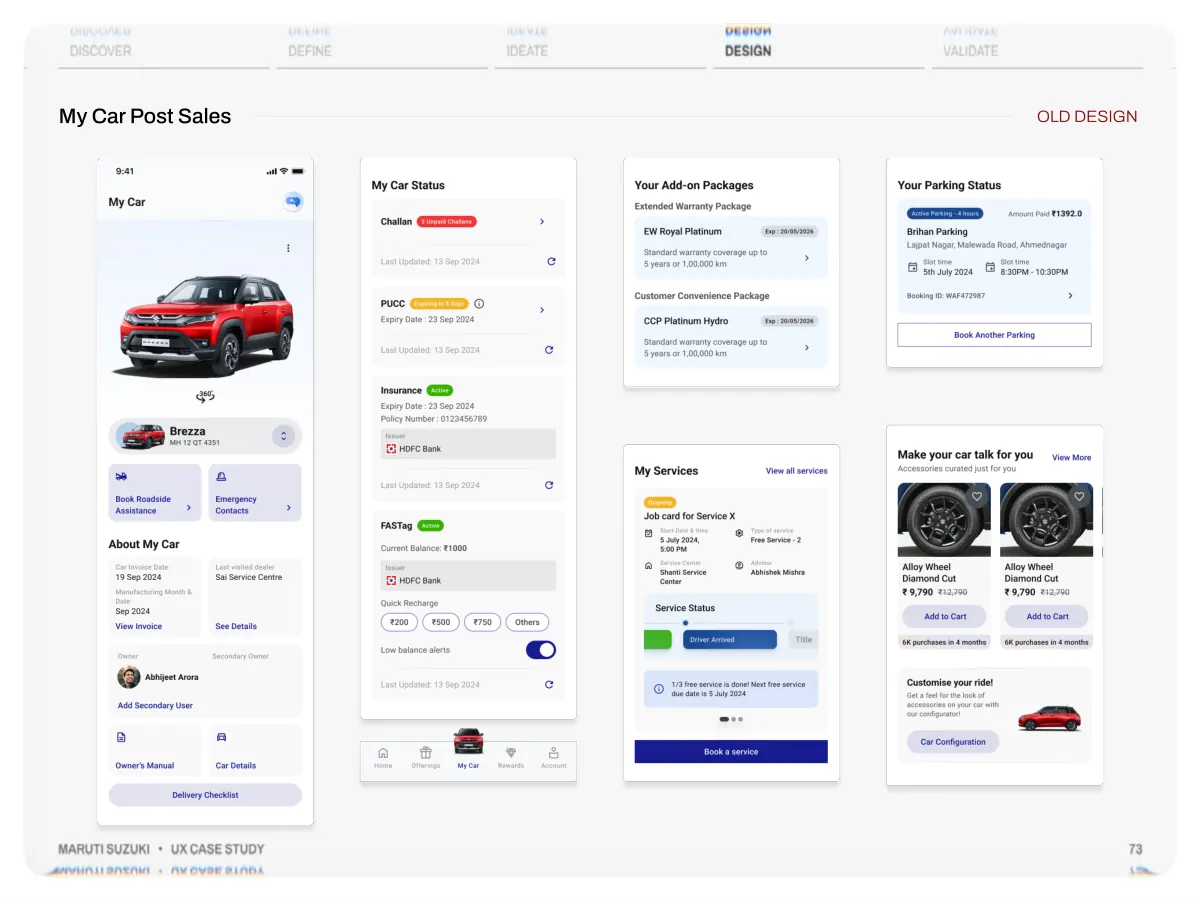
- Discover Define Ideate Design Validate A complete screen, but priority didn’t match how owners use it one-time details up front, value under- sold, unrelated modules mixed in. Maruti Suzuki • UX Case Study W h at w e w e r e d e s i g n i n g →One-time info, permanent space: the invoice anchored the screen, though it’s referenced only once after purchase. →Dealer kept up front: an owner already knows where they bought a 7-lakh car useful for the first few days, not forever. →Manuals over-weighted: a useful reference, but placed too high for how seldom it’s opened. →Value packages under-sold: add-on warranty & convenience plans didn’t read as premium the layout undercut their worth. →Mis-placed & low-relevance modules: a live service tracker, parking status and accessory recommendations sat inside “My Car,” pulling focus from owning and managing the vehicle. 72
- Discover My Car Post Sales Define Ideate Design Validate OLD DESIGN Maruti Suzuki • UX Case Study 73
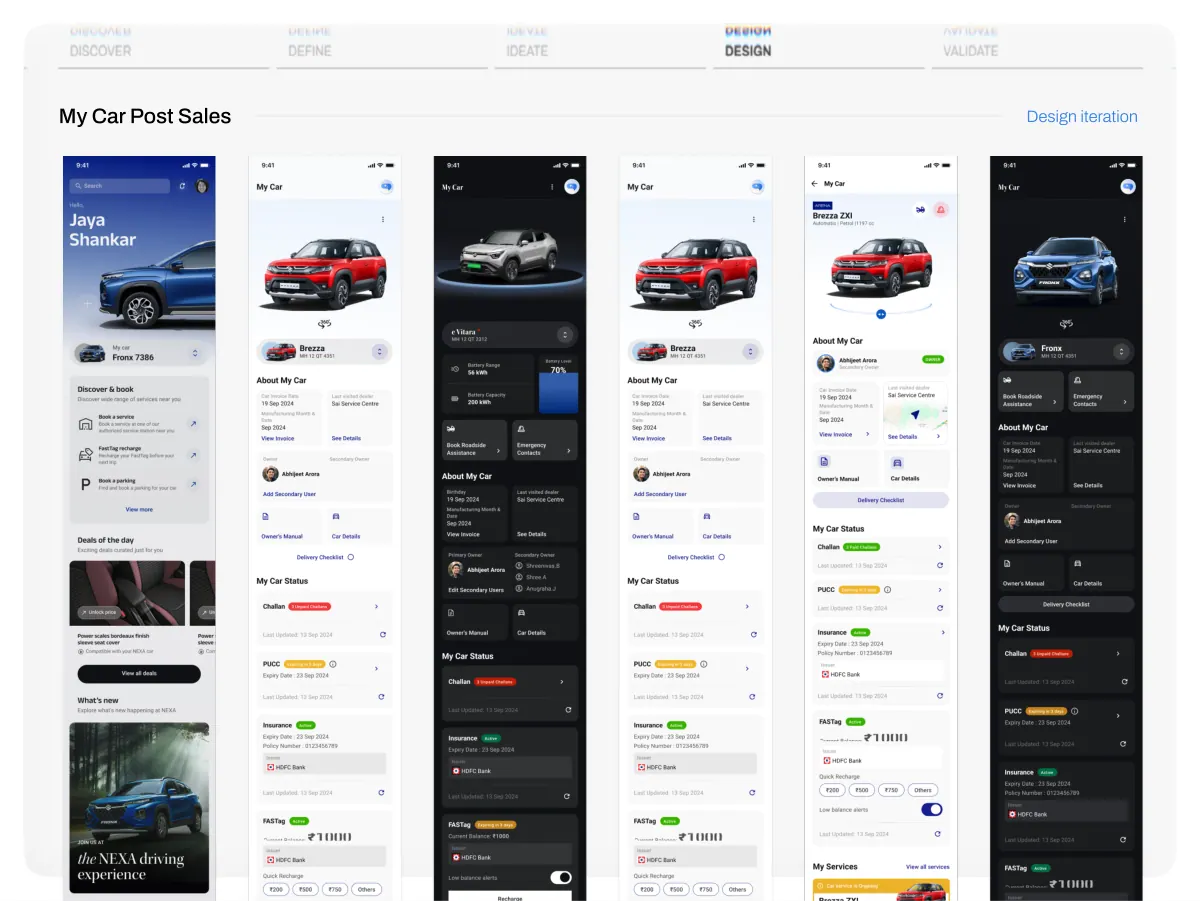
- Discover My Car Post Sales Define Ideate Design Validate Design iteration
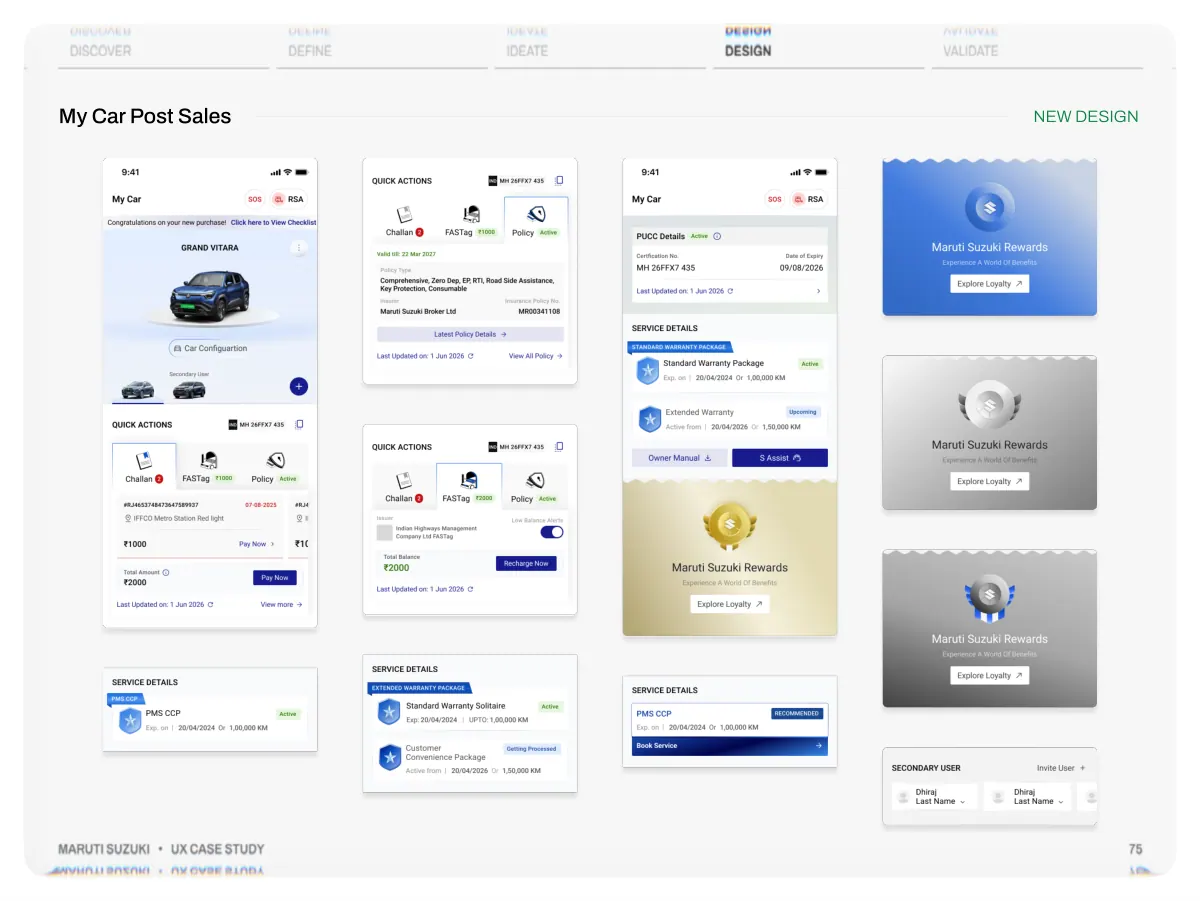
- Discover My Car Post Sales Define Ideate Design Validate NEW DESIGN Maruti Suzuki • UX Case Study 75
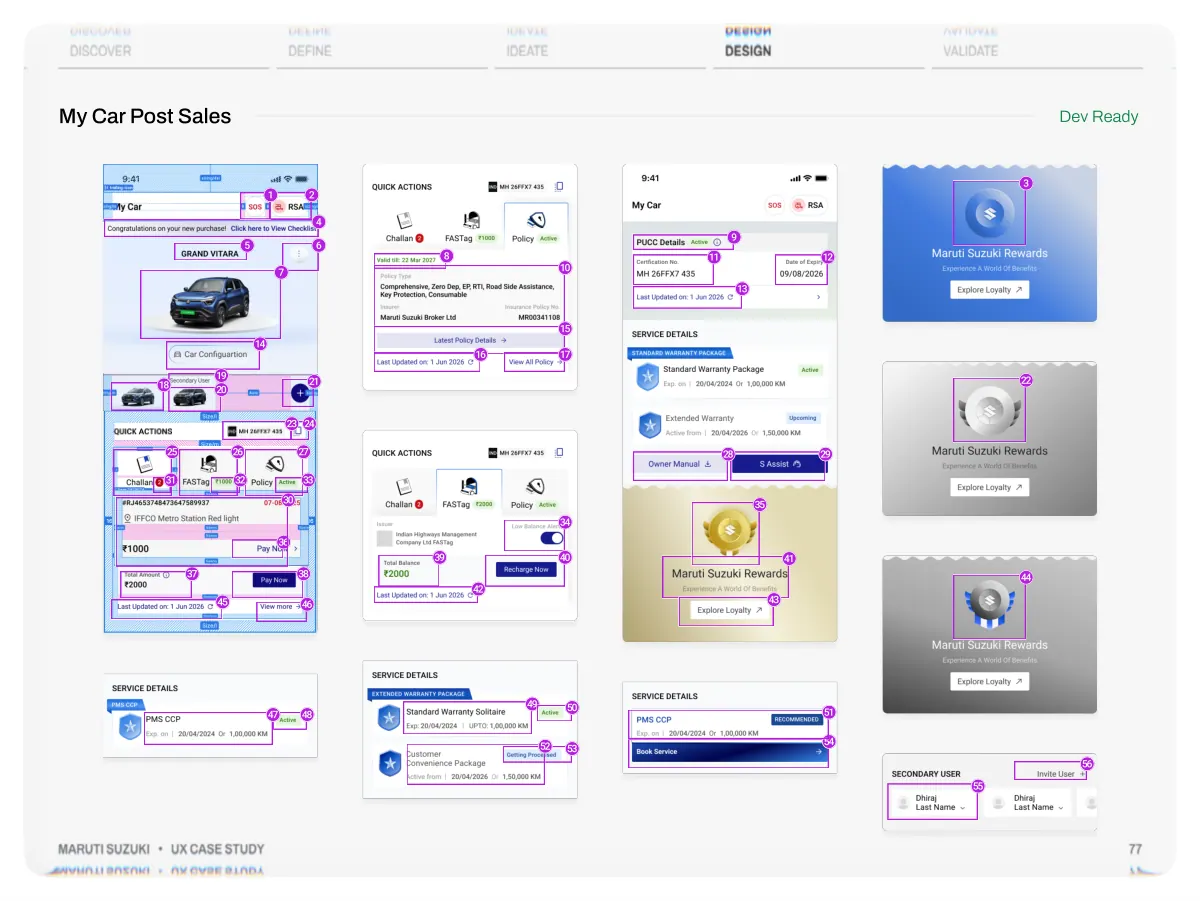
- Discover Define Ideate Design Validate The post-sale screen, reorganised around importance and relevance not just how often a feature is used. Maruti Suzuki • UX Case Study W h y w e r e d e s i g n e d →Built to scale: a modular card system so new services (challan, FASTag, PUCC, RSA) slot in as cards fewer full redesigns as the app grows. →Reduce scroll depth: tighter spacing designed to bring the top actions into the first viewport. →A clearer type scale: a tighter hierarchy so the most important action reads first. →Intentional component weight: emphasis matched to priority primary actions lead, supporting ones recede. →Visual-first cues: imagery, icons and status badges so the page can be scanned, not only read. 76
- Discover My Car Post Sales Define Ideate Design Validate 3 Dev Ready 14 18 19 20 21 23 24 25 26 27 31 32 33 30 36 37 38 45 46 1 2 4 5 6 7 39 42 8 16 10 15 17 34 40 9 11 13 28 29 35 41 43 12 22 44 47 48 49 50 52 53 51 54 56 55 Maruti Suzuki • UX Case Study 77
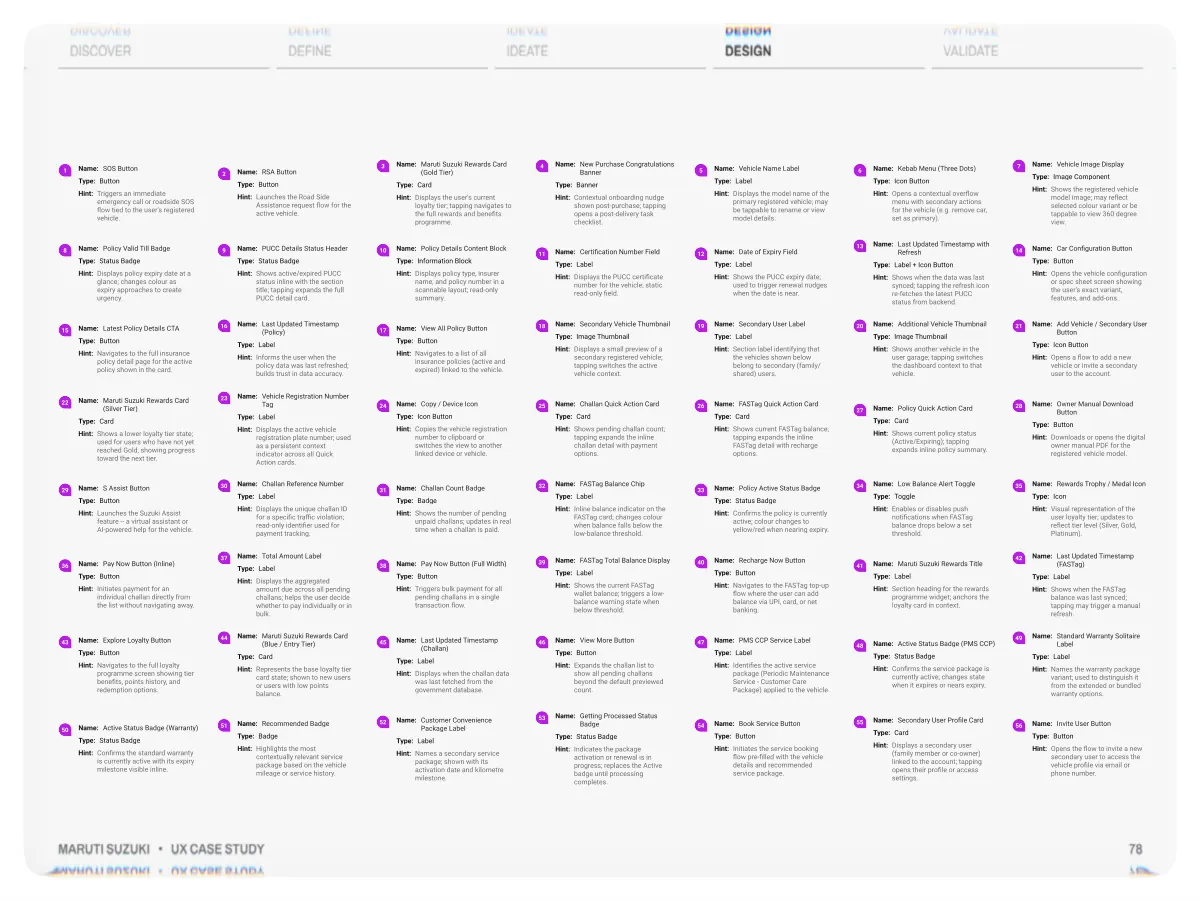
- Discover Define Ideate Design Validate 1 8 15 22 29 36 43 50 Name: SOS Button Type: Button Hint: Triggers an immediate emergency call or roadside SOS flow tied to the user's registered vehicle. Name: Policy Valid Till Badge Type: Status Badge Hint: Displays policy expiry date at a glance; changes colour as expiry approaches to create urgency. Name: Latest Policy Details CTA Type: Button Hint: Navigates to the full insurance policy detail page for the active policy shown in the card. Name: Maruti Suzuki Rewards Card (Silver Tier) Type: Card Hint: Shows a lower loyalty tier state; used for users who have not yet reached Gold, showing progress toward the next tier. Name: S Assist Button Type: Button Hint: Launches the Suzuki Assist feature -- a virtual assistant or AI-powered help for the vehicle. Name: Pay Now Button (Inline) Type: Button Hint: Initiates payment for an individual challan directly from the list without navigating away. Name: Explore Loyalty Button Type: Button Hint: Navigates to the full loyalty programme screen showing tier benefits, points history, and redemption options. Name: Active Status Badge (Warranty) Type: Status Badge Hint: Confirms the standard warranty is currently active with its expiry milestone visible inline. 2 9 16 23 30 37 44 51 Name: RSA Button Type: Button Hint: Launches the Road Side Assistance request flow for the active vehicle. Name: PUCC Details Status Header Type: Status Badge Hint: Shows active/expired PUCC status inline with the section title; tapping expands the full PUCC detail card. Name: Last Updated Timestamp (Policy) Type: Label Hint: Informs the user when the policy data was last refreshed; builds trust in data accuracy. Name: Vehicle Registration Number Tag Type: Label Hint: Displays the active vehicle registration plate number; used as a persistent context indicator across all Quick Action cards. Name: Challan Reference Number Type: Label Hint: Displays the unique challan ID for a specific traffic violation; read-only identifier used for payment tracking. Name: Total Amount Label Type: Label Hint: Displays the aggregated amount due across all pending challans; helps the user decide whether to pay individually or in bulk. Name: Maruti Suzuki Rewards Card (Blue / Entry Tier) Type: Card Hint: Represents the base loyalty tier card state; shown to new users or users with low points balance. Name: Recommended Badge Type: Badge Hint: Highlights the most contextually relevant service package based on the vehicle mileage or service history. 3 10 17 24 31 38 45 52 Name: Maruti Suzuki Rewards Card (Gold Tier) Type: Card Hint: Displays the user's current loyalty tier; tapping navigates to the full rewards and benefits programme. Name: Policy Details Content Block Type: Information Block Hint: Displays policy type, insurer name, and policy number in a scannable layout; read-only summary. Name: View All Policy Button Type: Button Hint: Navigates to a list of all insurance policies (active and expired) linked to the vehicle. Name: Copy / Device Icon Type: Icon Button Hint: Copies the vehicle registration number to clipboard or switches the view to another linked device or vehicle. Name: Challan Count Badge Type: Badge Hint: Shows the number of pending unpaid challans; updates in real time when a challan is paid. Name: Pay Now Button (Full Width) Type: Button Hint: Triggers bulk payment for all pending challans in a single transaction flow. Name: Last Updated Timestamp (Challan) Type: Label Hint: Displays when the challan data was last fetched from the government database. Name: Customer Convenience Package Label Type: Label Hint: Names a secondary service package; shown with its activation date and kilometre milestone. 4 11 18 25 32 39 46 53 Name: New Purchase Congratulations Banner Type: Banner Hint: Contextual onboarding nudge shown post-purchase; tapping opens a post-delivery task checklist. Name: Certification Number Field Type: Label Hint: Displays the PUCC certificate number for the vehicle; static read-only field. Name: Secondary Vehicle Thumbnail Type: Image Thumbnail Hint: Displays a small preview of a secondary registered vehicle; tapping switches the active vehicle context. Name: Challan Quick Action Card Type: Card Hint: Shows pending challan count; tapping expands the inline challan detail with payment options. Name: FASTag Balance Chip Type: Label Hint: Inline balance indicator on the FASTag card; changes colour when balance falls below the low-balance threshold. Name: FASTag Total Balance Display Type: Label Hint: Shows the current FASTag wallet balance; triggers a low- balance warning state when below threshold. Name: View More Button Type: Button Hint: Expands the challan list to show all pending challans beyond the default previewed count. Name: Getting Processed Status Badge Type: Status Badge Hint: Indicates the package activation or renewal is in progress; replaces the Active badge until processing completes. 5 12 19 26 33 40 47 54 Name: Vehicle Name Label Type: Label Hint: Displays the model name of the primary registered vehicle; may be tappable to rename or view model details. Name: Date of Expiry Field Type: Label Hint: Shows the PUCC expiry date; used to trigger renewal nudges when the date is near. Name: Secondary User Label Type: Label Hint: Section label identifying that the vehicles shown below belong to secondary (family/ shared) users. Name: FASTag Quick Action Card Type: Card Hint: Shows current FASTag balance; tapping expands the inline FASTag detail with recharge options. Name: Policy Active Status Badge Type: Status Badge Hint: Confirms the policy is currently active; colour changes to yellow/red when nearing expiry. Name: Recharge Now Button Type: Button Hint: Navigates to the FASTag top-up flow where the user can add balance via UPI, card, or net banking. Name: PMS CCP Service Label Type: Label Hint: Identifies the active service package (Periodic Maintenance Service - Customer Care Package) applied to the vehicle. Name: Book Service Button Type: Button Hint: Initiates the service booking flow pre-filled with the vehicle details and recommended service package. 6 13 20 27 34 41 48 55 Name: Kebab Menu (Three Dots) Type: Icon Button Hint: Opens a contextual overflow menu with secondary actions for the vehicle (e.g. remove car, set as primary). Name: Last Updated Timestamp with Refresh Type: Label + Icon Button Hint: Shows when the data was last synced; tapping the refresh icon re-fetches the latest PUCC status from backend. Name: Additional Vehicle Thumbnail Type: Image Thumbnail Hint: Shows another vehicle in the user garage; tapping switches the dashboard context to that vehicle. Name: Policy Quick Action Card Type: Card Hint: Shows current policy status (Active/Expiring); tapping expands inline policy summary. Name: Low Balance Alert Toggle Type: Toggle Hint: Enables or disables push notifications when FASTag balance drops below a set threshold. Name: Maruti Suzuki Rewards Title Type: Label Hint: Section heading for the rewards programme widget; anchors the loyalty card in context. Name: Active Status Badge (PMS CCP) Type: Status Badge Hint: Confirms the service package is currently active; changes state when it expires or nears expiry. Name: Secondary User Profile Card Type: Card Hint: Displays a secondary user (family member or co-owner) linked to the account; tapping opens their profile or access settings. 7 14 21 28 35 42 49 56 Name: Vehicle Image Display Type: Image Component Hint: Shows the registered vehicle model image; may reflect selected colour variant or be tappable to view 360 degree view. Name: Car Configuration Button Type: Button Hint: Opens the vehicle configuration or spec sheet screen showing the user's exact variant, features, and add-ons. Name: Add Vehicle / Secondary User Button Type: Icon Button Hint: Opens a flow to add a new vehicle or invite a secondary user to the account. Name: Owner Manual Download Button Type: Button Hint: Downloads or opens the digital owner manual PDF for the registered vehicle model. Name: Rewards Trophy / Medal Icon Type: Icon Hint: Visual representation of the user loyalty tier; updates to reflect tier level (Silver, Gold, Platinum). Name: Last Updated Timestamp (FASTag) Type: Label Hint: Shows when the FASTag balance was last synced; tapping may trigger a manual refresh. Name: Standard Warranty Solitaire Label Type: Label Hint: Names the warranty package variant; used to distinguish it from the extended or bundled warranty options. Name: Invite User Button Type: Button Hint: Opens the flow to invite a new secondary user to access the vehicle profile via email or phone number. Maruti Suzuki • UX Case Study 78
- Discover Redesign, Not Reinvention Define Ideate Design Validate 1 2 3 4 4 5 6 7 6 Maruti Suzuki • UX Case Study Onboarding Homepage Gen AI My Car Post Sales Book Service Buy Service Packages Accessories Challan Loyalty 79
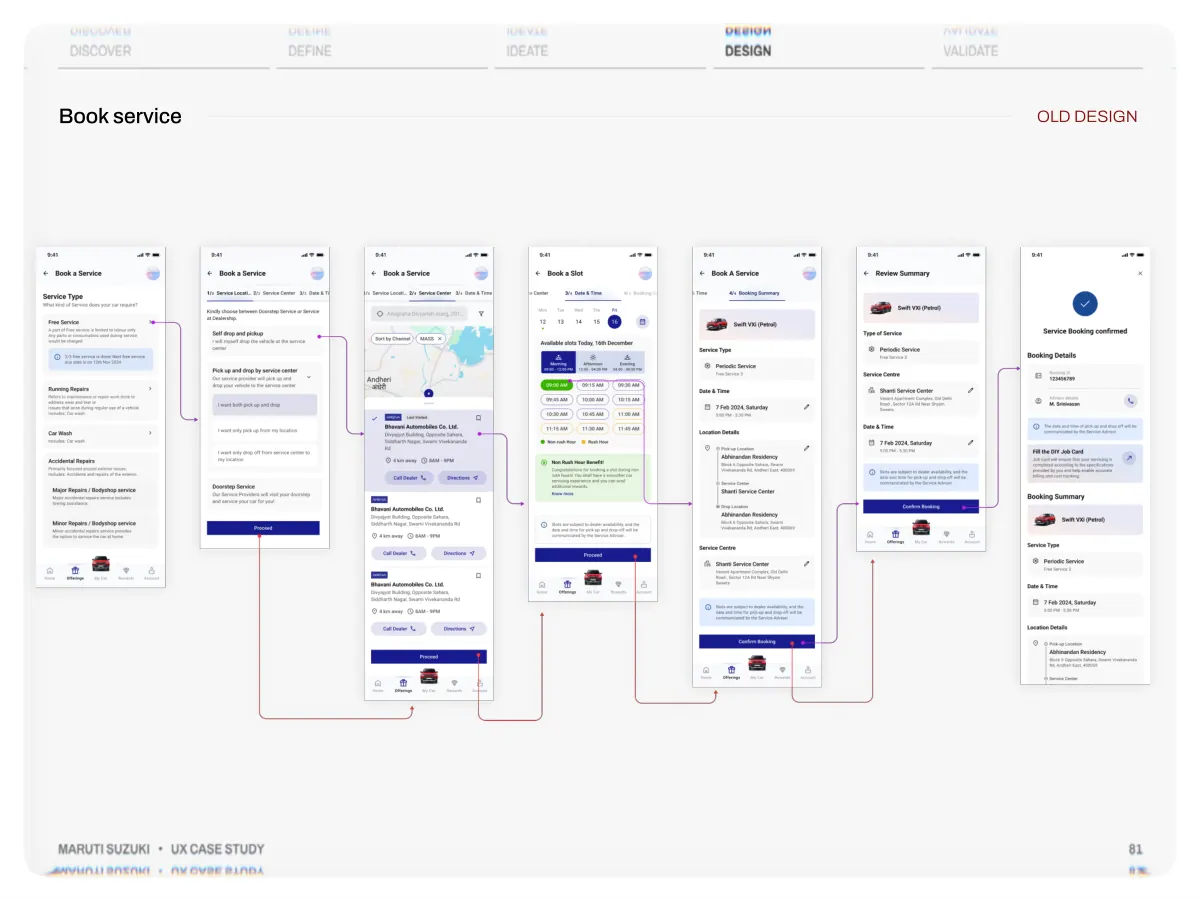
- Discover Define Ideate Design Validate Booking a service ran across 5 separate screens and every edge case added another step, so the funnel leaked before users finished. Maruti Suzuki • UX Case Study W h at w e o b s e r v e d →Five screens to book: service type → location → centre → slot → summary → confirm each its own screen. →Edge cases stacked clicks: extra dropdowns for variations pushed an already long flow even longer. →Redundant choices, every time: location and pickup/drop were asked on each booking, though most owners use the same service centre. →Long funnel, heavy drop-off: each additional step shed users before they reached confirmation →The business signal: bookings plateaued at ~300 a day a flow problem, not a demand problem. 80
- Discover Book service Define Ideate Design Validate OLD DESIGN Maruti Suzuki • UX Case Study 81
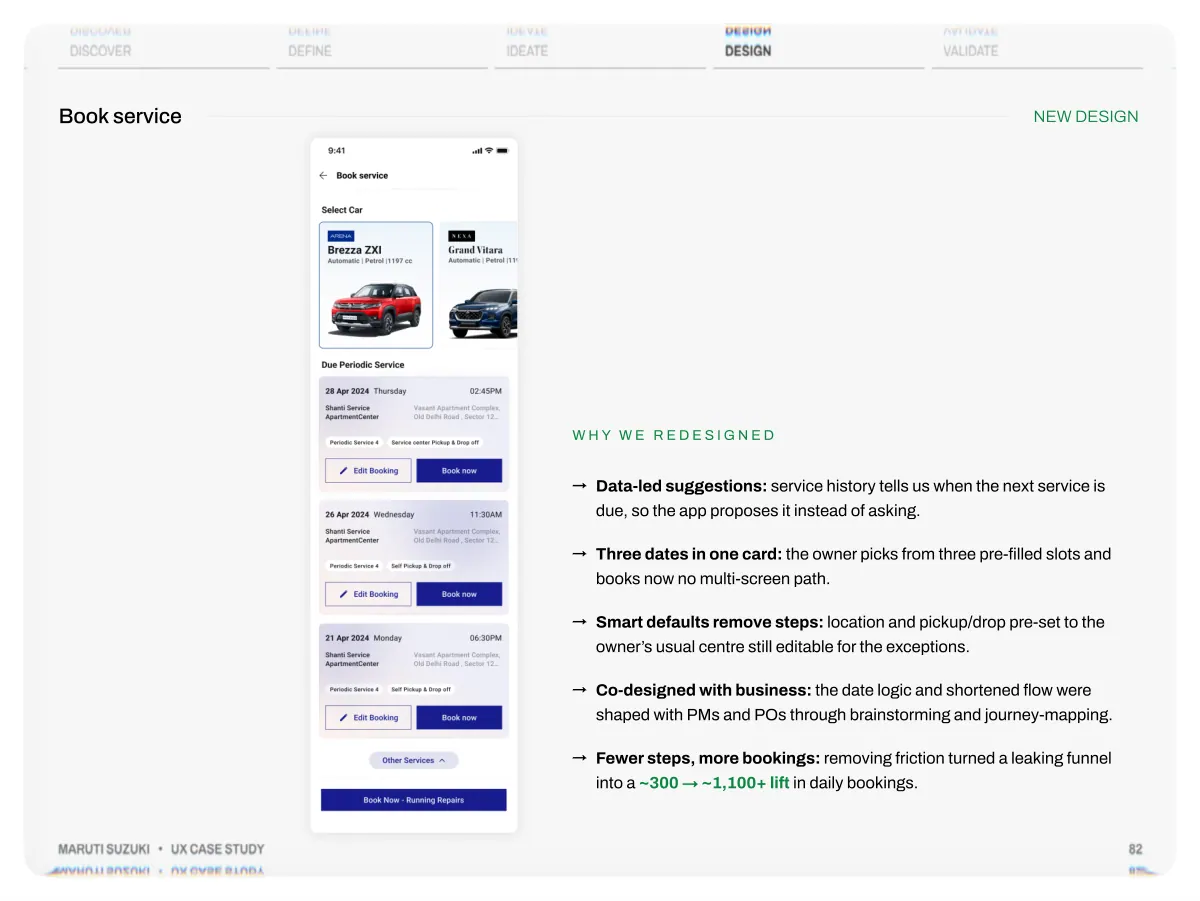
- Discover Book service Define Ideate Design Validate NEW DESIGN Maruti Suzuki • UX Case Study W h y w e r e d e s i g n e d →Data-led suggestions: service history tells us when the next service is due, so the app proposes it instead of asking. →Three dates in one card: the owner picks from three pre-filled slots and books now no multi-screen path. →Smart defaults remove steps: location and pickup/drop pre-set to the owner’s usual centre still editable for the exceptions. →Co-designed with business: the date logic and shortened flow were shaped with PMs and POs through brainstorming and journey-mapping. →Fewer steps, more bookings: removing friction turned a leaking funnel into a ~300 → ~1,100+ lift in daily bookings. 82
- Discover Redesign, Not Reinvention Define Ideate Design Validate 1 2 3 4 4 5 6 7 6 Maruti Suzuki • UX Case Study Onboarding Homepage Gen AI My Car Post Sales Book Service Buy Service Packages Accessories Challan Loyalty 83
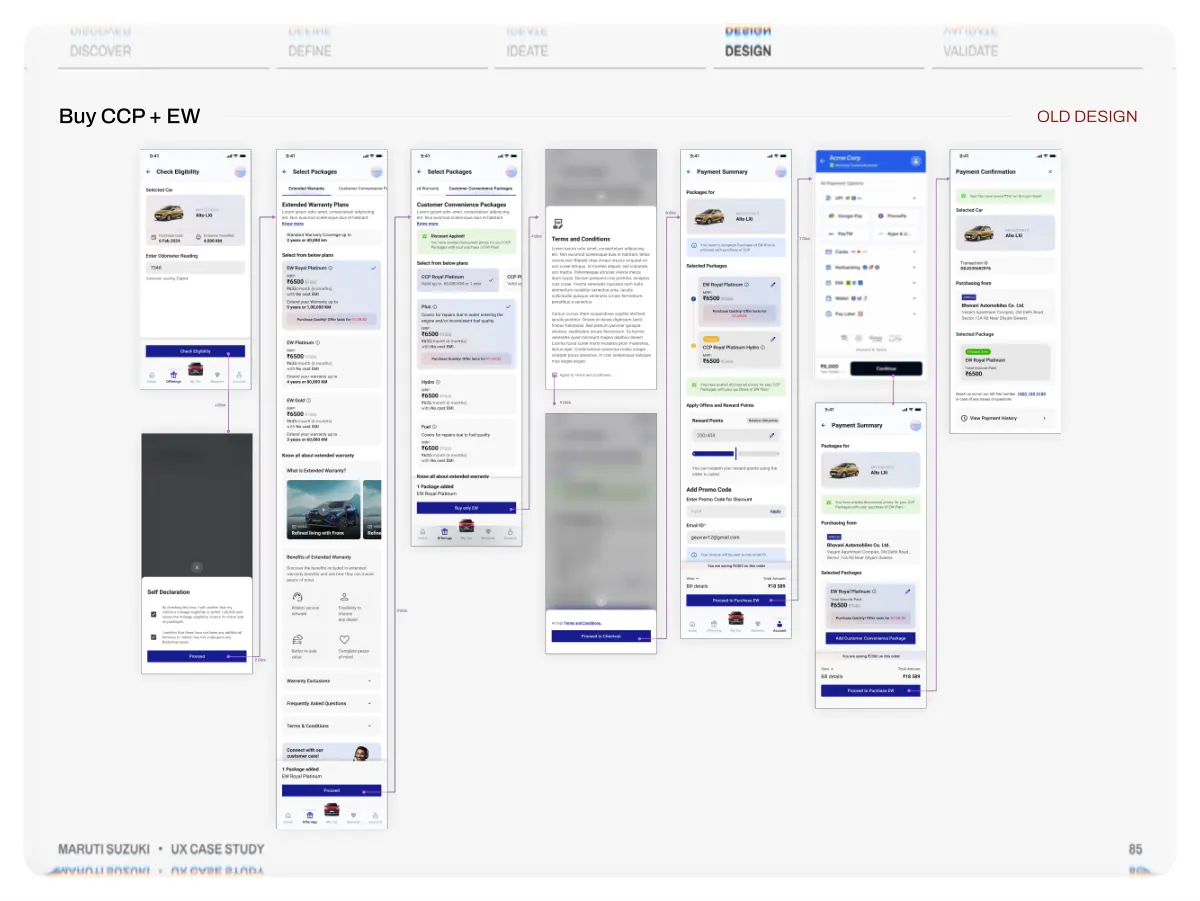
- Discover Define Ideate Design Validate Linked plans with time-bound eligibility, shown as a flat, complex flow so users dropped at the first step, before they understood what they were buying Maruti Suzuki • UX Case Study W h at w e o b s e r v e d →A genuinely complex product: standard warranty (3 yrs), extended warranty and CCP extend cover to five years- three plans, each with its own buying window. →No clear hierarchy: plans, prices and terms sat at the same visual weight, so nothing guided the eye to a choice. →The link was invisible: EW and CCP are related purchases, but the flow never showed how they connect. →Eligibility went unexplained: the time-bound windows for buying each plan weren’t surfaced, leaving users unsure what even applied to them. →Drop-off at step one: faced with complexity they couldn’t parse, many users left before purchasing. 84
- Discover Buy CCP + EW Define Ideate Design Validate OLD DESIGN Maruti Suzuki • UX Case Study 85
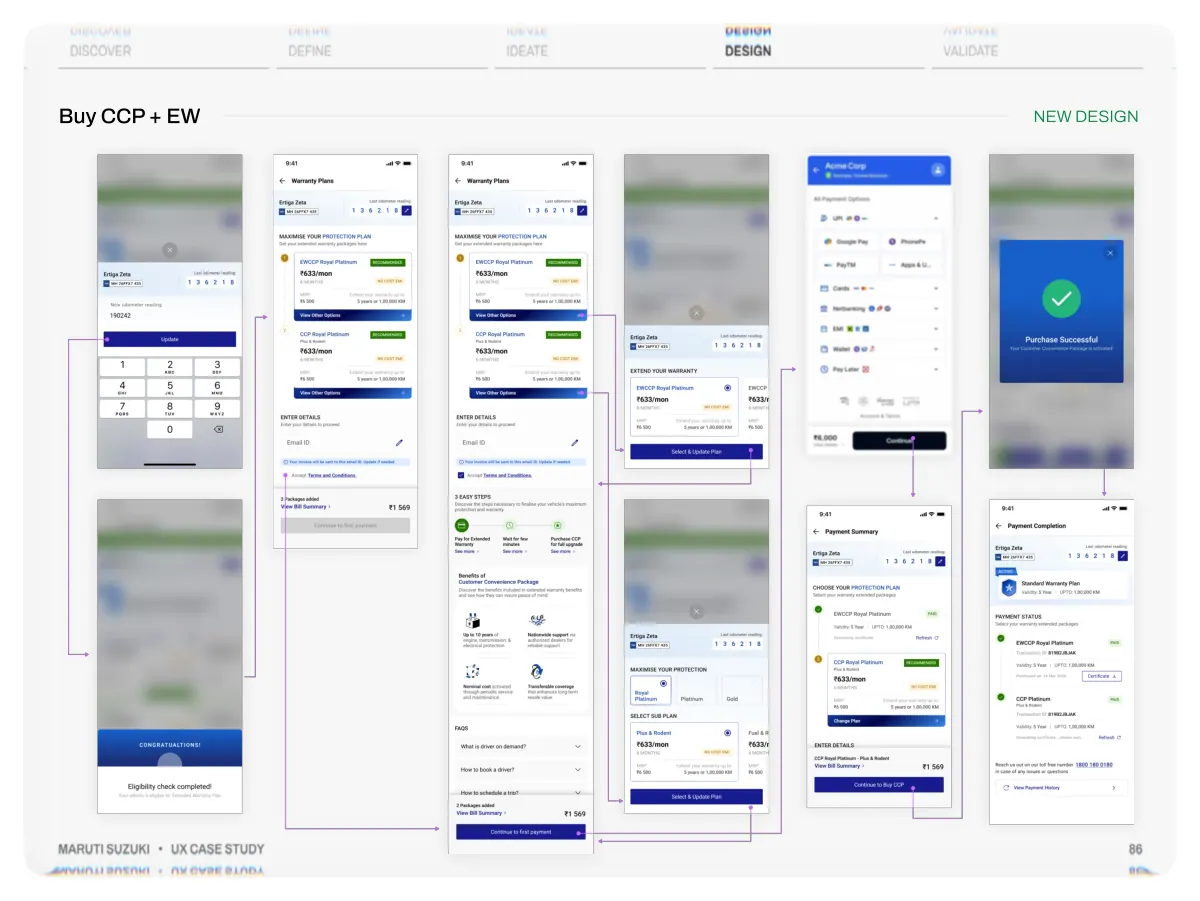
- Discover Buy CCP + EW Define Ideate Design Validate NEW DESIGN Maruti Suzuki • UX Case Study 86
- Discover Define Ideate Design Validate We made the package relationship legible and sold it from a top action so users grasp what they’re buying, and when they’re eligible. Maruti Suzuki • UX Case Study W h y w e r e d e s i g n e d →Show the relationship: EW and CCP presented as linked parts of one protection journey not isolated, unrelated plans. →A clear visual hierarchy: recommended plan, price and coverage ordered so the primary choice reads first. →“3 easy steps” explainer: the buy-EW-then-upgrade-to-CCP path is spelled out, so the sequence is obvious upfront. →Eligibility made explicit: each plan’s buying window is surfaced, so users know what applies to them right now. →Promoted & validated: the upgrade is sold from a top action where intent is highest and the flow was checked through usability testing. 87
- Discover Redesign, Not Reinvention Define Ideate Design Validate 1 2 3 4 4 5 6 7 6 Maruti Suzuki • UX Case Study Onboarding Homepage Gen AI My Car Post Sales Book Service Buy Service Packages Accessories Challan Loyalty 88
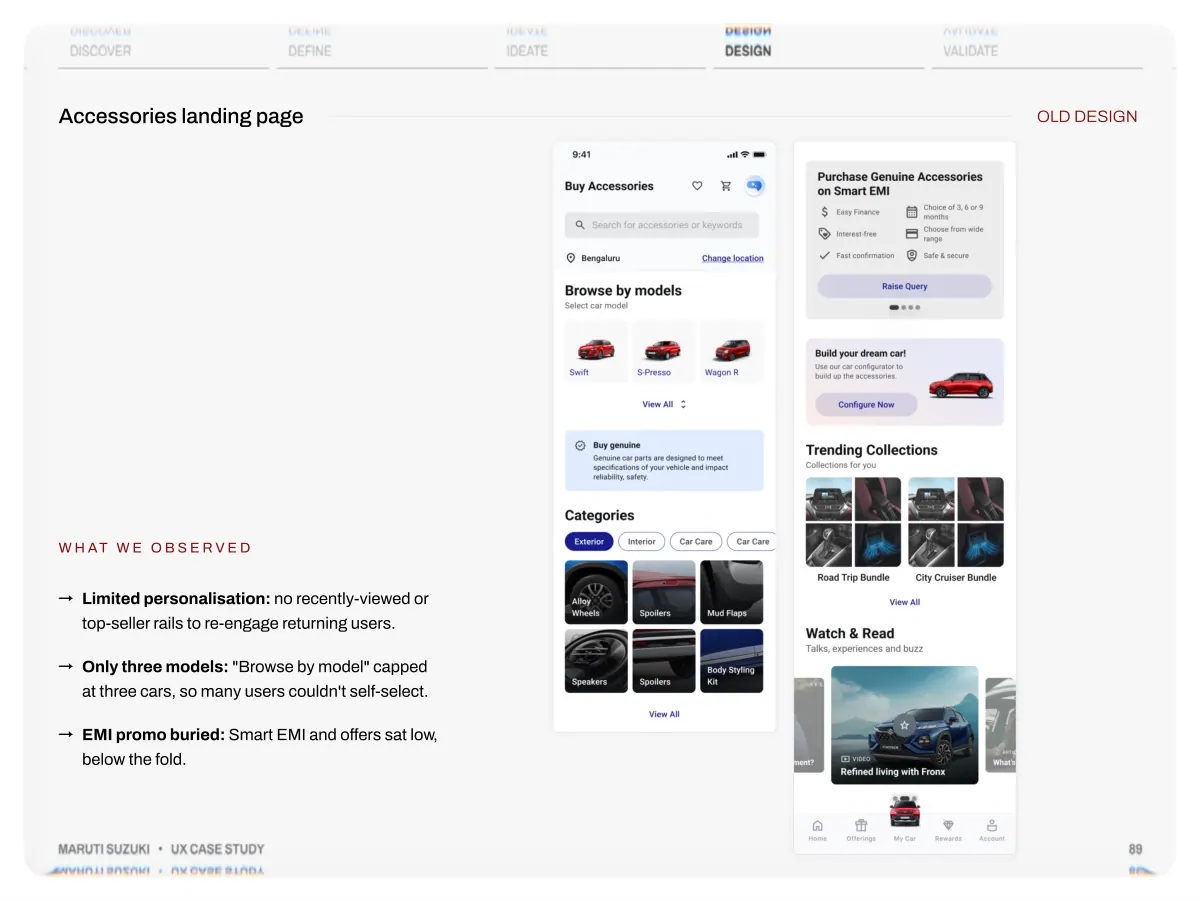
- Discover Define Accessories landing page Ideate Design Validate OLD DESIGN W h at w e o b s e r v e d →Limited personalisation: no recently-viewed or top-seller rails to re-engage returning users. →Only three models: "Browse by model" capped at three cars, so many users couldn't self-select. →EMI promo buried: Smart EMI and offers sat low, below the fold. Maruti Suzuki • UX Case Study 89
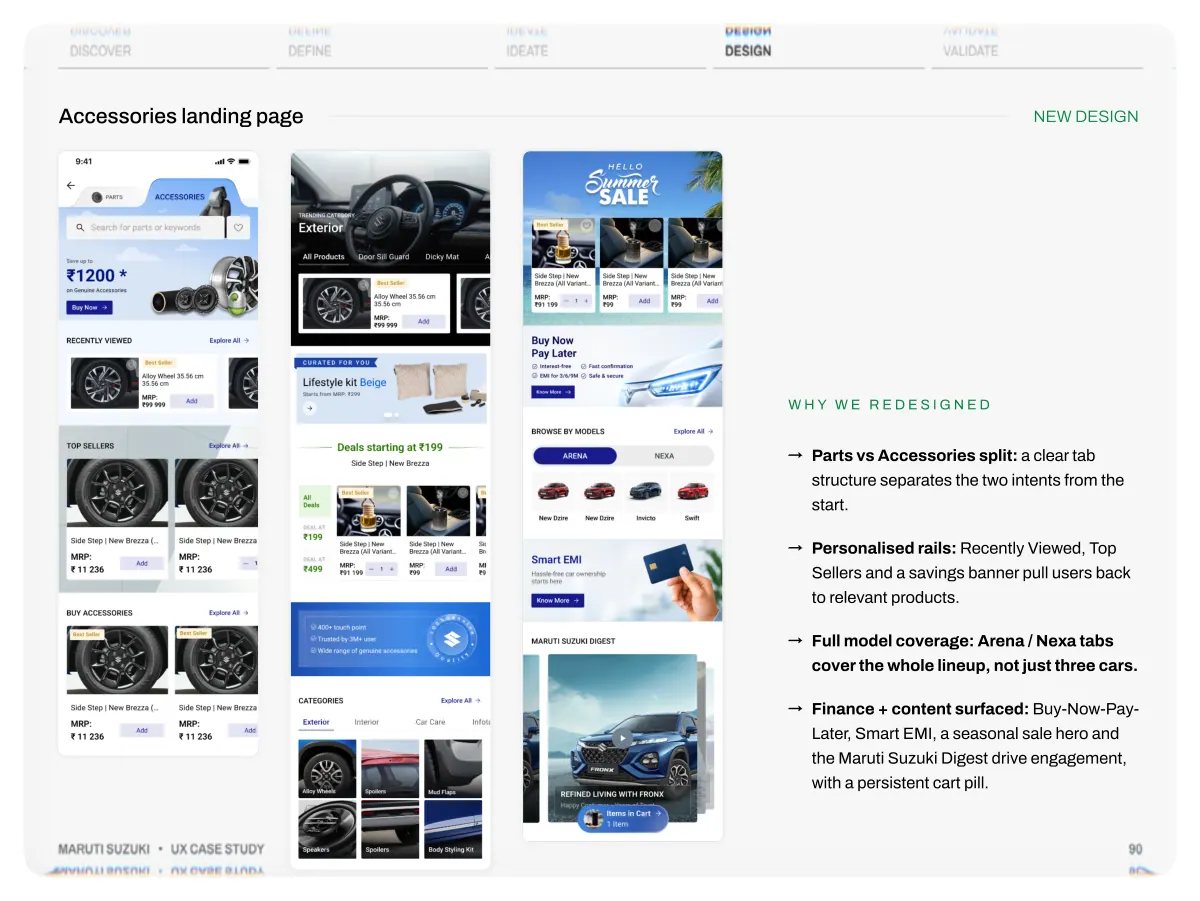
- Discover Define Accessories landing page Ideate Design Validate NEW DESIGN Maruti Suzuki • UX Case Study W h y w e r e d e s i g n e d →Parts vs Accessories split: a clear tab structure separates the two intents from the start. →Personalised rails: Recently Viewed, Top Sellers and a savings banner pull users back to relevant products. →Full model coverage: Arena / Nexa tabs cover the whole lineup, not just three cars. →Finance + content surfaced: Buy-Now-Pay- Later, Smart EMI, a seasonal sale hero and the Maruti Suzuki Digest drive engagement, with a persistent cart pill. 90
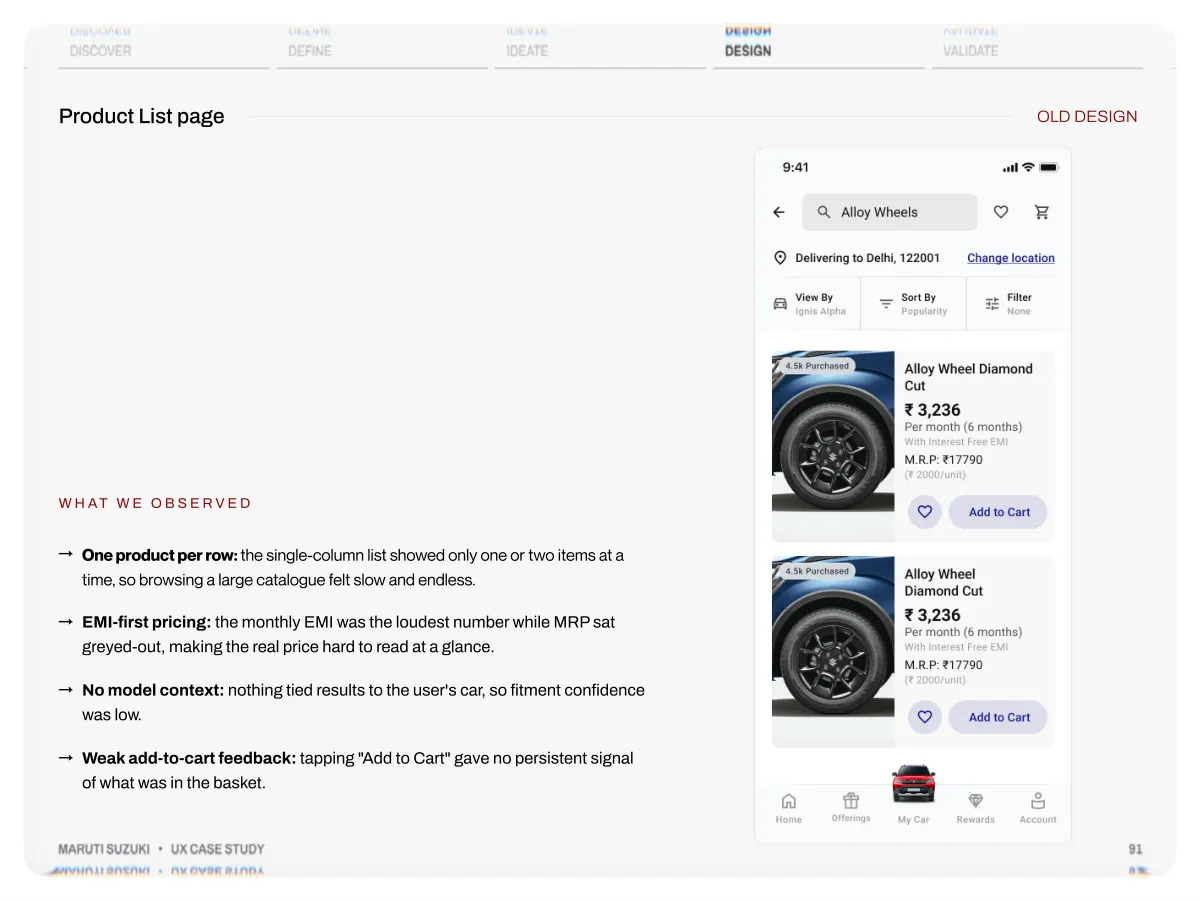
- Discover Product List page Define Ideate Design Validate OLD DESIGN W h at w e o b s e r v e d →One product per row: the single-column list showed only one or two items at a time, so browsing a large catalogue felt slow and endless. →EMI-first pricing: the monthly EMI was the loudest number while MRP sat greyed-out, making the real price hard to read at a glance. →No model context: nothing tied results to the user's car, so fitment confidence was low. →Weak add-to-cart feedback: tapping "Add to Cart" gave no persistent signal of what was in the basket. Maruti Suzuki • UX Case Study 91
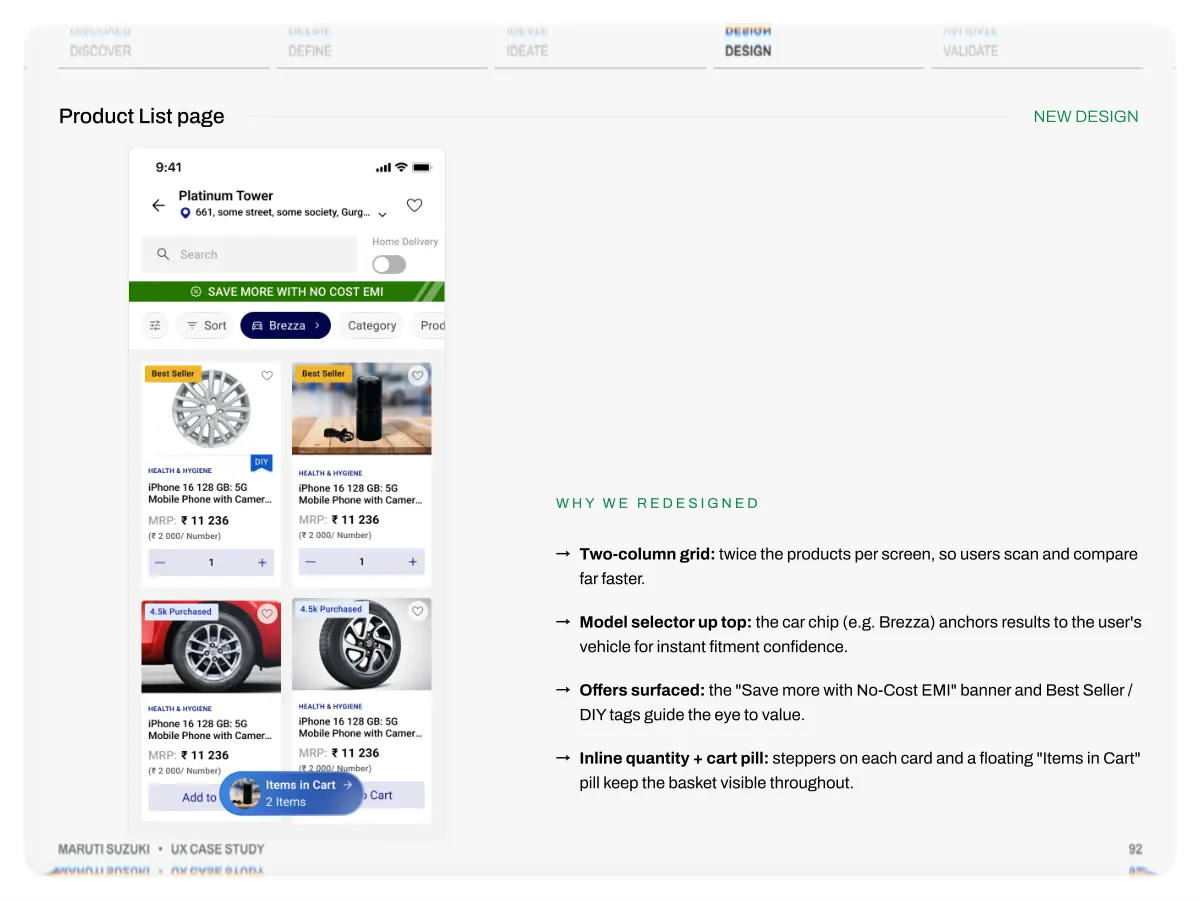
- Discover Product List page Define Ideate Design Validate NEW DESIGN Maruti Suzuki • UX Case Study W h y w e r e d e s i g n e d →Two-column grid: twice the products per screen, so users scan and compare far faster. →Model selector up top: the car chip (e.g. Brezza) anchors results to the user's vehicle for instant fitment confidence. →Offers surfaced: the "Save more with No-Cost EMI" banner and Best Seller / DIY tags guide the eye to value. →Inline quantity + cart pill: steppers on each card and a floating "Items in Cart" pill keep the basket visible throughout. 92
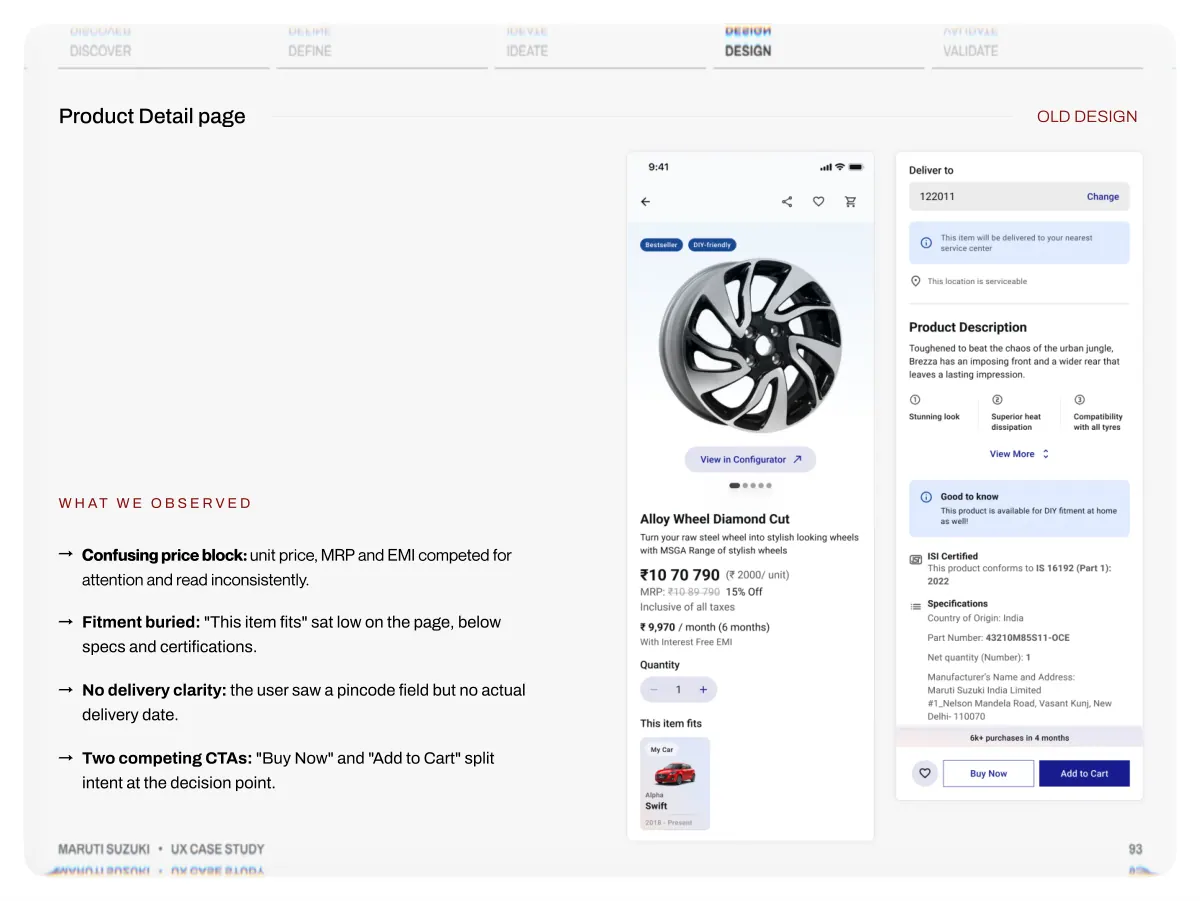
- Discover Product Detail page Define Ideate Design Validate OLD DESIGN W h at w e o b s e r v e d →Confusing price block: unit price, MRP and EMI competed for attention and read inconsistently. →Fitment buried: "This item fits" sat low on the page, below specs and certifications. →No delivery clarity: the user saw a pincode field but no actual delivery date. →Two competing CTAs: "Buy Now" and "Add to Cart" split intent at the decision point. Maruti Suzuki • UX Case Study 93
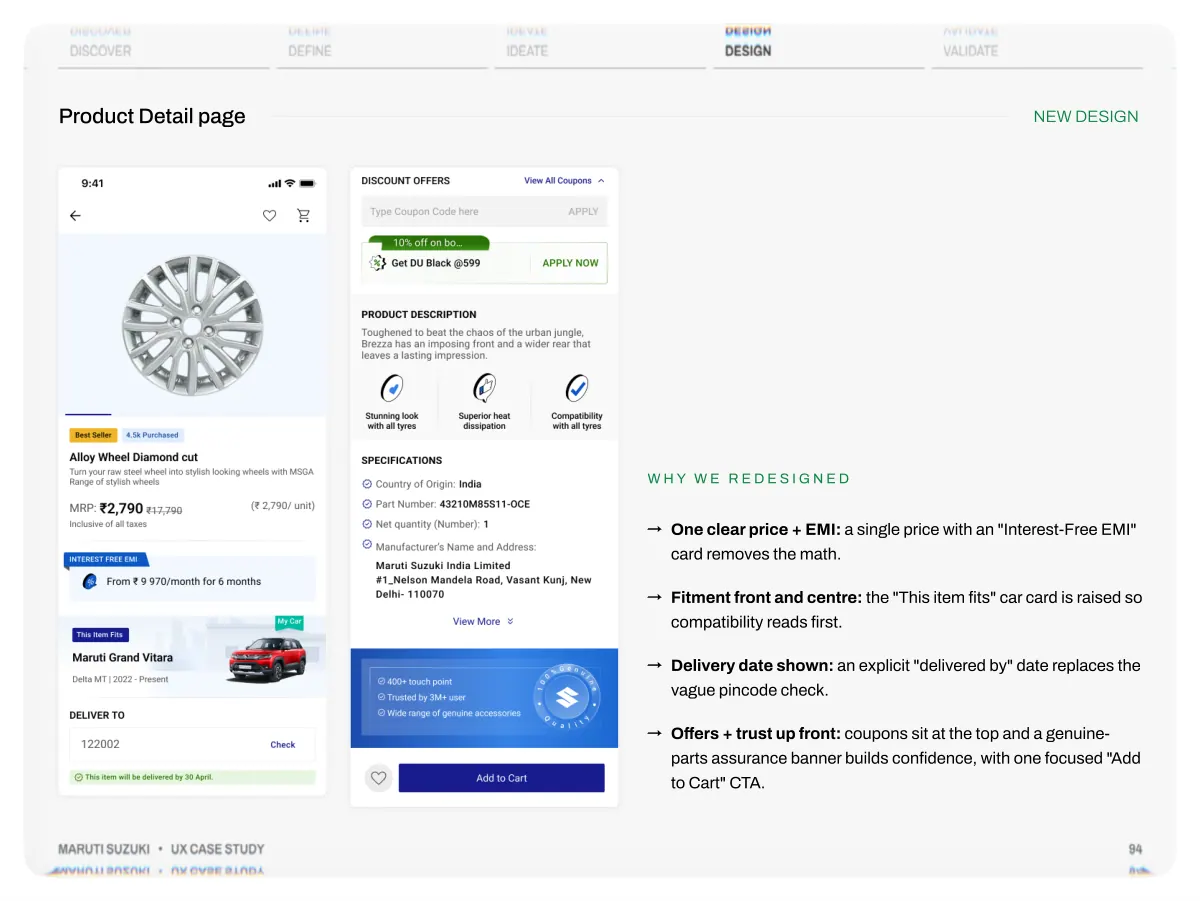
- Discover Product Detail page Define Ideate Design Validate NEW DESIGN Maruti Suzuki • UX Case Study W h y w e r e d e s i g n e d →One clear price + EMI: a single price with an "Interest-Free EMI" card removes the math. →Fitment front and centre: the "This item fits" car card is raised so compatibility reads first. →Delivery date shown: an explicit "delivered by" date replaces the vague pincode check. →Offers + trust up front: coupons sit at the top and a genuine- parts assurance banner builds confidence, with one focused "Add to Cart" CTA. 94
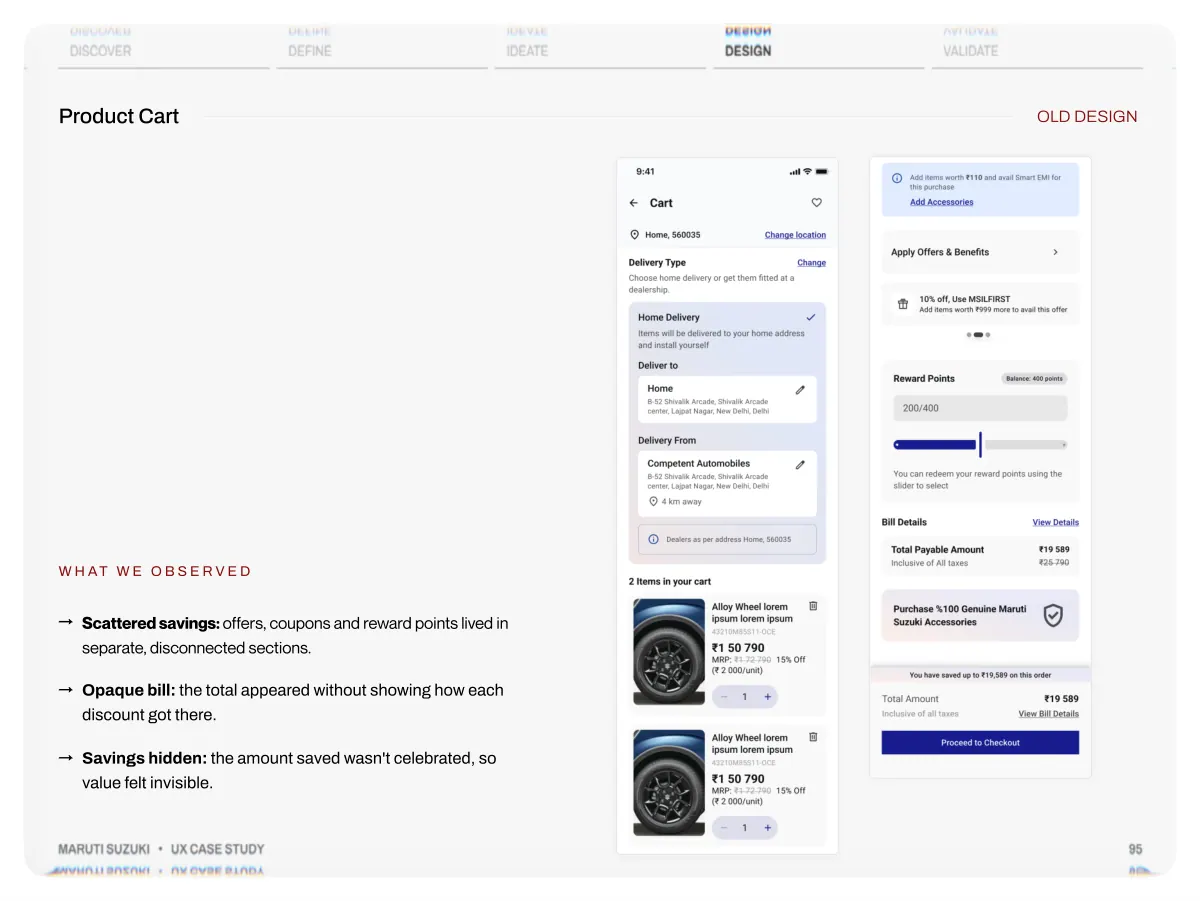
- Discover Product Cart Define Ideate Design Validate OLD DESIGN W h at w e o b s e r v e d →Scattered savings: offers, coupons and reward points lived in separate, disconnected sections. →Opaque bill: the total appeared without showing how each discount got there. →Savings hidden: the amount saved wasn't celebrated, so value felt invisible. Maruti Suzuki • UX Case Study 95
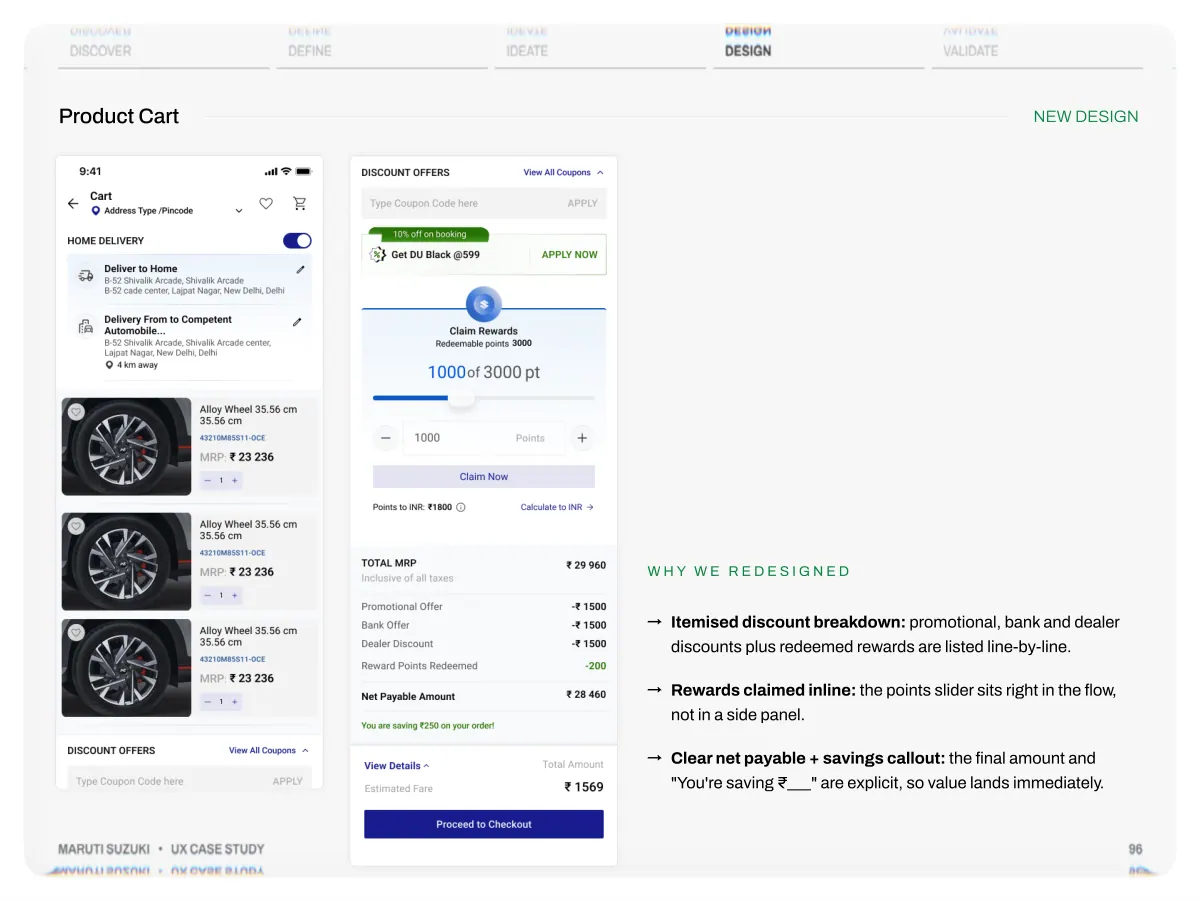
- Discover Product Cart Define Ideate Design Validate NEW DESIGN Maruti Suzuki • UX Case Study W h y w e r e d e s i g n e d →Itemised discount breakdown: promotional, bank and dealer discounts plus redeemed rewards are listed line-by-line. →Rewards claimed inline: the points slider sits right in the flow, not in a side panel. →Clear net payable + savings callout: the final amount and "You're saving ₹___" are explicit, so value lands immediately. 96
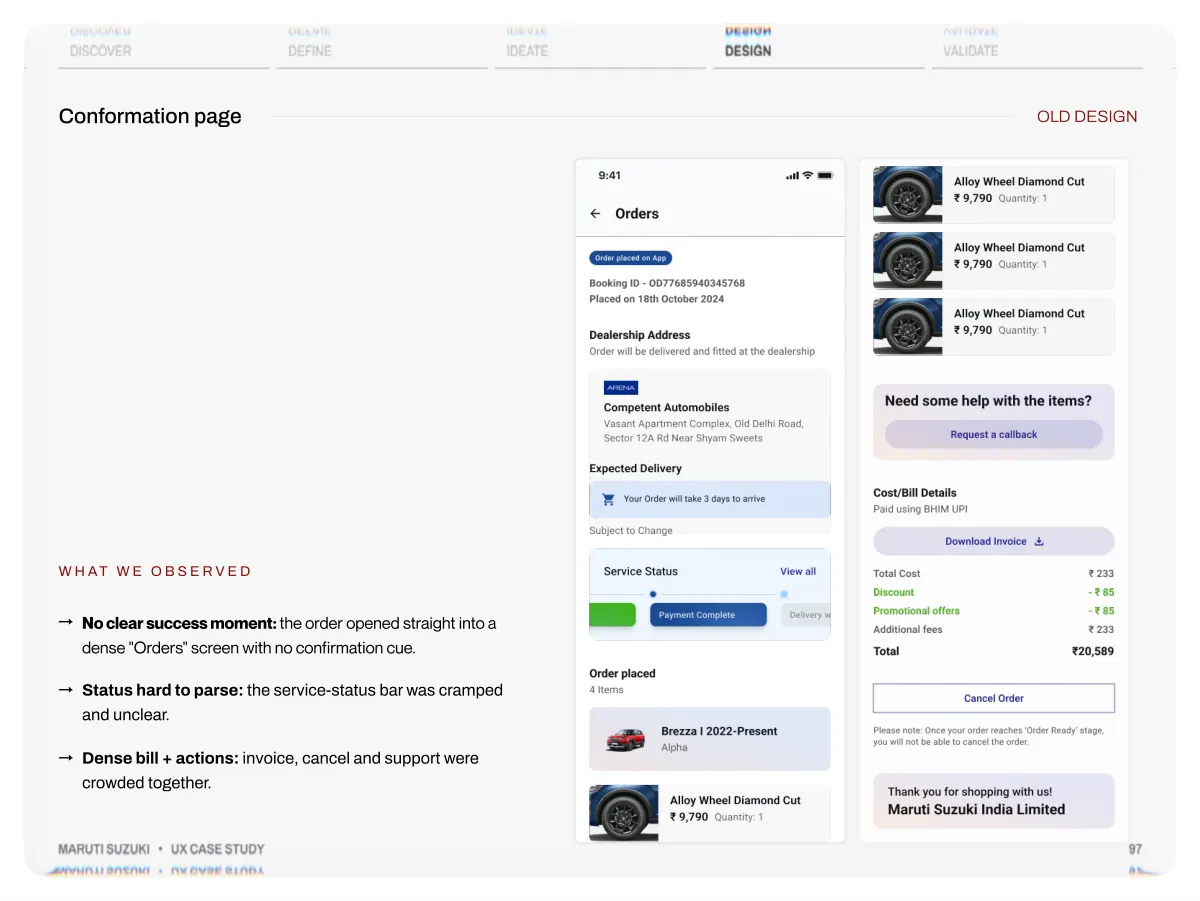
- Discover Conformation page Define Ideate Design Validate OLD DESIGN W h at w e o b s e r v e d →No clear success moment: the order opened straight into a dense "Orders" screen with no confirmation cue. →Status hard to parse: the service-status bar was cramped and unclear. →Dense bill + actions: invoice, cancel and support were crowded together. Maruti Suzuki • UX Case Study 97
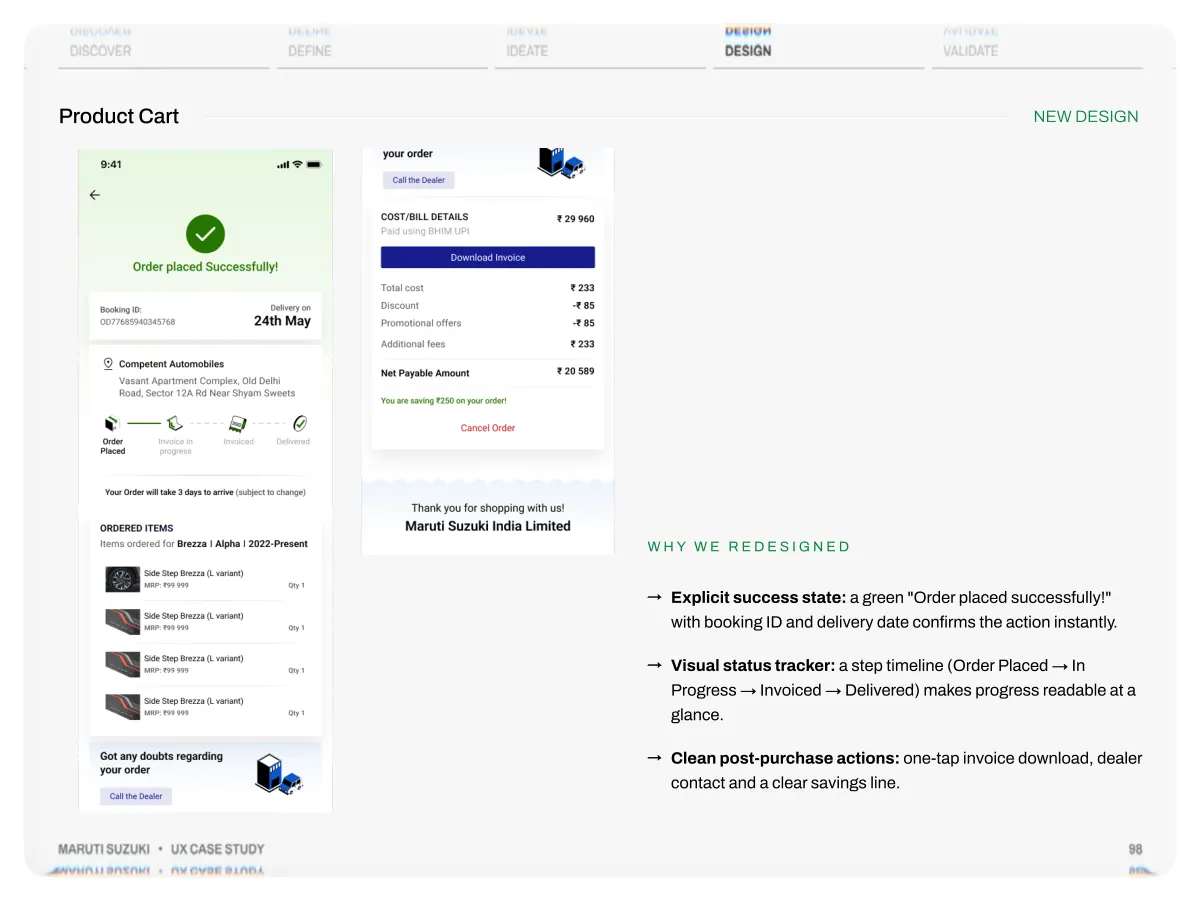
- Discover Product Cart Define Ideate Design Validate NEW DESIGN Maruti Suzuki • UX Case Study W h y w e r e d e s i g n e d →Explicit success state: a green "Order placed successfully!" with booking ID and delivery date confirms the action instantly. →Visual status tracker: a step timeline (Order Placed → In Progress → Invoiced → Delivered) makes progress readable at a glance. →Clean post-purchase actions: one-tap invoice download, dealer contact and a clear savings line. 98
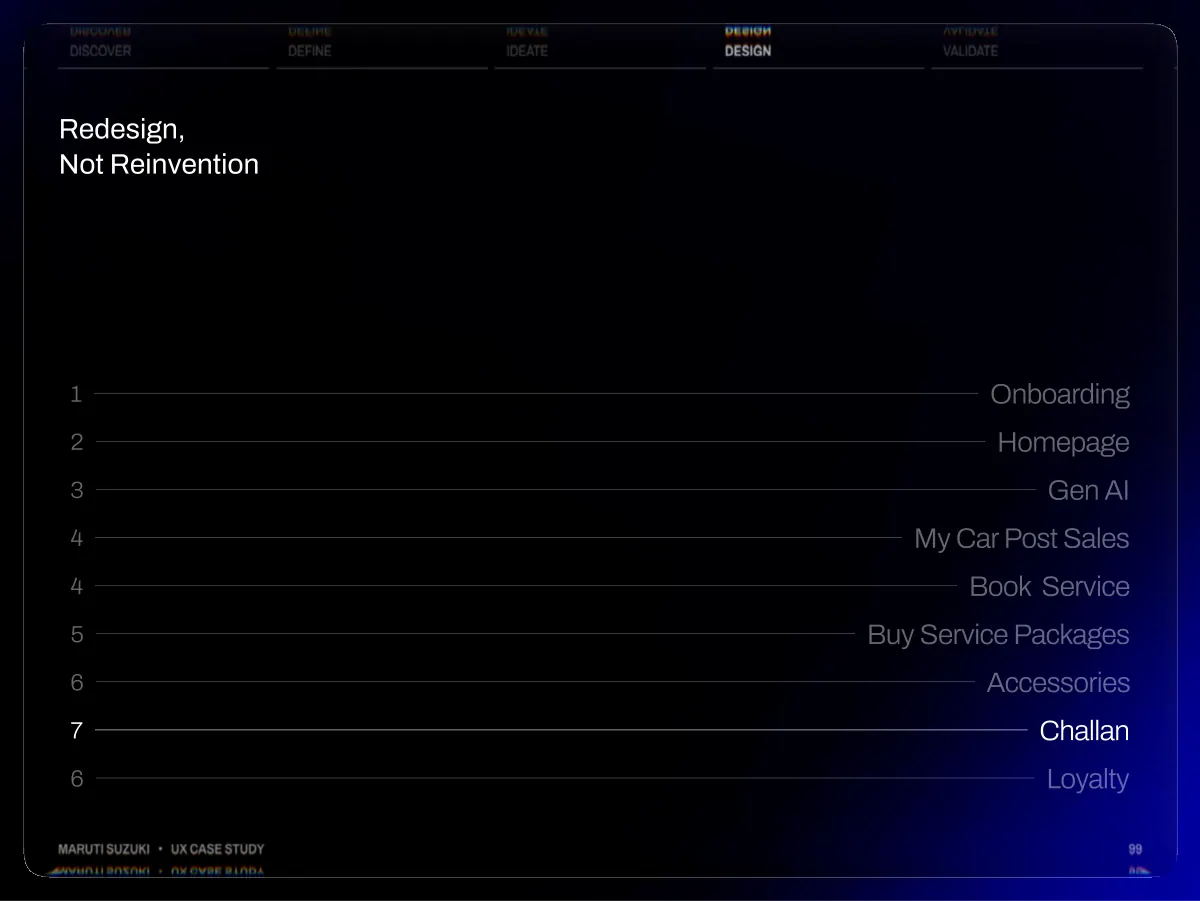
- Discover Redesign, Not Reinvention Define Ideate Design Validate 1 2 3 4 4 5 6 7 6 Maruti Suzuki • UX Case Study Onboarding Homepage Gen AI My Car Post Sales Book Service Buy Service Packages Accessories Challan Loyalty 99
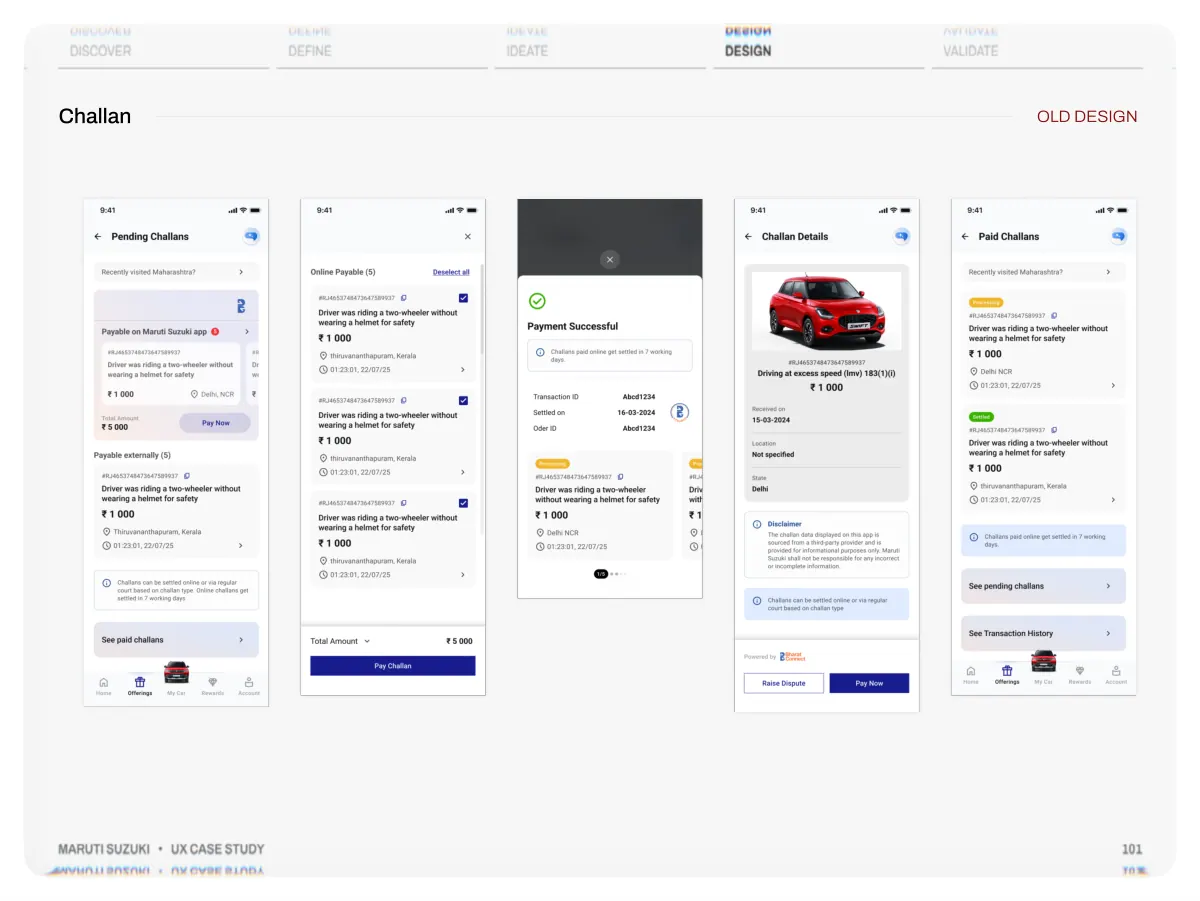
- Discover Define Ideate Design Validate Paying a challan meant hunting across separate screens, and the app never clearly pulled a user's own fines so many dropped off before paying. Maruti Suzuki • UX Case Study W h at w e o b s e r v e d →Pending and paid split apart: pending challans, paid challans and transaction history each sat on a separate screen, forcing constant back- and-forth. →Confusing payment routes: "Payable on app" vs "Payable externally" were stacked as sections with no clear toggle, so users weren't sure how to pay. →Thin challan data: detail pages showed gaps like "Location: Not specified," which lowered trust that the fine was even real. →Trust signal buried: the Bharat Connect source was easy to miss, so users hesitated to pay a fine they couldn't verify. 100
- Discover Challan Define Ideate Design Validate OLD DESIGN Maruti Suzuki • UX Case Study 101
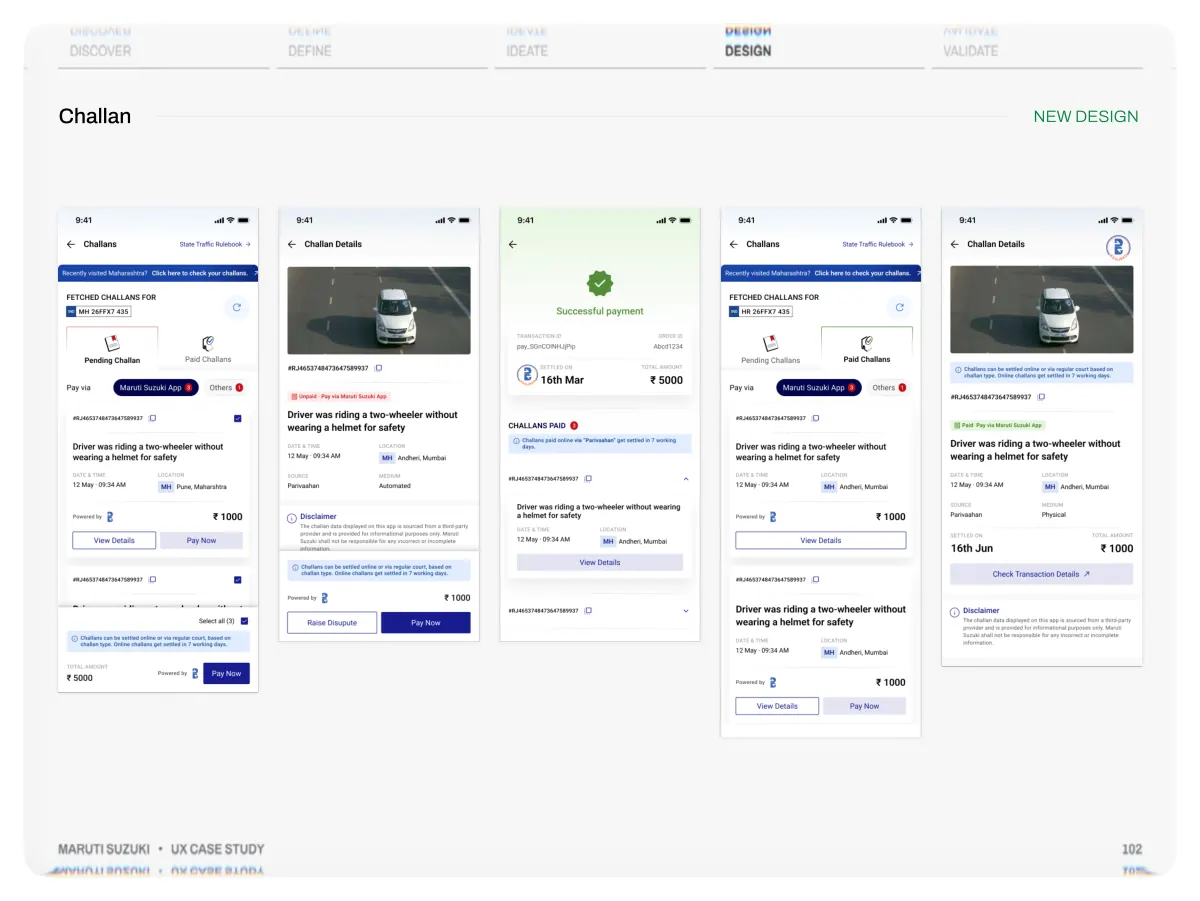
- Discover Challan Define Ideate Design Validate NEW DESIGN Maruti Suzuki • UX Case Study 102
- Discover Define Ideate Design Validate We auto-fetch challans by registration number and put pending, paid and payment in one place, so settling a fine takes a couple of taps. Maruti Suzuki • UX Case Study W h y w e r e d e s i g n e d →Pending & Paid in one view: a single tabbed screen holds pending, paid and history, removing the screen-hopping. →One clear pay-via toggle: "Maruti Suzuki App / Others" with live counts makes the payment route obvious. →Full, sourced detail: each challan shows source (Parivahan), medium (Automated/Physical) and location, with "Powered by Bharat Connect" for trust. →Bulk select & pay: "Select all" with a running total lets users clear multiple fines in a single payment. 103
- Discover Redesign, Not Reinvention Define Ideate Design Validate 1 2 3 4 4 5 6 7 6 Maruti Suzuki • UX Case Study Onboarding Homepage Gen AI My Car Post Sales Book Service Buy Service Packages Accessories Challan Loyalty 104
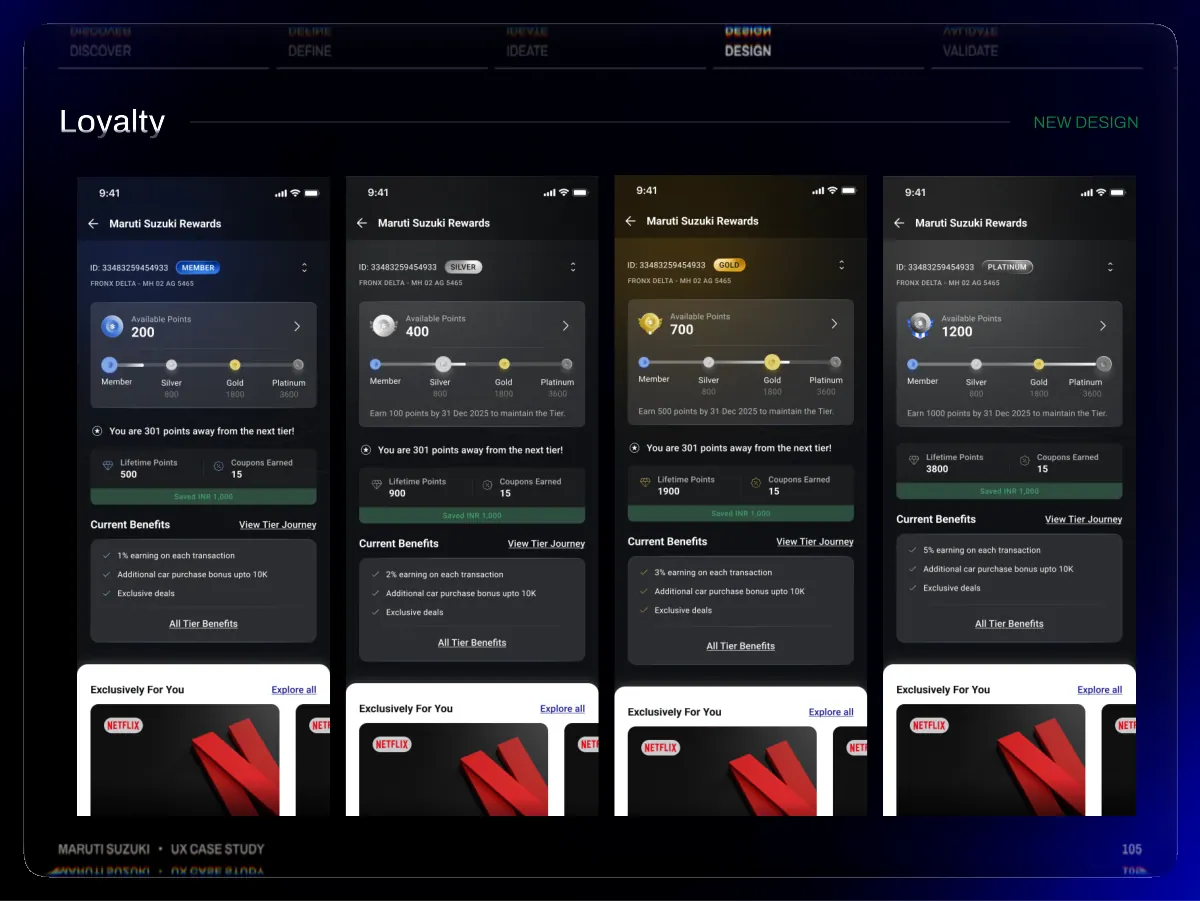
- Discover Loyalty Define Ideate Design Validate NEW DESIGN Maruti Suzuki • UX Case Study 105
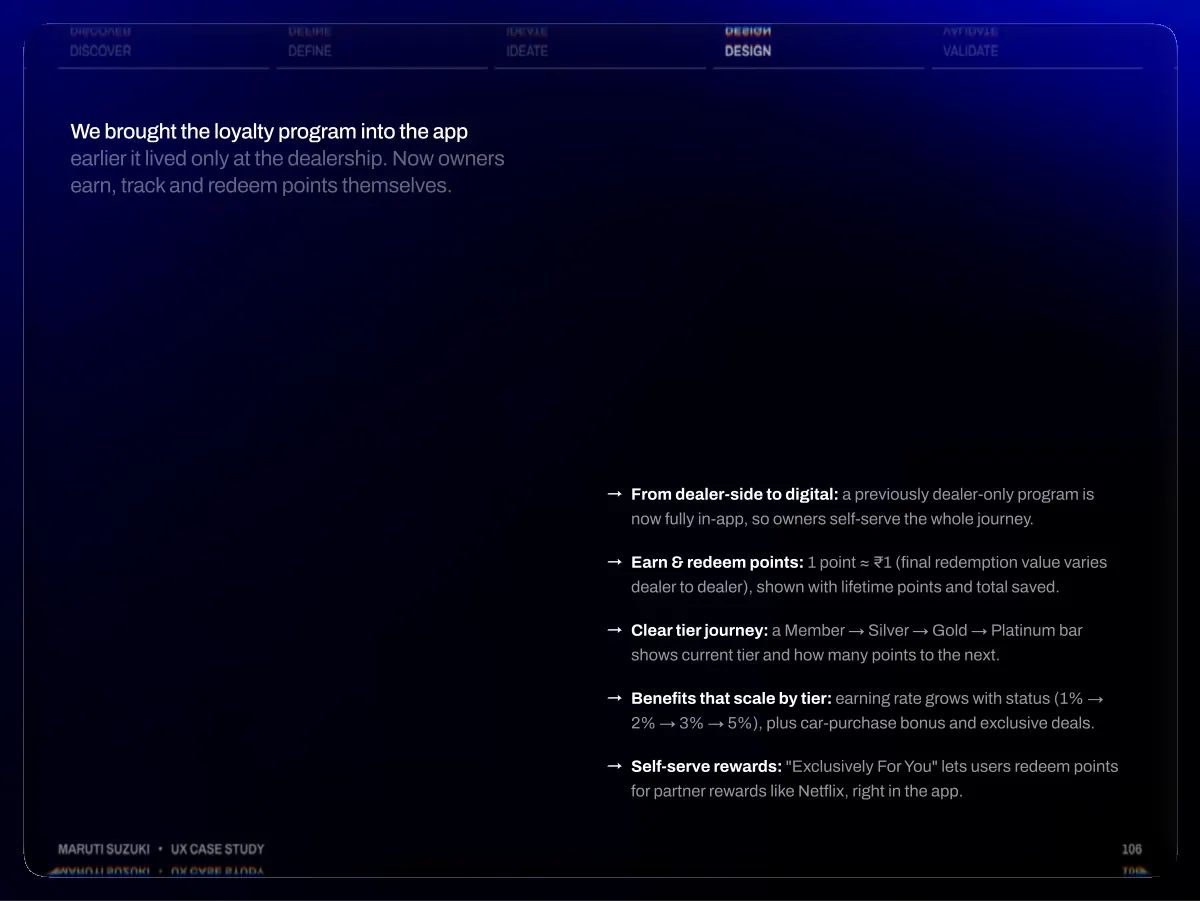
- Discover Define Ideate Design Validate We brought the loyalty program into the app earlier it lived only at the dealership. Now owners earn, track and redeem points themselves. Maruti Suzuki • UX Case Study → → → → → From dealer-side to digital: a previously dealer-only program is now fully in-app, so owners self-serve the whole journey. Earn & redeem points: 1 point ≈ ₹1 (final redemption value varies dealer to dealer), shown with lifetime points and total saved. Clear tier journey: a Member → Silver → Gold → Platinum bar shows current tier and how many points to the next. Benefits that scale by tier: earning rate grows with status (1% → 2% → 3% → 5%), plus car-purchase bonus and exclusive deals. Self-serve rewards: "Exclusively For You" lets users redeem points for partner rewards like Netflix, right in the app. 106
- Validate Same business, redesigned UX and the metrics that followed 05 Maruti Suzuki • UX Case Study 107
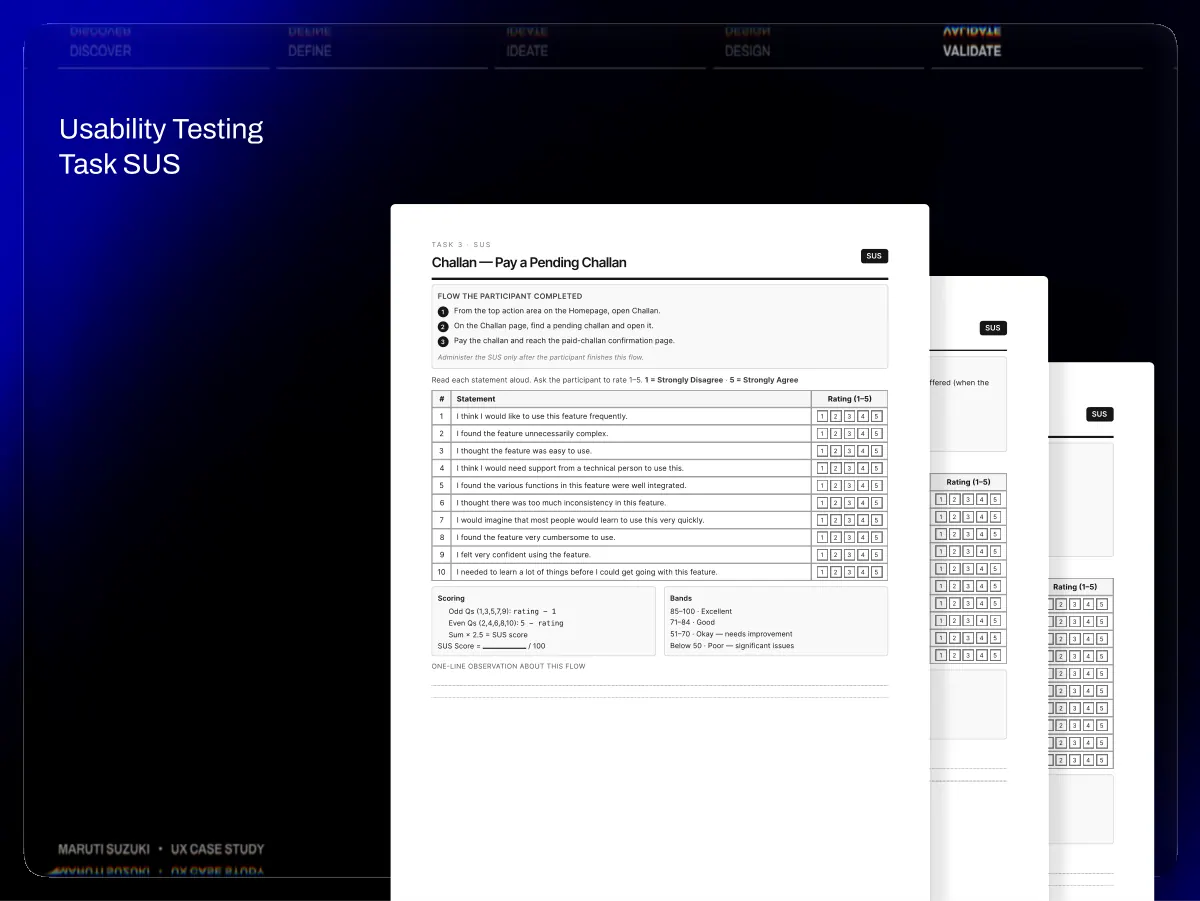
- Discover Usability Testing Task SUS Define Ideate Design Validate Ta s k 3 · S U S Challan — Pay a Pending Challan Flow the participant completed 1 2 3 # Statement 1 2 3 4 5 6 7 8 9 10 Scoring Read each statement aloud. Ask the participant to rate 1–5. 1 = Strongly Disagree · 5 = Strongly Agree Administer the SUS only after the participant finishes this flow. I think I would like to use this feature frequently. I found the feature unnecessarily complex. I thought the feature was easy to use. Flow the participant completed Administer the SUS only after the participant finishes this flow. 2 3 1 From the Homepage, open the top action / My Car section where the extended service package is offered (when the user is eligible). Go to the Extend Warranty page and proceed to payment, complete the payment. Return to My Car and confirm the purchased package is visible there. Ta s k 2 · S U S Accessories — Browse to Purchase 1 1 Rating (1–5) 2 2 3 3 4 4 6 7 9 10 One-line observation about this flow Scoring SUS Score = Odd Qs (1,3,5,7,9): rating − 1 Even Qs (2,4,6,8,10): 5 − rating Sum × 2.5 = SUS score / 100 8 From the top action area on the Homepage, open Challan. On the Challan page, find a pending challan and open it. Pay the challan and reach the paid-challan confirmation page. Ta s k 1 · S U S Service — Extended Warranty Package I think I would need support from a technical person to use this. Read each statement aloud. Ask the participant to rate 1–5. 1 = Strongly Disagree · 5 = Strongly Agree Flow the participant completed 1 From the Homepage, navigate to the Accessories landing page (which also surfaces products directly). 1 2 3 4 5 I found the various functions in this feature were well integrated. # Statement 2 From the landing page, open the Product List Page (PLP). 1 2 3 4 5 I thought there was too much inconsistency in this feature. 1 I think I would like to use this feature frequently. 3 From the PLP, either Add to Cart directly or open a Product Detail Page (PDP). 1 2 3 4 5 1 2 I would imagine that most people would learn to use this very quickly. I found the feature very cumbersome to use. 3 2 I found the feature unnecessarily complex. I thought the feature was easy to use. 4 5 From the PDP, go to Cart and complete the purchase. Reach the order confirmation page. 1 2 3 4 I felt very confident using the feature. 4 I think I would need support from a technical person to use this. Administer the SUS only after the participant finishes this flow. 1 1 2 2 3 3 4 4 I needed to learn a lot of things before I could get going with this feature. 5 I found the various functions in this feature were well integrated. Read each statement aloud. Ask the participant to rate 1–5. 1 = Strongly Disagree · 5 = Strongly Agree 1 2 3 4 5 1 2 3 4 5 One-line observation about this flow 10 9 I felt very confident using the feature. I needed to learn a lot of things before I could get going with this feature. SUS Score = Odd Qs (1,3,5,7,9): rating − 1 Even Qs (2,4,6,8,10): 5 − rating Sum × 2.5 = SUS score / 100 7 6 I found the various functions in this feature were well integrated. I thought there was too much inconsistency in this feature. I would imagine that most people would learn to use this very quickly. I found the feature very cumbersome to use. Bands 85–100 · Excellent 71–84 · Good 51–70 · Okay — needs improvement Below 50 · Poor — significant issues I thought there was too much inconsistency in this feature. I would imagine that most people would learn to use this very quickly. I found the feature very cumbersome to use. I felt very confident using the feature. I needed to learn a lot of things before I could get going with this feature. 3 # 4 2 1 Bands 85–100 · Excellent 71–84 · Good 51–70 · Okay — needs improvement Below 50 · Poor — significant issues Statement I think I would like to use this feature frequently. I found the feature unnecessarily complex. I thought the feature was easy to use. I think I would need support from a technical person to use this. 5 8 Scoring 1 2 3 4 5 5 5 SUS 5 5 5 Bands Rating (1–5) 3 4 5 1 2 3 4 5 1 2 3 4 5 1 2 3 4 5 1 2 3 4 5 Rating (1–5) 1 2 3 4 5 1 2 3 4 5 1 2 3 4 5 1 2 3 4 5 1 2 3 4 5 1 2 3 4 5 1 2 3 4 5 1 2 3 4 5 1 2 3 4 5 1 2 3 4 5 1 2 3 4 5 1 2 3 4 5 1 2 3 4 5 1 2 3 4 5 SUS SUS SUS Score = Odd Qs (1,3,5,7,9): rating − 1 Even Qs (2,4,6,8,10): 5 − rating Sum × 2.5 = SUS score / 100 85–100 · Excellent 71–84 · Good 51–70 · Okay — needs improvement Below 50 · Poor — significant issues Maruti Suzuki • UX Case Study One-line observation about this flow 03
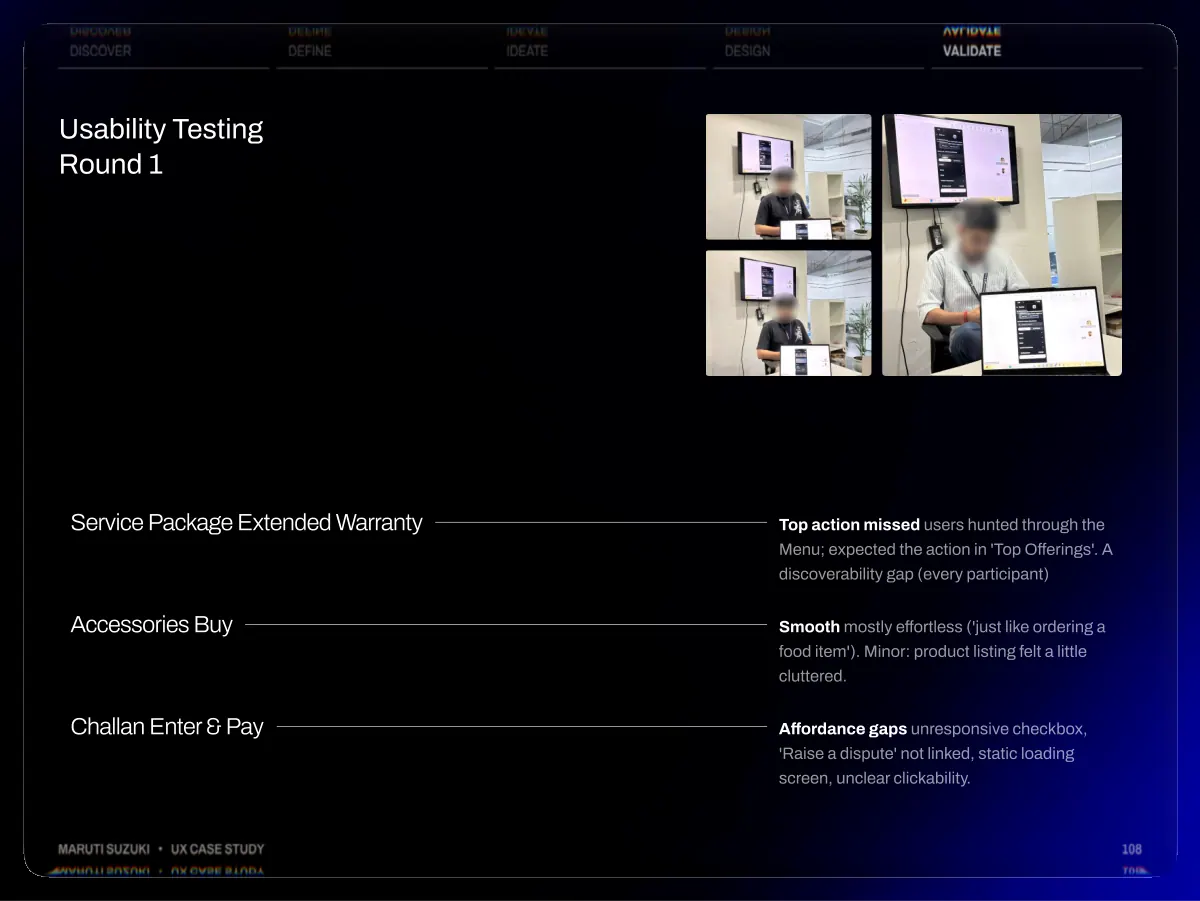
- Discover Usability Testing Round 1 Define Ideate Design Validate Maruti Suzuki • UX Case Study Service Package Extended Warranty Accessories Buy Challan Enter & Pay Top action missed users hunted through the Menu; expected the action in 'Top Offerings'. A discoverability gap (every participant) Smooth mostly effortless ('just like ordering a food item'). Minor: product listing felt a little cluttered. Affordance gaps unresponsive checkbox, 'Raise a dispute' not linked, static loading screen, unclear clickability. 108
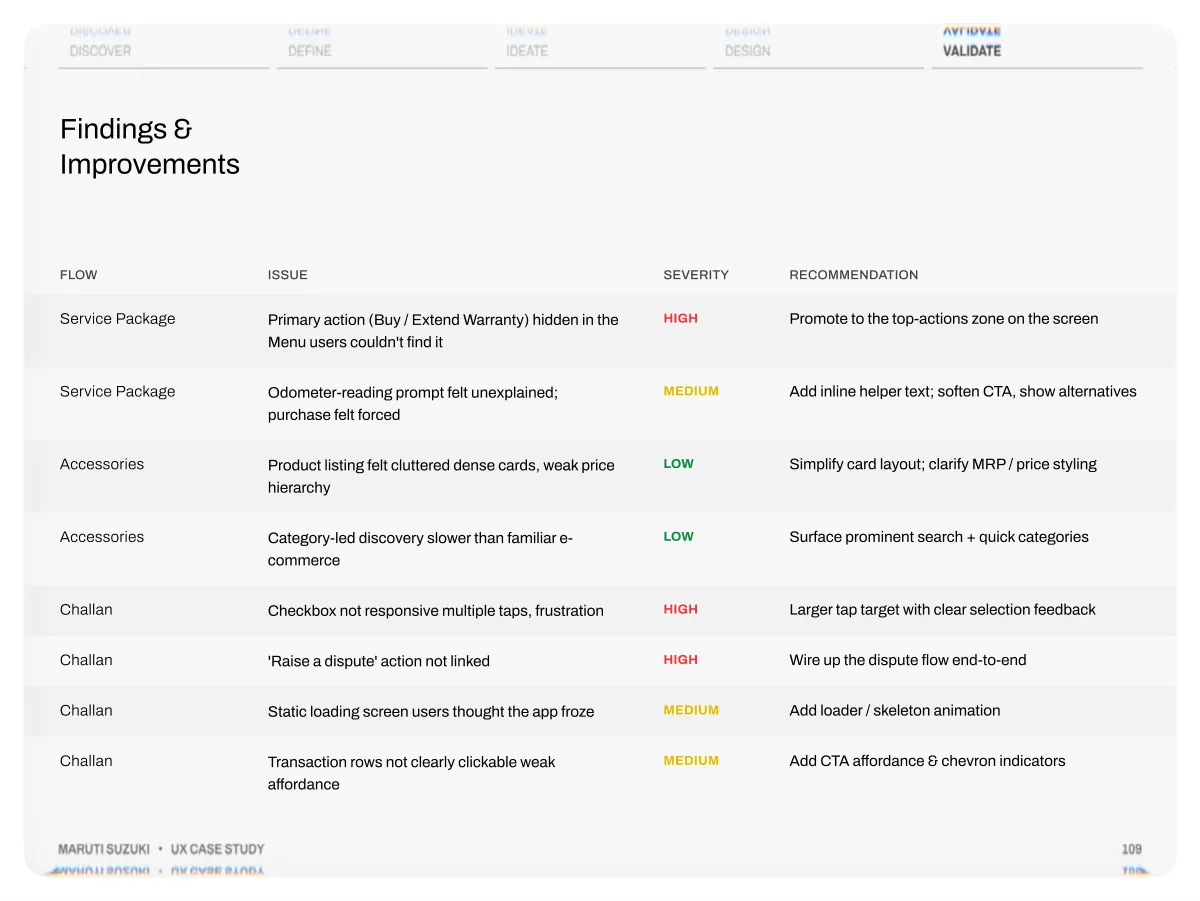
- Discover Findings & Improvements Define Ideate Design Validate Flow Service Package Service Package Accessories Accessories Challan Challan Challan Challan Maruti Suzuki • UX Case Study Issue Primary action (Buy / Extend Warranty) hidden in the Menu users couldn't find it Odometer-reading prompt felt unexplained; purchase felt forced Product listing felt cluttered dense cards, weak price hierarchy Category-led discovery slower than familiar e- commerce Checkbox not responsive multiple taps, frustration 'Raise a dispute' action not linked Static loading screen users thought the app froze Transaction rows not clearly clickable weak affordance Severity High Medium Low Low High High Medium Medium Recommendation Promote to the top-actions zone on the screen Add inline helper text; soften CTA, show alternatives Simplify card layout; clarify MRP / price styling Surface prominent search + quick categories Larger tap target with clear selection feedback Wire up the dispute flow end-to-end Add loader / skeleton animation Add CTA affordance & chevron indicators 109
- Discover Usability Testing Round 2 Define Ideate Design Validate Service Package Accessories Buy Challan Enter & Pay Top action now f ound instantly Smooth, with a cleaner listing Affordances & dispute fix ed Maruti Suzuki • UX Case Study 110
- Discover Usability Scores Define Ideate Design Validate 120 100 0 60 0 20 0 60 100 100 100 70 100 Round 1 Round 2 Maruti Suzuki • UX Case Study 111
- Discover Define Ideate Design Validate Book a Service book a service 5+ 1 click daily bookings 300 1,000 / day Maruti Suzuki • UX Case Study May Jun Jul Aug Sep 112
- Discover Define Ideate Design Validate Discover → Define → Ideate → Design → Validate & Impact. Every decision traced to a heuristic, a quote, a funnel number, or a heatmap and the metrics followed. 300 → 1,000 per day Daily service bookings 3.3× edge cases were even longer Clicks to book a service 1 click up from 3.2 App Store rating 4.6 Maruti Suzuki • UX Case Study 114
- Thank you dhirajchouhan.figma.site linkedin.com/in/imdhirajchouhan www.behance.net/imdhirajchouhan